


How to Design & Build a SaaS Product That Users Keep Using



Recent data shows that 93% of SaaS companies may fail to survive in the long term, if they continuously produce poor SaaS products.
If you’re searching how to design a SaaS product or how to build a SaaS product, you’re likely trying to avoid exactly these problems. You don’t just want screens or code, you want a system that users understand quickly, adopt naturally, and continue paying for without friction.
SaaS product launch theoretically might sound wonderful, but the data might indicate otherwise.
High churn rate after the first month. Slow activation. Users signing up but never returning. Most SaaS platforms don’t fail because the idea was bad — they fail because the experience didn’t guide users to value fast enough.
For this, you need to focus separately on the design and development phase, including user research, onboarding workflows, wireframing, architecture, security, pricing, and finally rollout.
People in the product validation stage will benefit from the design-related information.
If you already have wireframes or a prototype and are moving toward development, the build section will help you avoid technical and operational missteps.
For teams looking for deeper implementation support or real-world SaaS design benchmarks, exploring dedicated SaaS UX and product design services or partnering with experienced SaaS design firms can also provide valuable direction
In this guide, we will discuss the process that shapes a high-converting SaaS product that prompts users to keep using the interface.
SaaS UI/UX Terms You Must Know
Startup founders must understand some key terms related to SaaS products, such as:
MVP (Minimum Viable Product)
Minimal Viable Product is the simplest version of your SaaS product, designed to address a single user pain point and understand market feasibility.
MMP (Minimum Marketable Product)
A step beyond MVP — polished enough in usability and messaging that users are willing to pay, not just try.
MMP is an upgrade to MVP, designed to test usability and core messaging, and whether users are willing to pay.
Activation:
The time when users complete a meaningful, value-driven task, such as project creation or report generation.
Time-to-Value:
TTV measures the ease with which users explore and benefit from a product after creating an account.
For startups needing structured UX foundations or early product validation support, exploring focused UI/UX design assistance can accelerate clarity:
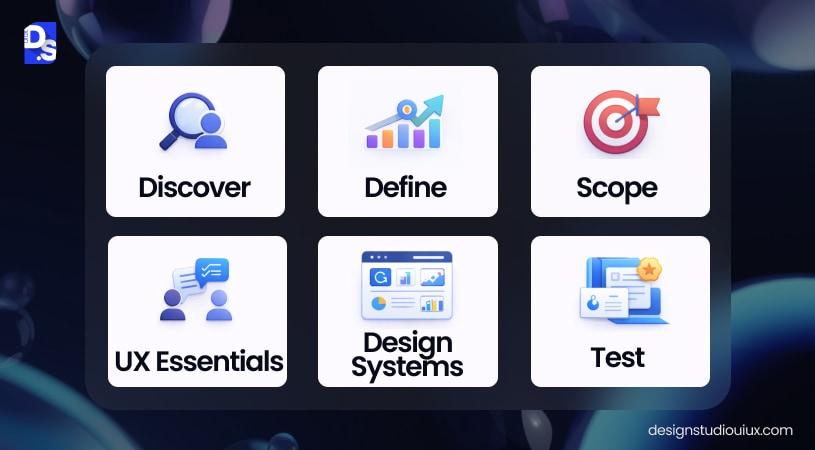
How to Design a SaaS Product Through UX & Product Strategy
- Problem → Outcome Mapping (Discover)
- Map Out The Actual KPIs
- Create A MVP Blueprint
- UX Essentials for SaaS
- Design Systems, Scalability & Accessibility
- Validation: Prototype → Test → Iterate
Usually, experts proceed to design a SaaS product with a vision in mind, involving product outcomes.
If the structure is weak, no amount of code will fix retention. If the experience is clear, even a basic MVP can succeed. This phase focuses on SaaS UX design, product clarity, and decision frameworks that shape what gets built and how users experience it.
1. Problem → Outcome Mapping (Discover)
Before features, define the outcome. Many teams jump into wireframes without understanding what users are actually trying to achieve. Discovery interviews prevent this.
How to run focused discovery interviews
- Talk to 5–8 real users from the intended target audience
- Move past hypothetical ideas and focus on real workflows
- Listen for repeated frustrations, not feature suggestions
- Record sessions and tag recurring patterns
5-Question Discovery Template (Paste & Use)
- What tool or method are you currently using?
- What takes the longest in your process?
- Where do mistakes usually happen?
- What would “success” look like in 10 minutes?
- What frustrates you the most about existing tools?
Micro-Checklist
- Avoid asking “What features do you want?”
- Focus on behavior, not opinions
- Capture quotes verbatim
- Summarize patterns immediately after interviews
Deliverable:
A simple Problem Map + JTBD (Job To Be Done) Statement
Example JTBD:
“Help sales teams visualize pipeline performance in under 2 minutes without exporting spreadsheets.”
Structured discovery often benefits from professional UX facilitation, especially in B2B SaaS:
2. Map Out The Actual KPIs
The problem statement is clearly stated, now it’s time to focus on the real metrics, not engage in design debates.
Core SaaS Metrics
- Activation Rate – first meaningful action completed
- Time-to-Value – minutes until benefit is experienced
- Retention – Day-1 and Day-7 return rate
- Churn Root Causes – feature confusion, pricing mismatch, complexity
Micro-Checklist
- Define metrics before designing flows
- Tie each metric to a product action
- Check weekly performance
- Dashboards needs to be unique and simplified
Metric Tracking Table
| Metric | How to Track | Healthy Threshold |
| Activation | Event analytics | 40–60% |
| Time-to-Value | Session duration | < 5 min |
| Day-7 Retention | Cohort reports | 25–35% |
| Churn Reason | Exit surveys | < 5% “confusing UX” |
Download Idea: Activation & Retention Tracker (CSV)
When metrics are visible, design decisions become measurable improvements instead of opinions.
3. Create A MVP Blueprint (Scope)
The fastest way to delay a SaaS launch is feature overload.
The MVP should validate value, not showcase ambition.
Two common prioritization frameworks:
RICE
- Reach
- Impact
- Confidence
- Effort
MoSCoW
- Must Have
- Should Have
- Could Have
- Won’t Have
Mini Example — Analytics SaaS
Required Features: Dashboards with export buttons, AI-based predictions, customized report generation, and a guided onboarding wizard.
RICE scoring often reveals that onboarding wizards and custom reports drive higher activation than AI predictions, which can wait. The workflows and feature sets can be designed using these SaaS website design best practices.
Micro-Checklist
- Limit MVP to 3–5 core capabilities
- Prioritize actions that reduce friction
- Delay automation features initially
- Validate demand before scaling scope
Template Idea: RICE Scoring Sheet (Downloadable)
4. UX Essentials for SaaS
SaaS UX is repetitive, task-oriented, and data-heavy, unlike marketing UX. A strong SaaS onboarding design and dashboard is needed to ensure user retention.
Onboarding Principles
- Progressive disclosure instead of full tutorials
- Tooltips over pop-ups
- Show progress indicators
- Let users reach value before asking for data
Information Architecture for Multi-Tenant Apps
- Clear separation between organization and personal views
- Role-based permissions
- Predictable navigation depth
- Logical grouping instead of creative naming
Dashboard Patterns
- Summary → Details → Action flow
- Filter visibility above fold
- Consistent chart legends
- Action buttons near key metrics
An intuitive dashboard UI will have built-in patterns to assist users in their respective tasks.
Micro-Checklist
- Highlight first action clearly
- Reduce empty states with guidance
- Keep menus predictable
- Avoid hidden navigation
Template Idea: Annotated Dashboard Wireframe (PNG / PDF)
5. Design Systems, Scalability & Accessibility
As features grow, inconsistency grows faster.
An enterprise design system keeps the product cohesive.
Core Elements
- Color tokens and typography scale
- Button and form components
- Spacing and grid rules
- Versioned component libraries
Accessibility & Internationalization Checklist
- Contrast ratio compliance
- Keyboard navigation
- Screen-reader labels
- Flexible date and currency formats
- Responsive typography
Micro-Checklist
- Document every reusable component
- Maintain version control
- Test across screen sizes
- Align engineering and design libraries
6. Validation: Prototype → Test → Iterate
These usability testing methods will provide appropriate answers:
Lean Remote Usability Test
- 5 real users
- 20–30 minute sessions
- Task-based scenarios
- Screen recording + observation
Usability Test Script (Short Template)
- Ask user to sign up
- Complete first key action
- Locate a feature without help
- Interpret dashboard data
- Share feedback and confusion points
Acceptance Metrics
- Task success rate above 80%
- Completion time under 3 minutes
- Minimal hesitation or backtracking
Stop/Go Indicators
- Multiple users stuck at same step → redesign
- Repeated navigation confusion → restructure IA
Template Idea: User Test Observation Sheet (PDF)
How to Build a SaaS Product (Tech, Architecture, Launch)
Design defines the experience.
Building defines whether that experience survives real usage.
Building a SaaS product from scratch is not only dependent on the tech stack. It is a comprehensive approach involving architecture, deployment strategy, pricing, and launch strategy, all necessary for a stable product that scales with time.
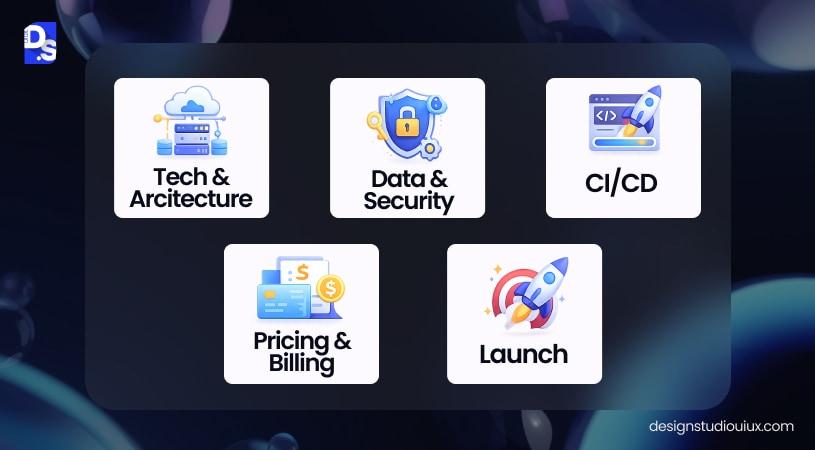
1. Choose the Right Tech & Architecture for Your Stage
Trend-chasing is not the primary focus in SaaS, architecture is. If the product is overengineered just to follow trends, it might have a steep learning curve, and cause instability upon scaling.
Early-Stage SaaS (MVP / Validation Phase)
Goal: speed, flexibility, and low infrastructure cost.
Common choices:
- Jamstack front-end + Serverless back-end
- BaaS (Backend-as-a-Service) platforms
- Managed databases and authentication
Pros
- Fast development
- Lower DevOps overhead
- Predictable costs
Cons
- Restrictions in customization
- Risks related to vendor lock-in
- Scaling constraints if growth is rapid
Scaling SaaS By Phase (Growth / Enterprise Phase)
Desired impact: reliability, performance, and horizontal scaling.
Common choices:
- Microservices architecture
- Event-driven systems
- Multi-region deployment
- Single-tenant vs multi-tenant decision-making systems
Pros
- High scalability
- Independent service updates
- Better fault isolation
Cons
- Higher infrastructure cost
- Complex monitoring
- Longer development cycles
Simple Decision Matrix
| Factor | Early Stage | Scale Stage |
| Speed to Launch | Very High | Medium |
| Cost | Low | High |
| Complexity | Low | High |
| Scalability | Limited | Strong |
| Maintenance Effort | Low | High |
The safest approach is to start simple → scale intentionally.
Technical direction should align with user growth, not anticipation alone. For structured SaaS product engineering alignment and UI–dev coordination:
2. Data, Security & Compliance Basics
B2B users don’t just blindly trust SaaS products, they are really insecure about their data. They would not store critical information in anything, they need a tool they can trust. Security is therefore part of user experience, not just backend logic.
Minimum Security Checklist
- Data encryption during storage (at rest + in transit)
- Secure authentication
- Session management
- Role-based access control (RBAC)
- Activity logs and audit trails
- Daily backups (automatic)
Compliance Considerations
- GDPR for European users
- CCPA for California users
- Data retention and deletion policies
- Transparent privacy documentation
For enterprise SaaS architecture, permission hierarchies and compliance UX patterns require dedicated planning.
3. CI/CD, Observability & Release Strategy
Continuous delivery ensures stability while allowing iteration. Instead of large risky releases, SaaS products benefit from frequent incremental updates.
Core Practices
- Automated testing pipelines
- Feature flags for safe experimentation
- Error tracking and performance monitoring
- Version rollback capability
Release Strategies
- Canary Releases – gradual rollout to a small user segment
- Blue-Green Deployments – parallel environments for safe switching
Instrumentation for UX Metrics
Front-end events help measure activation and time-to-value.
Sample Event Snippet (Conceptual)
- signup_completed
- first_project_created
- dashboard_viewed
- report_exported
Tracking these events reveals drop-off points in the activation funnel. Observability tools should be treated as product tools, not only engineering tools. Metrics inform design improvements as much as performance fixes.
4. Pricing, Billing & SaaS Operations
A SaaS pricing page design with unclear billing loses trust quickly, operational clarity must accompany UX clarity.
Common Pricing Patterns
- Free Trial – good for validation and onboarding confidence
- Freemium – attracts volume but requires strong upgrade triggers
- Usage-Based – aligns value with cost
- Tiered Plans – supports segmentation and growth
Billing Integration Tips
- Automated invoicing
- Transparent renewal reminders
- Clear upgrade/downgrade flows
- Grace periods instead of abrupt lockouts
Quick Pricing Experiment Checklist
- Test monthly vs annual discounts
- Measure conversion from trial to paid
- Monthly revenue generated or MRR
- ARR leakage indicates downgrades and user churn
5. Growth After Launch
Launching a SaaS product is not the end goal, strategy should include continuous optimization. Products with a grand launch don’t make it to the finish line.
Pre-Launch Checklist
- Closed beta users onboarded
- Analytics dashboards configured
- Onboarding flows tested
- Support channels prepared
Launch Phase
- Gradual rollout instead of mass exposure
- Dedicated monitoring team
- Rapid bug-fix cycles
- Communication transparency
Post-Launch Growth Measures
- Activation funnel analysis
- Onboarding A/B tests
- Retention experiments
- Feature usage heatmaps
Download Idea: SaaS Launch Checklist (PDF)
Designing a SaaS product involves decisions that cross UX, product strategy, and engineering, and the UX layer is where most of the user-facing outcomes are decided. If you want to delve deeper into the UX-specific aspects of the process, from research and user flows to dashboard design and onboarding psychology, our complete guide on SaaS UX design comprehensively covers that dimension.
Saas Product Case Study – From Confusion to Activation Lift
B2B SaaS dashboard occurs when a product has a sound tech stack in the backend, but the drop-off rate is exceptionally high, they are leaving within the first two sessions.
Before (Problem State)
- Users signed up but did not complete the first workflow
- Dashboard opened with dense analytics and zero guidance
- Navigation labels were industry jargon instead of task language
- Activation rate hovered around the low 30% range
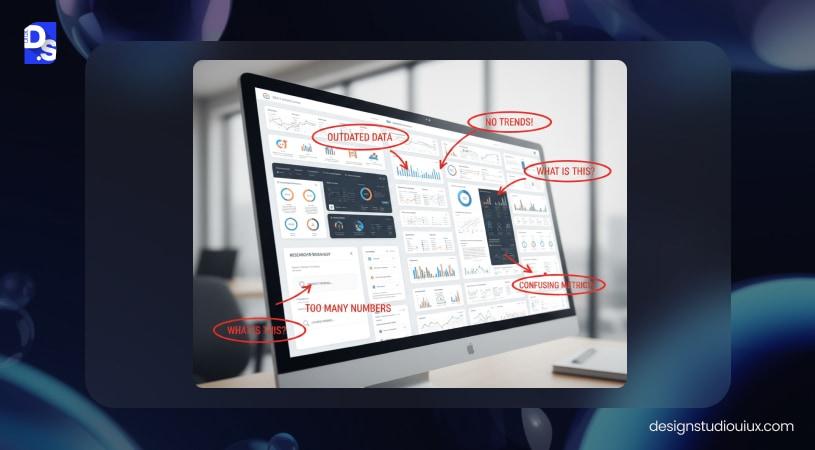
From a visual standpoint, nothing looked “broken.” But behavior data showed hesitation, long idle times, and repeated backtracking. The issue wasn’t aesthetics — it was cognitive overload.
Key Decision Taken
The key decision is to reduce friction, not build a stack of features.
- A guided onboarding workflow with 3 progressive steps
- Replaced technical labels with action-oriented wording
- Added empty-state guidance and sample data
- Reorganized dashboard layout from data-first to task-first
After (Resulting Metrics)
- Activation rate improved by roughly 18–25%
- Time-to-Value reduced from several minutes to under two
- Support tickets related to “where to start” dropped significantly
- Session duration increased without additional features
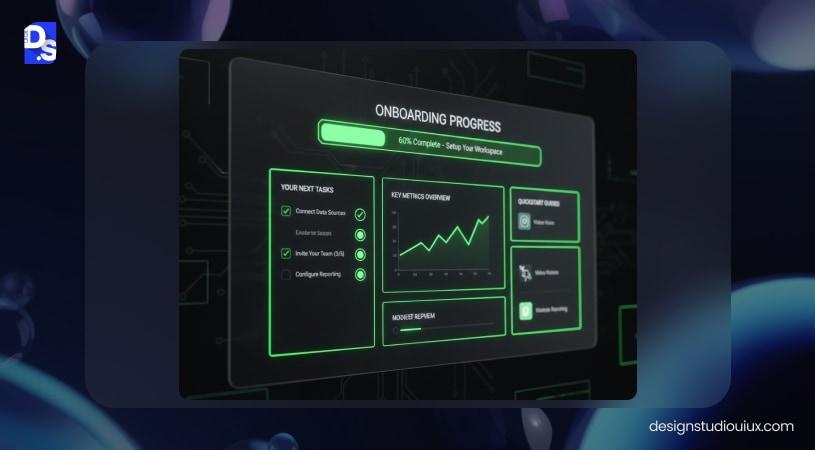
What changed was not the product’s capability — it was the entry experience and hierarchy of information.
Even a simple wireframe comparison works if real screenshots aren’t shareable. Annotated visuals build trust because they show decision logic, not just outcomes.
For a deeper walkthrough of this type of transformation, you can explore a full real-world B2B SaaS product design example here.
Conclusion
A SaaS product should not be hurriedly launched, it needs to happen at the right pace. It can only happen when UX clarity, and technical expertise merge to create a product that doesn’t struggle with user retention. If you want practical inspiration, explore a real SaaS transformation and see how small UX decisions created measurable impact. And if you’d like expert eyes on your product direction, consider booking a design review.
FAQs
What is the difference between designing and building a SaaS product?

SaaS product designing focuses on usability by streamlining the user experience, and the development is all about product performance and stability. These two strategies are needed to ensure users return to the product and contribute to its growth.
How long does it take to design and build a SaaS MVP?
For most early-stage SaaS products, 8–12 weeks is a realistic range.
- 3–5 weeks for research, UX, and prototyping
- 5–7 weeks for development and testing
- Complex enterprise SaaS tools may extend to 16–20 weeks depending on integrations and compliance needs.
Which metrics matter most for SaaS product design?
The most impactful early metrics are Activation Rate, Time-to-Value, and Day-7 Retention. These reveal whether users understand the product quickly and return after the first session. Later stages often add engagement depth, churn reasons, and feature adoption rates.
Should I build multi-tenant architecture from day one?
Not always, If your product targets multiple organizations immediately, multi-tenancy helps. Otherwise, starting a single-tenant can reduce complexity and speed validation. Transition when user growth demands it. See the architecture section above for stage-based decisions.
What is Time-to-Value in SaaS and why is it important?
Time-to-Value measures how quickly a new user experiences value after signup. A shorter time increases activation and retention because users feel progress immediately instead of navigating complexity or tutorials before seeing results.
How many features should an MVP include?
Typically 3–5 core capabilities are enough. MVPs are used to validate the product idea not present the entire concept.
Features that don’t directly support the primary user outcome should be postponed to avoid delays, confusion, and unnecessary development cost.
Do SaaS products always need a design system?
Not on day one, but very soon after MVP. A design system brings stability to SaaS products, to ensure they don’t break even when multiple features are added.
Is onboarding really that critical for SaaS success?
In Saas, onboarding is a critical metric, and an indicator of activation and retention. If users cannot understand the product within the first few minutes, they rarely return.



