


10 Steps UX Audit Checklist to Find Quick Wins Pre-Redesign


If you have a free-to-access digital product, user attention is your ultimate currency. The quality of your product’s User Experience (UX) design determines how much of this currency your product can generate. Navigating the digital landscape without a rigorous, systematic approach to evaluating and refining that “currency-generating” experience is bad business.
A comprehensive UX audit checklist, a strategic document designed to dissect, analyze, and ultimately elevate your product’s interaction with its users, is the essential instrument for performing this critical task.
A User Experience Audit, or UX Audit, is an in-depth, evidence-based examination of a digital product, be it a website or application. An app or website UX audit checklist serves as the foundation of this examination. It keeps the audit on track and ensures that it identifies all usability issues, friction points, and areas for strategic improvement in a digital product’s UX.
Let’s learn how to build such an effective UX audit checklist.
Free UX Audit Checklist Template for 2025
The following blueprint is a strategic examination framework for effective UX audits in 2025. Each point here represents a critical lens through which to scrutinize your product.
1. User Research Verification
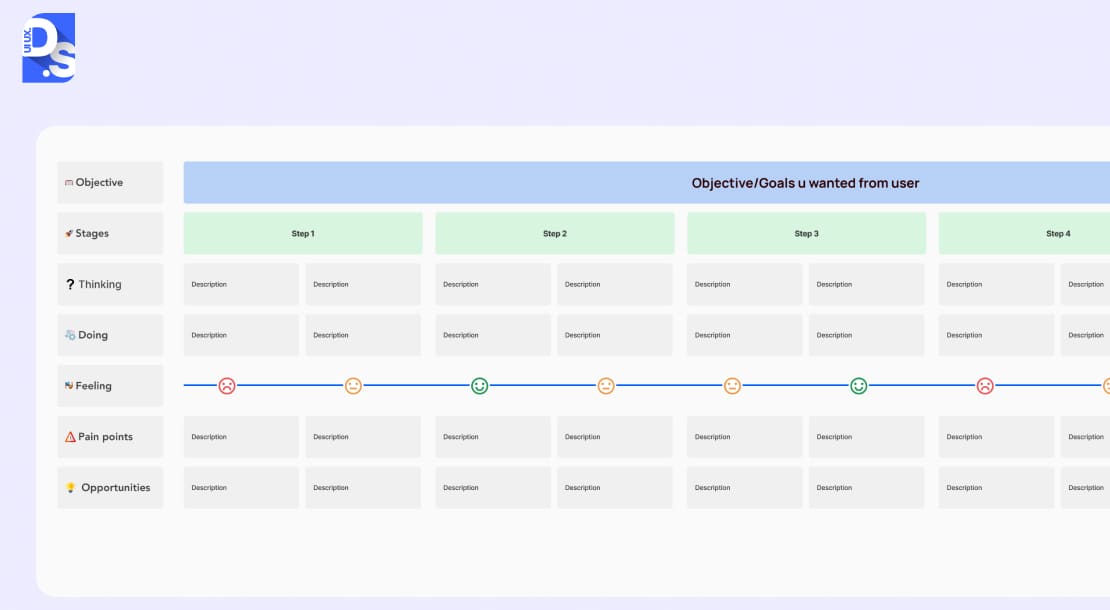
Kick off by validating your user understanding. Do your existing personas reflect current user behaviors, needs, and market realities?
Cross-reference all analytics with persona traits. Have new user segments emerged? Has the context of product use shifted?
If this step is glossed over, you risk optimizing for yesterday’s user. The goal here is to confirm your product still serves the right people, addressing their contemporary challenges effectively.
2. Heuristic Evaluation
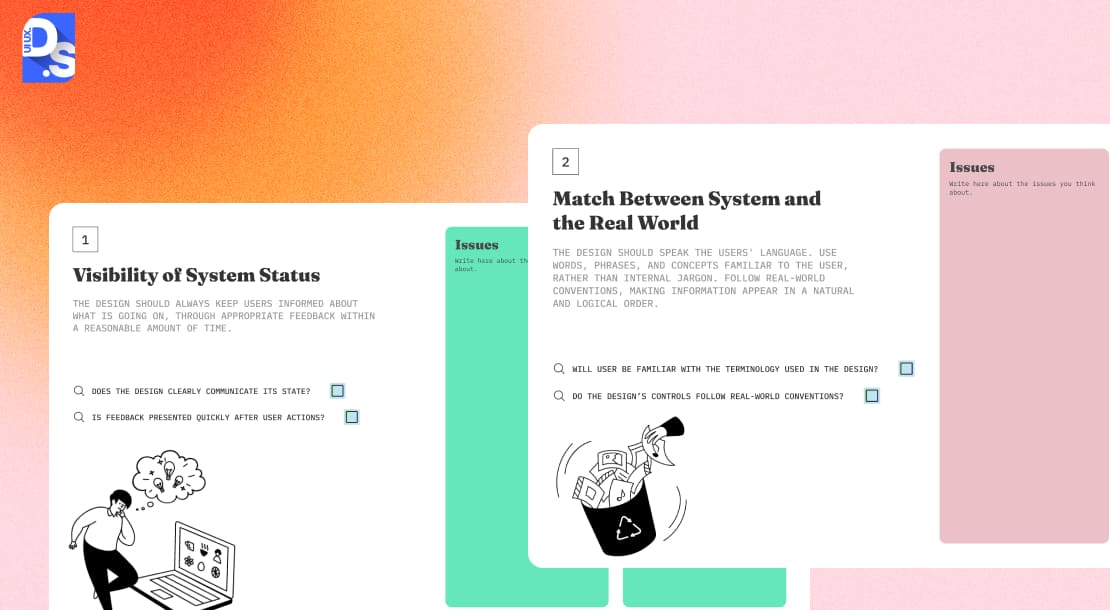
Next, benchmark your interface against established usability principles like Nielsen’s 10 Heuristics. The application of these principles in 2025 demands a fresh perspective. While assessing your product’s interface against them, you must consider subtle details like:
- Is the system status clear across all interactions (touch, voice, gesture)?
- Does the product speak the user’s language, not internal jargon?
- Can users easily undo actions and navigate freely?
- Is there unwavering consistency, both internally and with platform norms?
- Does the design actively prevent errors?
- Is recognition favored over recall, reducing cognitive strain?
- Does it offer flexibility for novices and efficiency for experts?
- Is the aesthetic clean, focusing on essentials?
- Are error messages genuinely helpful, guiding recovery?
- Is help accessible and contextually relevant?
A detailed check against these, adapted for modern interfaces, uncovers systemic flaws.
3. Usability Testing Assessment
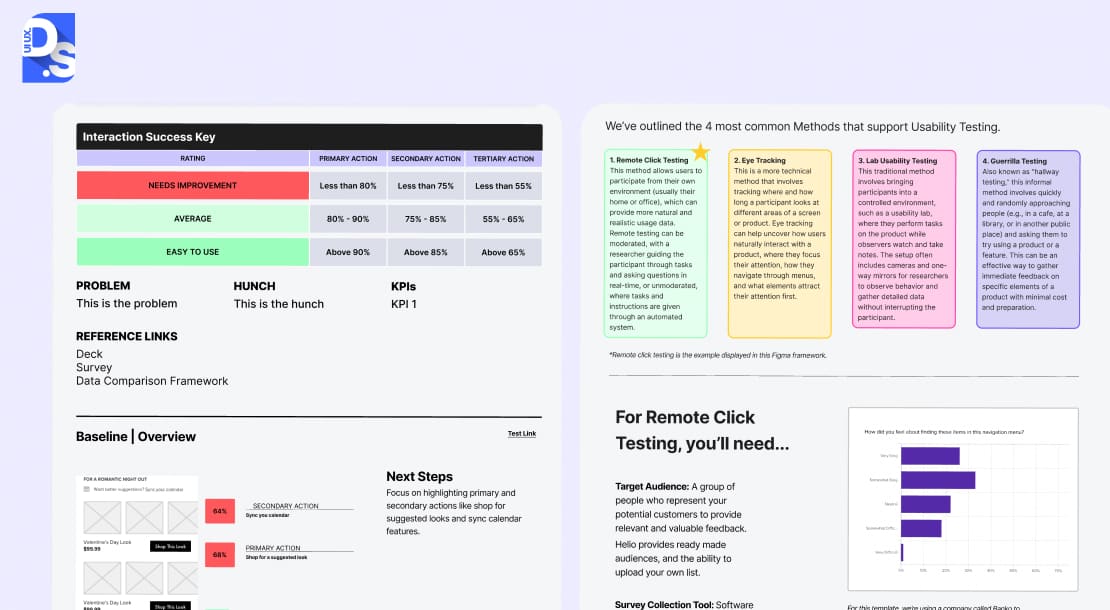
Expert reviews are insightful, but observing real users provides undeniable truth. Your UX audit checklist must, therefore, include a component for assessing your current usability testing practices and findings, or for planning new tests if gaps exist. This is not just about running a few sessions; it is about evaluating the quality and relevance of that testing:
- Does your participant pool accurately represent your key user segments and their diverse contexts?
- Are you employing a variety of methodologies: moderated, unmoderated, remote, in-person?
- Are the tasks users perform in tests genuinely reflective of their real-world goals and your business objectives?
- How frequently is testing conducted, and crucially, how are those insights being acted on?
In 2025, your checklist should also push to assess advanced considerations:
- Are you testing for multimodal usability (seamless switching between touch, voice, keyboard)?
- What about cross-device journeys? Are you capturing emotional responses across all versions of your product?
If your UX audit checklist allows these steps to be glossed over, you are essentially gambling that your internal assumptions perfectly match external reality – a risky bet that often leads to products that look good on paper but stumble in the wild.
4. Accessibility Compliance Evaluation
Accessibility is now a core UX audit requirement. Your audit must evaluate whether the product’s design maintains strict adherence to the latest Web Content Accessibility Guidelines (WCAG) and other relevant local mandates. This means that your audit checklist must account for checks like:
- Assessing the accessibility of the content’s semantic structure.
- Whether the design offers keyboard-only navigation and screen reader compatibility.
- If the interface’s color contrasts are pleasing to the eyes of all users, including those with visual disabilities.
- Whether all media in the product is accessible on all devices.
- If all forms within the product are easy to fill.
Ignoring this = opening up your product to legal risks and risking the opportunity to serve ALL users.
5. Information Architecture Assessment
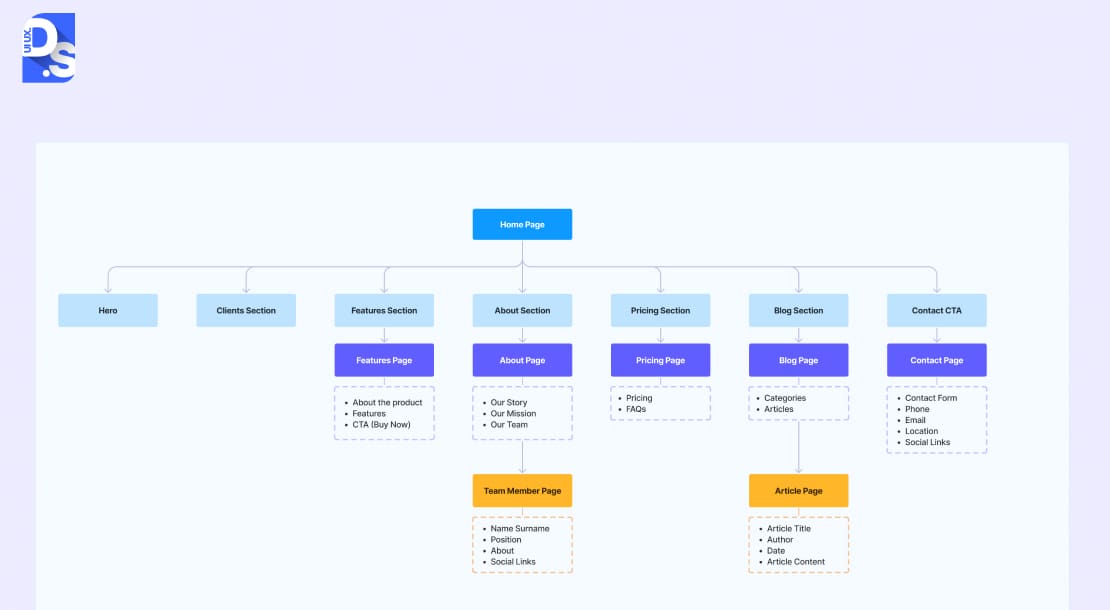
Your product’s Information Architecture (IA) dictates how easily users find what they need. During the audit, you must assess its logic.
Does the taxonomy align with user mental models? Are navigation systems (global, local, utility) intuitive? Is the search effective? Are content relationships clear? Your audit checklist must contain these critical questions.
Tree testing with tools like Optimal Workshop can reveal deep structural insights about your product’s IA, independent of visual design. It must be a part of the checklist as well.
A confusing IA means valuable features and content remain undiscovered. Poor structure is one of the most damaging UX design mistakes because it hides value instead of delivering it.
A well-audited and refined IA means the opposite.
6. Visual Design Consistency Analysis: More Than Just Looks
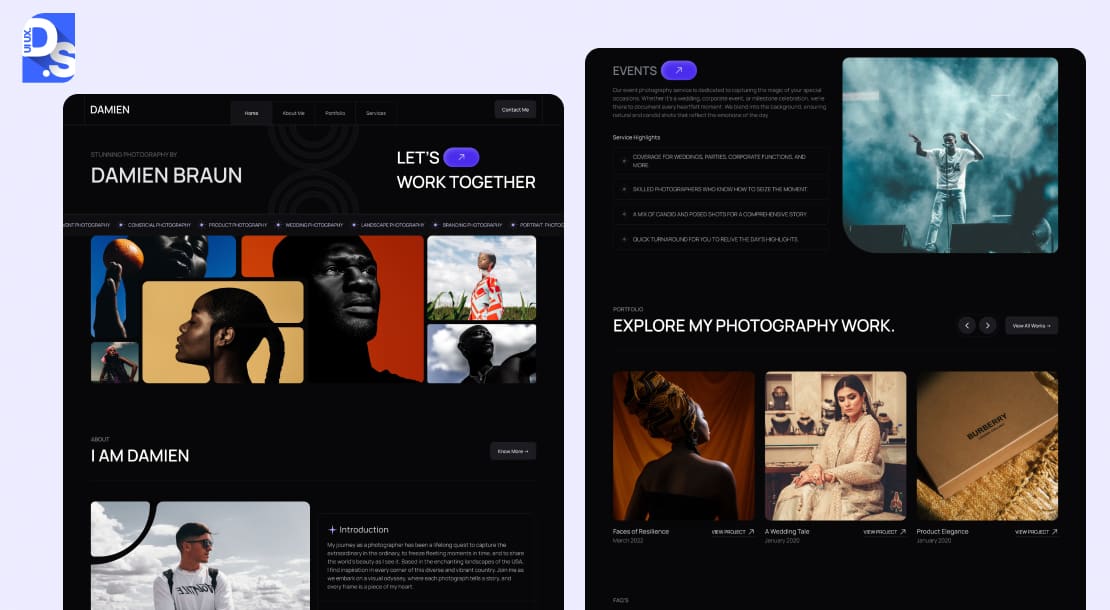
Visual design communicates brand, hierarchy, and guides attention. The audit must review its consistency and effectiveness.
So, the audit checklist must outline questions like:
Is your design system applied uniformly? Is typography clear and purposeful? Is color used meaningfully and accessibly? Do spacing and layout create visual order? Does responsive design perform flawlessly? Are animations purposeful, not distracting?
The visual design must also handle all personalized features within the product without losing coherence. The checklist must account for that as well.
7. Content Clarity and Relevance Evaluation
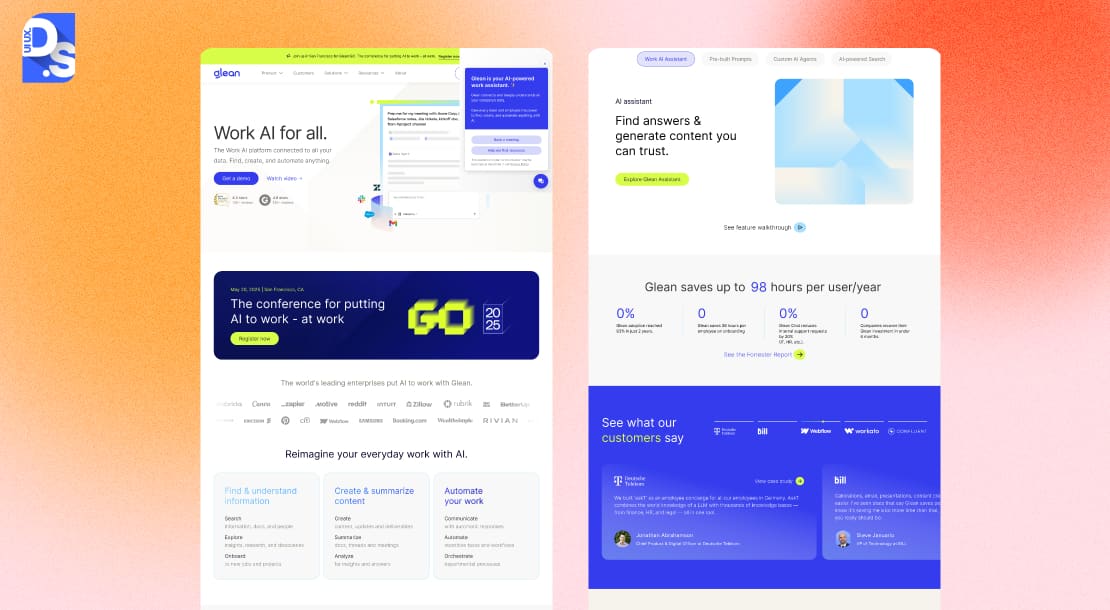
Content is the core of most digital interactions, yet its strategic importance is often underestimated in UX evaluations. A modern app or website UX audit checklist must address this by mandating a structured assessment of content quality, clarity, tone, and relevance. This involves evaluating:
- The lucidity of messaging and the avoidance of jargon.
- Consistency of voice and tone with brand guidelines and contextual appropriateness.
- Alignment of content hierarchy with user priorities and information-seeking behaviors.
- Scannability of text through effective use of headings, lists, and visual structure.
- Quality and cultural appropriateness of localized content for international audiences.
- The purposeful integration of multimedia elements into the content.
- The accuracy and timeliness of information.
Modern checklists also probe the adaptability of content strategy to user context, including personalized content delivery and the quality assurance of AI-generated text.
Overlooking content evaluation within the checklist can render an otherwise well-designed interface ineffective if users encounter confusing, irrelevant, or overwhelming information.
8. Interaction and Navigation Flow Analysis
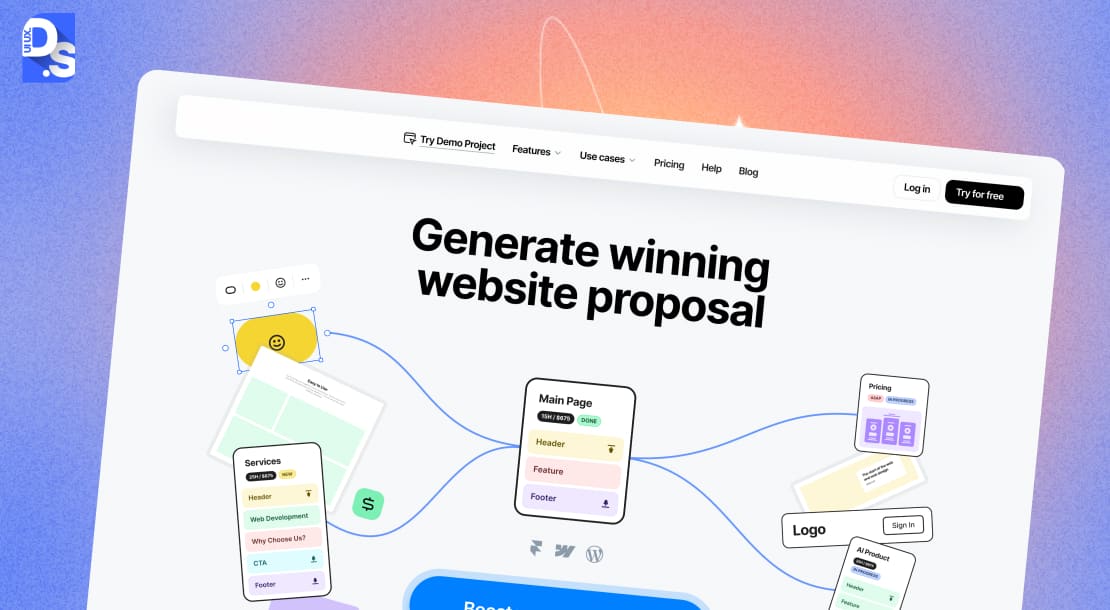
User experience lives in the flow between screens. Your checklist must guide a comprehensive analysis of these flows. This includes:
- Mapping key user journeys to identify inefficiencies or points of friction
- Ensuring consistency in interaction patterns for similar functions
- Evaluating the clarity and timeliness of feedback mechanisms for user actions and system status changes
- Assessing the design of transitions between states and screens for coherence
- Analyzing navigation patterns for intuitive orientation and wayfinding
- Ensuring the appropriateness of input methods for different contexts and tasks
- Reviewing the progressive disclosure of complex functionalities to avoid user overwhelm
The checklist should also scrutinize the continuity of interaction flows across multiple devices and touchpoints. It should verify whether a product’s website and mobile app UX design are consistent.
A failure to analyze interaction flows, a gap that a good checklist prevents, can lead to situations where individual screens are usable in isolation, but the overall journey is disorienting.
9. Performance Metrics Analysis
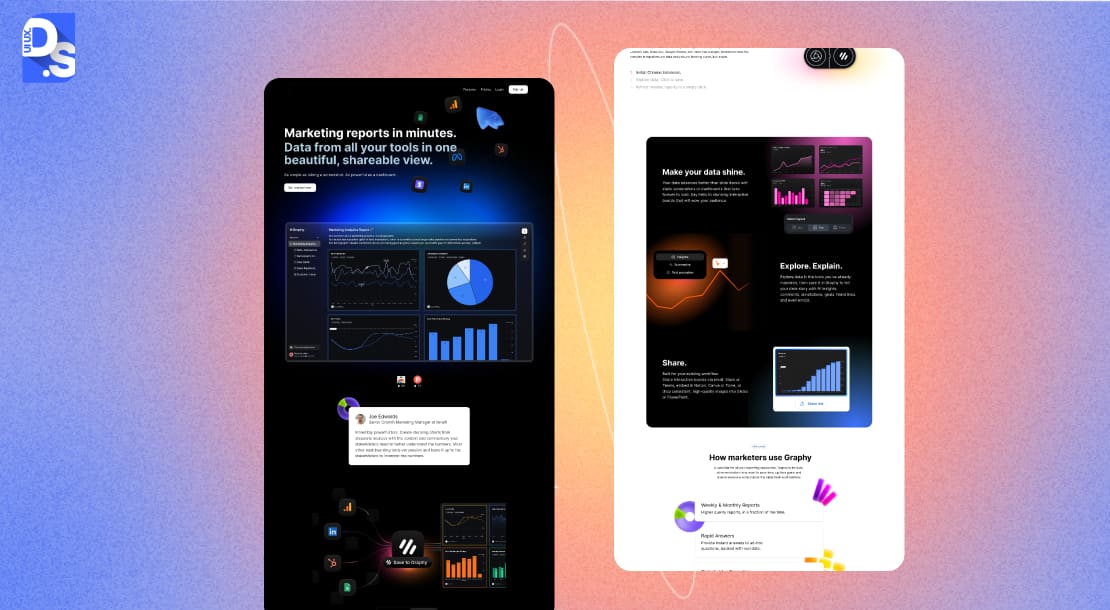
A slow or unresponsive product = guaranteed user frustration.
Your checklist must, therefore, include the evaluation of key performance metrics. This analysis should assess:
- Page load times (Time-to-First-Byte, Time-to-Interactive, etc.).
- System response times to user inputs.
- The smoothness and frame rate of animations and transitions.
- The availability and effectiveness of offline functionality or graceful degradation.
- Resource efficiency (battery consumption, data usage).
- The performance of backend systems (database queries, API response times).
- Performance consistency across different devices, browsers, and network conditions.
Modern checklists also encourage evaluating perceived performance. That means assessing whether the design uses loading indicators, skeleton screens, and optimistic UI updates to manage user perception during unavoidable delays/errors.
Neglecting performance analysis within the checklist can lead to a product that, despite other strengths, is perceived as low quality.
10. Feedback Mechanisms and Error Handling Review
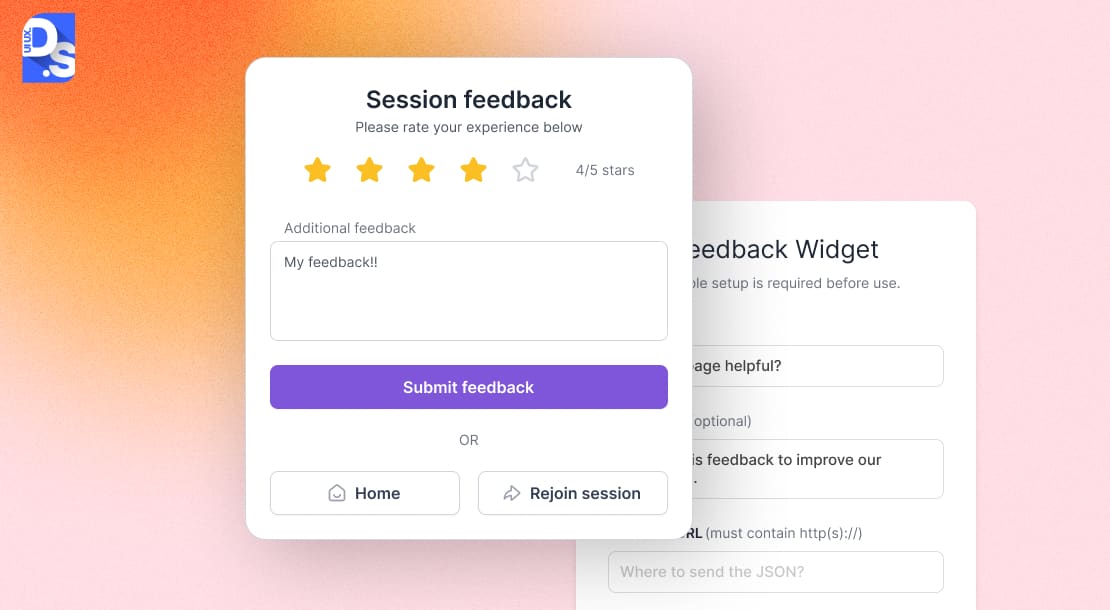
How your product communicates during errors shapes user trust. The audit checklist must ask you to review all feedback systems
Do they prevent errors effectively? Are error messages clear, constructive, and jargon-free? Are recovery paths obvious? Is validation timely? Does it confirm success and indicate progress clearly?
Insufficient attention to feedback and error handling, an oversight that a thorough checklist prevents, can leave users feeling uncertain, anxious, or unsupported.
Understanding UX Audits
A UX audit is a methodical assessment of your digital product’s usability and overall UX efficacy. UX auditors employ a blend of evaluative techniques, analytical tools, key performance indicators, and comparative analyses against established best practices and competitor offerings to make this assessment.
This involves synthesizing quantitative data, such as conversion funnels and drop-off rates, with rich qualitative insights derived from user session analysis tools like Hotjar and direct user feedback.
This data-driven assessment for objective truths about your product’s UX gives you a clear picture of what design/development decisions you need to make to make your product more engaging and aligned with business objectives.
When should you pull the trigger on a UX audit?
Ideally, it is not a panic button.
Smart teams conduct them proactively: before a major redesign, when launching significant new features, if key performance indicators start to tank, or simply as regular fiscal hygiene, say every 12-18 months.
Before scheduling an audit, many product teams also compare the UX audit cost to plan budgets and allocate resources effectively.
The UX audit checklist gives the audit a framework to maintain its comprehensiveness and objectivity. It ensures that the audit checks everything about the product’s UX – from its foundational usability tenets to its ability to deliver cross-device user journeys. Without it, your audit risks missing systemic issues. With it, you get to unlock all the benefits of UX audit.
Preparing for a UX Audit
Is your UX audit able to generate meaningful and actionable insights? That’s what determines its success. And this success is impossible without thorough preparation.
Your UX audit checklist plays a critical role in this preparation by capturing and tracking each preparatory stage. Here are the different preparatory stages preceding a UX audit:
1. Set SMART Goals & Define Scope
Create Specific, Measurable, Achievable, Relevant, and Time-bound objectives, like:
- Reduce churn by 12.5% in Q3
- Boost mobile task completion rates by 15% in six months
Next, outline the audit’s scope in the checklist:
- Which features or user flows will you analyze?
- Which user personas or segments are priorities?
- What devices, platforms, or OS versions are included?
Set baseline metrics for success. Document current conversion rates, engagement levels, support ticket volume, satisfaction scores, etc. These benchmarks let you measure post-audit success.
2. Gather Comprehensive Data
A data-starved audit leads to guesswork. Your checklist must outline diverse data sources:
- Quantitative analytics on user behavior, drop-off points, conversion paths
- Qualitative data, i.e., session recordings, surveys, app reviews, social sentiment analysis
- Technical/market data, competitor analyses, AI-driven predictive insights on the industry, etc.
This mix of data creates a balanced foundation for identifying pain points and opportunities.
3. Build Your Team & Toolkit
Assembling a skilled, multi-disciplinary team and the appropriate analytical tools is another critical preparatory step that ought to be detailed in your UX audit checklist. The checklist should prompt for the formation of a team comprising:
- UX researchers, adept at methodological rigor and understanding the latest UX research trends.
- UX/UI designers, capable of evaluating aesthetic and interactional integrity.
- Content strategists to assess messaging efficacy.
- Accessibility specialists, to ensure inclusivity.
- Technical leads or developers, to provide insights into implementation feasibility.
- Key business stakeholders to offer strategic context and ensure alignment with broader commercial objectives.
Specifying these roles within the checklist mitigates the risk of proceeding without essential expertise. The checklist must also itemize the required toolkit for the audit, from analytics platform to usability testing software to accessibility validation tools.
4. Timelines and Communications
Finally, your app or website UX audit checklist must feature a realistic project timeline and a proactive communication plan. Most audits take 2–6 weeks, depending on complexity. Break this timeline into phases like:
- Initiation
- Data collection
- Analysis
- Reporting
- Recommendations
Add a communication plan to:
- Share progress updates
- Validate findings with stakeholders
- Share different versions of the audit reports at different stages (executive summaries at the start vs. technical deep dives at the end)
Without clear timelines and communication, even the best insights risk getting lost.
Tools and Resources: Arming Your Audit
A successful audit hinges on the right tools and structured resources. Your checklist should guide their selection, ensuring they match your audit’s specific needs. You need a mix of analytics platforms, user testing solutions, and specialized evaluators. A good starting point is to explore comprehensive lists of tools for UX audit to understand the available options.
- Analytics platforms like Google Analytics 4 reveal quantitative user behavior.
- Session recording tools like Hotjar or Fullstory provide the qualitative ‘why’ behind the numbers.
- Platforms such as UserTesting or Maze prove great for direct user feedback and task-based testing.
- Accessibility auditing calls for automated tools like Axe by Deque, browser extensions such as WAVE, and manual testing with screen readers.
- Information architecture insights can be gleaned from tools by Optimal Workshop.
Beyond software, standardized documentation is key. A properly crafted UX audit checklist template is a must-have for maintaining documentation consistency and thoroughness.
Many collaborative tools like Notion, Miro, or Figma offer frameworks or allow you to build your own reusable UX audit checklist template. Use these templates to streamline the process of recording your findings and for prioritizing urgent UX issues.
Implementing Audit Findings
An audit’s true value emerges when its findings catalyze real change. Your initial audit checklist continues to be central here. It provides the framework for turning insights into an actionable roadmap. Here’s how you go through this stage.
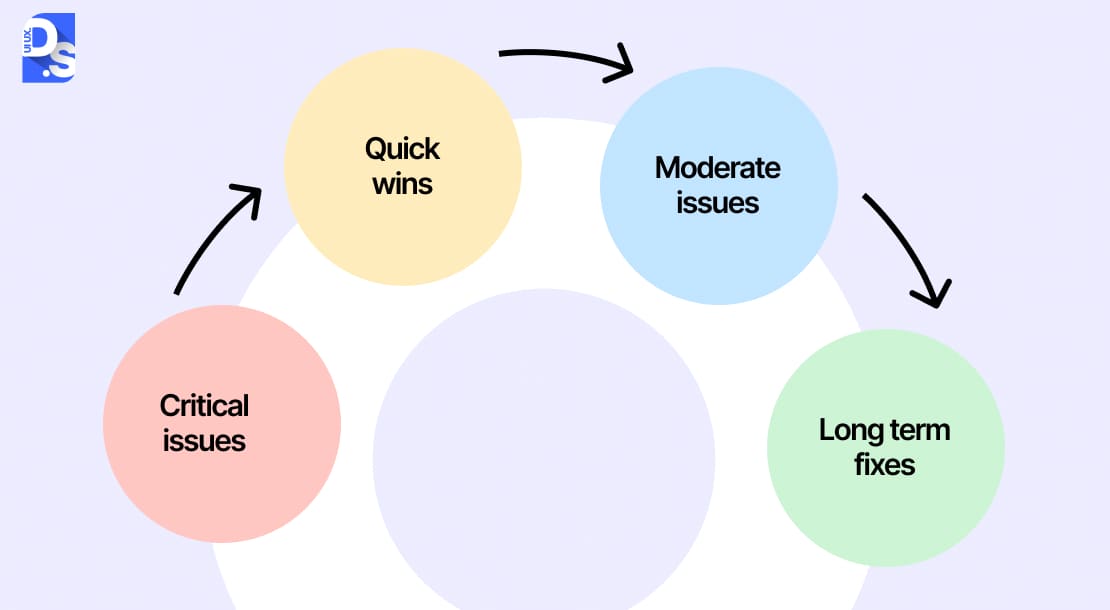
First, organize and prioritize. Use the checklist categories to group issues via a prioritization lens:
- User Impact: The severity of the issue’s effect on the user experience
- Business Impact: The extent to which the issue affects key business metrics
- Effort: The estimated resources (time, cost, technical complexity, cross-team dependencies) required to address the issue
- Strategic Fit: The degree to which resolving the issue aligns with your strategic product/business objectives
Plotting issues within this matrix helps you distinguish between:
- Immediate priorities (high impact, low effort)
- Strategic initiatives (high impact, high effort)
- Items/actions fit for deferring (low impact)
After prioritizing the issues, the checklist must lay out a detailed action plan. This plan must translate all recommendations into concrete, assignable tasks. It must include:
- Ownership: Assign responsibility for each actionable item to a specific individual or team
- Deliverables: Specify the expected outcomes or changes for each task
- Timelines: Establish achievable deadlines for completion, considering dependencies and resource availability
- Success Metrics: Identify how the impact of each implemented change will be measured, based on the baseline metrics established during the audit preparation phase
- Phased Rollout: Group related improvements into logical releases to manage complexity and allow for iterative learning and adjustment
This structured approach keeps everyone accountable. It also facilitates efficient progress tracking as implementations are made phase-by-phase.
The next step is engaging stakeholders and communicating proposed changes to secure their buy-in and the necessary resources for implementation.
The checklist must account for the creation of:
- Executive Summaries: Highlighting key findings, business implications, and strategic recommendations for senior leadership
- Detailed Reports: Providing in-depth analysis, evidence, and technical specifications for design, development, and product teams
- Visual Storytelling: Charts, graphs, screenshots, and even video clips of user struggles to make findings more compelling and understandable
These communications pave the way for implementing all audit proposals. They also make strong arguments for investing in UX design consulting services if internal resources are constrained.
Case Studies: How UX Audits Transformed Brands
Still think UX audits are just theoretical? Check out how these industry leaders turned audit insights into explosive growth:
Amazon
Amazon wanted to create a cleaner, more attractive layout to help its users find products easily. Their audit checklist laid out these requirements:
- Rigorous user testing sessions
- Deep analysis of browsing & purchase data
- Iterative design experimentation
The main suggestion of this audit? A card-based interface design with:
Cleaner visual hierarchy for effortless scanning
Seamless product comparison features
Hyper-personalized suggestions (based on browsing history)
After this checklist-based audit, Amazon’s engagement and conversion rate skyrocketed.
Microsoft
Microsoft recently wanted to enhance the accessibility and inclusivity of its Xbox Adaptive Controller. Their UX audit checklist mandated:
- Direct collaboration with gamers with disabilities.
- Testing extreme customization scenarios.
- Mapping diverse physical interaction needs.
These efforts led to the creation of a groundbreaking adaptive controller with:
- Plug-and-play ports for external buttons/switches.
- Fully customizable configurations.
- Xbox interfaces designed with users, not just for them.
The impact? Industry-wide acclaim, leadership in inclusive design, and a better experience for every gamer.
Here’s why the checklists behind these audits were game-changers:
- They had clear objectives like Amazon’s “cleaner layout” and Microsoft’s “inclusive gaming.”
- They prioritized rigorous data analysis & testing (User sessions and analytics for Amazon, real-user co-creation for Microsoft)
- They led to the delivery of actionable outcomes (Card-based redesign, adaptive hardware)
Conclusion
A thorough UX audit is an investment in your product’s future. A detailed audit checklist is the blueprint for securing a healthy ROI on this investment. If you are ready to make such an investment, team up with Design Studio.
Our comprehensive website and app UX audit services reveal everything that is wrong/right with your digital product/s and take your brand’s online presence to the next level.
Ready to get started? Consult us for a UX audit checklist template now!
Summarize this article with AI
FAQ’s
What does a UX audit checklist consist of?

A checklist covers all the tasks required to be done before, during, and after a UX audit.
What is the significance of a UX audit?
It takes an honest, detailed look at how users experience your product. Then, it shows you a clear, fact-based way to make the experience better.
What are the popularly used UX audit tools?
Google Analytics, Hotjar, UserTesting, Figma, Optimal Workshop, etc.
How often should a UX audit be performed?
Once in the interval of every 12-18 months
How does a UX audit differ from usability testing?
Usability testing is a singular method to observe user behaviour.
It is one of the many methods used in UX audits to decode the drivers of user behaviour
Can a UX audit improve conversion rates?
Yes. By identifying and fixing friction points in user journeys, it can directly address all existing barriers to conversion.
How long does a UX audit take?
It takes around 1-3 weeks for focused audits. 4-8+ weeks for complex audits.



