


Enterprise Website Design: Strategy, UX & Best Practices


Quick Summary
Enterprise website design is the strategic process of building scalable, high-performance digital platforms that support millions of users, complex workflows, and deep system integrations such as CRM, ERP, and CMS.
Unlike standard corporate or SMB websites, enterprise platforms require modular architecture, structured information architecture (IA), governance frameworks, accessibility compliance (WCAG/ADA), API-first integrations, and performance optimization to ensure long-term scalability and ROI.
Enterprise websites serve millions of users and support heavy data and complex workflows. They maintain a site architecture which sustains performance, integrated UX, and compliance for large scale projects..
For smooth page transitions, enterprise leaders prioritise IA and modular UI concepts, making UI/UX design services a strategic investment for stable business growth.
Forrester’s research suggests that when a site is designed carefully, it can raise conversion rate up to 400% higher than a poorly designed website.
Therefore, invest in an efficient design agency to increase engagement and align the digital presence of your brand.
What is Enterprise Website Design?
Enterprise web design refers to the process where designers consider strategic engineering and marketing tactics to optimize the site. Here, the main goal is to create webpages which support different user roles and complicated data flow. This drives more organic traffic and makes the site perform better for users to take actions.
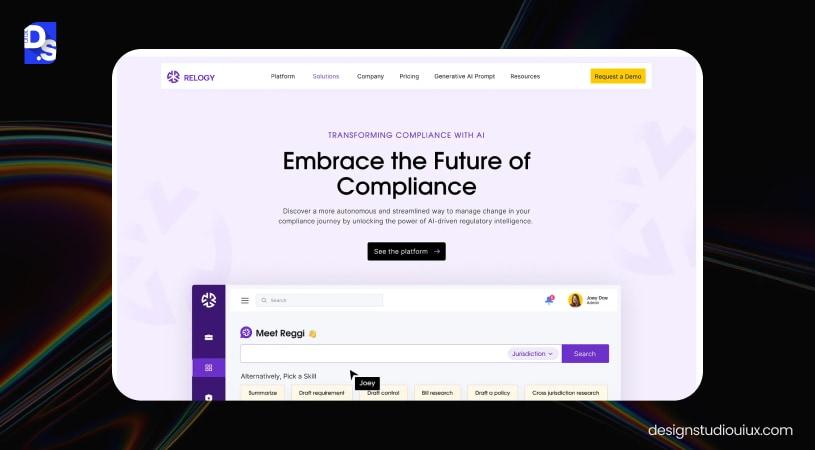
Enterprise Vs SMB websites
Enterprise sites harmonize internal teams, style guides, and complex systems integrations to streamline pages’ workflow. Their designing architecture supports role based access to deliver consistent brand experience for large scale businesses.
On the other hand, SMB sites take care of customer needs, budget constraints and product goals to generate better local or niche leads. It follows straightforward user journeys to accelerate immediate conversions for small and medium size businesses.
| Feature | SMB Website | Enterprise Website |
| Primary Goal | Quick lead generation and sales. | Long term ROI and site productivity. |
| Site Architecture | Simple navigation for basic SEO | Hierarchical navigation personalized with AI features |
| Integration | Limited integration (Email, Google Analytics, etc.) | Heavy multilayer integration ( example – SAP ERP, Salesforce CRM, Global PIM) |
| UX | Features based on basic user needs | Highly personalized features based on every stage of user journey |
| Setup | Affordable and quick setup for fast customer acquisition | Operate with expensive and complicated design to gain more brand authority |
System-level Thinking
Systemic thinking in enterprise website design is a concept which shows the digital presence of the site as a connected system. It does not focus on webpages or tools separately, but connects technologies, user journeys, and business goals for cross-functional agility.
Enterprise web design makes sure CRMs, CMSs, and analytics platforms seamlessly work together and bridges the gap between customer needs and business results.
This approach builds a scalable system that identifies and solves issues when working with complex environments. Ultimately, it results in a faster and reliable user experience, driving better operational productivity and ROI.
Core Principles of Enterprise Website Design
Enterprise website design follows important principles such as scalability first architecture, information architecture, design systems & governance, performance optimization, accessibility and compliance, and integration readiness.
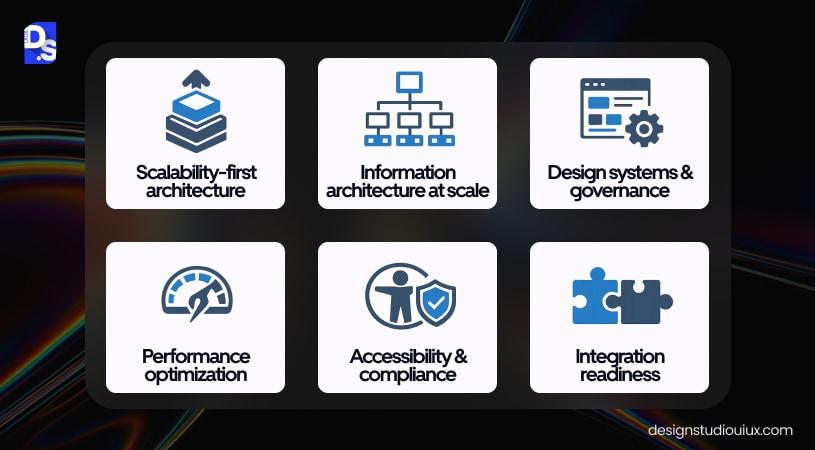
Scalability First Architecture
It maintains a consistent UX across new regions, product lines, acquisitions, and business models.
- It makes sure design navigation grows with the product with increased data load and user activity.
- As the data expand, teams adopt data visualization UX patterns to maintain dashboards understandable and actionable for company users.
- The enterprise website architecture uses modular and decoupled components to fit new sections and microsites without compromising overall site performance.
- This helps designers accommodate e-commerce features, new tools, market pages, etc. after they test and review them carefully.
The scalable website design also employs strategic caching and CDNs for better site performance during peak traffic. It uses cloud resources to manage large amounts of complex data. This concept improves efficiency and prevents profit loss and damage to brand reputation.
Information architecture
If the site has a well designed Information architecture:
- It can structure the overall website content well and improve navigation process and user dwell time.
- The architecture sustains multiple audience types and balances both the business goals and user journey.
- It also follows smart search-first discovery patterns and global content governance.
In other words, an enterprise IA turns complex data into intuitive converting customer journeys. It monitors history of users’ previous experiences and outlines hierarchy of information accordingly.
Basically, a thoughtful IA organizes the site in such a way that makes it easy for users to locate information and act. This boosts engagement time, improves SEO rankings, and ultimately increases B2B lead generation.
Design systems & Governance
When enterprises build a scalable website design system , they use reusable elements, tokens, and templates to manage extra design work.
They employ components for WCAG standards to avoid lawsuits and make the brand experience inclusive to a wider, diverse audience.
Also, to maintain consistency, the design system automates data flow across different product lines, websites, and platforms. It provides a shared system for designers and developers to improve work transitions and manage errors during product development.
It centralizes all design assets and follows an atomic, modular approach to break interfaces down into basic elements for simplified data workflow. In simple words, the system reduces maintenance and quality assurance efforts and prevents the “Frankenstein UI” that erodes customer trust.
Performance Optimization
Investing in performance optimization really improves efficiency and turns the digital presence of the site into a revenue-generating tool. Faster and effective enterprise sites keep users engaged and improve satisfaction scores.
Note that poor site performance can largely impact conversion and revenue, e.g. unoptimized content, website speed and broken links increase cart abandonment and damage brand credibility.
According to a web speed report, more than 50% mobile visitors abandon the website if it takes longer than 3 seconds to load.
Also, performance of the website can be tied with heavy data, high-resolution media, non-optimized images, and third-party integrations. This seriously impacts ranking of the enterprise site and increases operating and maintenance price.
Accessibility and compliance
These factors transform the digital presence of the enterprise site with its inclusive features, preventing legal risks and costly fines. They simplify content, navigation, and interactions so that everyone can access them across different browsers and assistive technologies.
For example- WCAG and ADA standards prevent lawsuits, demand letters, and heavy fines. This improves audience reach and potential revenue of the site.
Enterprises build accessibility programs around WCAG 2.2 while government and healthcare contracts require WCAG 2.1 AA. Because thousands of ADA lawsuits happen yearly in the US, digital accessibility has become a mandatory governance requirement recently.
Note that accessibility factors involve use of color contrast, text alternatives, typography, keyboard navigation, etc. They provide equal access to all users- specially those with disabilities.
Additionally, compliance elements include environmental regulations, accessibility standards, data privacy, user safety, etc. They prevent website redesign costs and delays while staying fully compliant and safe.
Integration Readiness
Integration Readiness makes the enterprise websites act as system connectors.
- It seamlessly connects, shares data, and synchronizes site workflows with internal systems such as ERP and CRM and with third-party tools.
- A strong crm ux design strategy ensures that these CRM integrations remain intuitive, reducing friction for internal teams and improving data-driven decision-making.
- This concept manages data security and helps maintain a flexible and scalable system.
- It allows real time automation to lower technical mistakes and operational delays.
- It also stops the site from crashing under heavy data load or complex integrations, keeping the site fast and stable during peak traffic.
The SCALE Framework for Enterprise Website Design
The acronym SCALE stands for Structure, Consistency, Accessibility, Load performance, and Extensibility. This concept in enterprise website design can help teams manage heavy content volumes, different user personas, and long term business growth.
S – Structure (For Systems, Navigation, and IA)
Enterprises use structured, hierarchical site navigation to organize page content based on user intent. They implement Task based IA which categorizes web content according to user journey and help users easily interact with the product. These websites support thousands of pages, multiple user personas and complicated work flow.
Enterprises follow these factors when they align product features with company goals. This reduces cognitive load, abandonment and makes the product scalable.
C – Consistency ( Across Design Systems and UI Standards)
Enterprises embed standard components such as grid, headers, CTA buttons, etc. and maintain consistency in their design layout. They consider every phase of the user journey before building intuitive, clear interfaces. This lowers friction, confusion, and design debt. Also, maintaining a consistent interface reduces training burden and improves long-term UX quality and brand trust.
A – Accessibility ( For Inclusive Compliance)
Every enterprise website follows accessibility compliance to prevent legal risks, fines and expand their market reach. They create customized page content and make them accessible.
They consider factors such as:
- physical or cognitive abilities,
- clear texts, headings,
- contrasting colors, and keyboard navigation.
This boosts site rankings, AI data scrapping and improves brand loyalty.
L – Load Performance
Website speed is a competitive advantage for enterprise websites. It affects how users feel about the site navigation and if they will stay or leave the site. Also, delay in page loading can be a direct hit to the pipeline and increase abandonment.
Beyond these, search engines like Google prioritize speed in their rankings, and this becomes a direct driver of ROI. In simple words, enterprises with optimized sites ensure smooth, seamless experiences for mobile and desktop users and turn them into loyal customers.
E – Extensibility (Modular Growth and Future-Proofing Design)
To match growing business needs and user demand, enterprise design agencies use an extensible architecture with modular/reusable design patterns. They prioritize API-first integrations to ensure the site scales seamlessly with CRM and ERP. This reduces engineering bottlenecks and removes dependencies on core developers for every update.
Why Enterprise Websites Fail (Real Enterprise Problems)
Enterprise websites most often fail because of problems such as stakeholder conflicts, legacy technology, scalability issues, poor information architecture, and inconsistent UX. All these factors can block future scalability which can ultimately lead to costly redesign works.
1) Stakeholder Conflicts
True collaboration happens when everyone stays on the same page and takes ownership of the overall business success.
Conflict arises when there is absence of ownership or misaligned business goals.
For example – the marketing team expects quick results to improve user engagement and conversions; IT prioritizes performance, website speed, and accessibility; and legal teams demand compliance.
When these factors are not aligned, it results in clashing priorities and governance problems.
Common causes:
- unclear roles, miscommunication,
- limited resources, competing interests, etc.
Solutions:
- Set realistic expectations considering user needs and business goals,
- Create a centralized communication medium to convey ideas and update status,
- Set distinct team roles, etc.
2) Poor Information Architecture
Poor and confusing IA impact task flows and SEO ranking of the site. It hinders user activity, increases bounce rate and delays decision-making.
Common causes:
- Lack of content prioritization,
- Bad site navigation due to misaligned user journeys,
- Content overload misleading users, deep nesting web interface, complicated labelling, etc.
Solutions:
- Design enterprise website for user mental models,
- Optimize for content search,
- Follow consistent task based navigation considering customer behaviour,
- Conduct content audit to serve specific user needs and product goals.
3) Legacy Technology
Legacy technology, also referred to as technical debt, is a direct cause of enterprise UX failure. This technology uses outdated software and hardware systems that cannot scale or integrate, resulting in broken integration and unplanned downtime.
Common causes:
- Incompatible Data Formats,
- High Initial Replacement Cost,
- Organizational resistance to change from existing, familiar system
Solutions:
- Implement cloud based solutions and modern API architecture,
- Track their design performance,
- Use Content Delivery Networks (CDNs), etc.
4) Scalability Issues
Enterprise websites crash or slow down if the number of users increases aggressively. Search results and content updates require longer time to load the page and create problems with workflows users depend on. This results in a high bounce rate and impacts brand credibility.
Common Causes:
- Poorly designed architecture with single unit and cluttered interface.
- Heavy and unoptimized designs that does not work on mobile devices
- Poor or broken Third-Party Integration due to too many plugins, trackers, etc.
Solutions:
- Implement modular architecture that provides fast and more reliable customer experience.
- Use lazy loading feature to load only required pages.
- Invest in a flexible UI framework with shared elements that you can rearrange according to web content.
- Implement a CDN (Cloudflare/Akamai) to speed up site performance. This protects the brand against unknown malicious traffic, DDoS attacks, etc. and even reduces server load.
- Invest in an aggressive caching strategy and read replicas to manage the peak traffic.
5) Inconsistent UX
This happens when users face cluttered interfaces and cannot find what they need. The interface looks like webpages, products, or page sections do not follow or maintain consistency.
Also, bad enterprise UX can be the result of using different fonts, colors, or logo styles on the same site. This issue increases site friction, extends sales cycles, and pushes visitors away.
Common Causes:
- Not using the latest centralized design system with the updated UI Library.
- Following only desktop first experience and ignoring mobile/tablet users.
- Overloading critical pages with too many features, making it tough for users to navigate the site.
Solutions:
- Build a modern design system with standard reusable buttons. This eliminates redundant work and maximizes the ROI.
- Simplify the interface to ensure every page uses similar components. Also, make sure site visitors do not get lost because the menu changes or disappears on sub-sites.
- Regularly conduct a complete UX audit to learn about experience breaks or sudden navigation changes.
- Redesign enterprise website for mobile first and ensure designers maintain a simple, consistent structure that works everywhere and improves the overall product.
Enterprise UX Process
An enterprise UX process is a specialized design framework built for complex internal systems to build efficient and scalable applications. This process typically runs through stage such as: stakeholder discovery, UX audit, information modeling, wireframing (low- and high-fidelity), design system creation, validation, and iteration.
Now, go through the following steps of enterprise UX process and successfully navigate the complex software:
Stakeholder discovery
In the beginning, enterprise agencies identify and engage people who can fund or shape the new product.
Enterprises build a centralized system to align UX efforts with their KPIs and streamline their operations. Involving decision-makers early increases project success rates and reduces scope ambiguity later. This also increases conversions, reduces business risks, and technical debt.
UX Audit
Enterprise UX processes are all about user research services, solving usability friction, accessibility gaps, and design debt. They address the issues in complex UX audit workflows and produce a roadmap with projected business impact.
Agencies also focus on compliance and inclusivity to align user behavior with business goals. They use heatmaps, recordings, and funnel analytics to turn poor user experience into lost revenue
Information modeling
Enterprise design websites follow structured IA to manage cognitive load and errors. They help users easily browse through the pages and find specific features they are looking for. They align user roles, consent features, data domains, and task sequences with the website pathways. This increases site efficiency and improves search functionality.
Wireframing (high fidelity and low fidelity)
Enterprises test workflows and digital interactions before finalizing the product. They employ low fidelity wireframes to get a quick overview of the basic site design. On the other hand, designers use high-fidelity wireframes to show the design layouts in detail and explain the functionality of the enterprise application.
With these wireframes, product managers can fast track feedback loop, prevent costly, late-stage reworks and assumptions. They even provide an idea of mobile screen readability and ensure scalability across devices.
Design system creation
Enterprise agencies create a component library with reusable elements such as buttons, headers, cards. They maintain design consistency and enforce accessibility and enterprise UI standards across products.
To maintain scalability across teams and products, agencies rely on an enterprise design system as a core structure. These sites follow atomic design concepts and governance which manage technical debt and accelerate product delivery.
Validation
After designing the entire interface, agencies validate the product with stakeholder interviews, usability testing, A/B testing, heatmaps, analytics, etc. The team confirms workflows under operational constraints and verifies whether the results solve user problems and business objectives. This proves assumptions are correct and accordingly teams move forward towards final product delivery.
Iteration
Iteration redefines a design based on feedback results and test data. It turns user feedback into updated system components to improve usability of the product.
According to a NN/g research, the best outcome comes from testing 5 users and taking more tests is just a waste of resources.
Design agencies use a continuous loop of prototyping, testing, and refining. They ensure every update hits the target business goals of the enterprise application. This concept manages design, compliance and technical constraints, reducing rework in the site workflow.
Enterprise Website Design Examples (UX Analysis)
Analyze the following examples to understand the standard of enterprise website designs:
IBM
Navigation Logic
IBM follows Enterprise Design Thinking for their site navigation. They focus on user needs, clear categorization, and consistency.
IBM’s homepage reflects effective IA, prioritizes correct navigational UX design and organizes content as per enterprise workflow. Their design structure simplifies complex technical info, minimizing cognitive load and decision latency .
Content Scalability
- The enterprise manages their complicated content through a structured modular design system.
- They use Carbon Design System and internal design language to build digital products faster and scale them.
- They maintain consistency across massive content surfaces and control correct content hierarchy.
- The design system includes modular UI components and follows strict grid-based formatting which speeds up the design and development process.
- IBM also focuses on semantic hierarchy and Client-Zero governance which ensures products are performing well and accessible to everyone.
Enterprise Trust Signals
IBM earns user trust and confidence by making user research transparent and following proper enterprise frameworks and compliance documentation.
- They lead with data-driven insights from sources like Gartner which guides their design decisions.
- They integrate AI transparency, governance and security signals directly into the navigation system and content architecture for better business results.
Microsoft
Navigation Logic
Microsoft follows modern, personalized navigation for specific user groups, maintaining consistency across all sub-pages.
- They have designed their interface to manage a massive product ecosystem (Microsoft 365, Azure, Windows, Devices) and reduce cognitive load.
- The architecture can limit the navigation depth to three levels in menus to prevent user confusion and maintain clarity.
Content Scalability
Microsoft manages its high content volume of webpages through modular design layout without compromising user performance. Their fluent design system uses reusable components which can easily scale pages across different devices.
Microsoft uses hierarchical IA to keep content manageable, searchable, and consistent. Also, they leverage Azure infrastructure and CDNs for faster browsing experience.
Enterprise Trust Signals
Integration and interoperability are primary elements of enterprise trust signals. They focus on security compliance badges, data residency controls, certification references (for example ISO, SOC, etc.), and centralized authentication systems.
This reassures web visitors about data privacy, security, and compliance before they even sign up.
Also, to prove reliability for large-scale enterprises, Microsoft highlights concrete customer success stories and partner trust marks. This makes it easier for teams to adopt their solutions.
Salesforce
Navigational logic
- Salesforce uses mega menu segmentation and clear navigation to organize their vast product portfolio.
- They categorize products, solutions and industries according to user needs.
- Also, the site uses consistent branding and visual hierarchy to simplify the complex ecosystem, making it a benchmark for B2B tech navigation.
Content Scalability
Salesforce manages their dynamic content via Experience Cloud and CMS. They employ Lightning Web Components (LWC) and a metadata-driven, modular architecture for non-technical users to publish vast amounts of content.
Salesforce organizes content into scalable hubs and uses breadcrumbs and layered navigation to help users explore deep content stacks without losing their context.
Enterprise Trust Signals
Salesforce does not just highlight customer logos, they build trust by showcasing:
- real-world case studies,
- partner badges, and
- Trust and Compliance documentation.
They reinforce this with strong data governance, especially for AI. They use Salesforce Lightning Design System (SLDS) for a consistent, clean, and professional experience.
All these factors are major differentiators to manage buyer risk and prove long-term stability.
Epic Systems
Navigation Logic
Healthcare platforms are designed for high-stakes situations, they cater to people responsible for making life-changing decisions while being under time constraints.
Epic Systems understands this deeply. Their site navigation is built around distinct user roles: clinicians, hospital administrators, IT teams, and patients. Each of these user roles land in a different content experience tailored to what they actually need to accomplish.
This is not just good UX practice, it is a direct reflection of how healthcare workflows operate in the real world.
Epic is not directed at general users, and the platform’s navigation is also indicative of that. It’s navigation architecture alone how a thoughtful enterprise healthcare UX design must look like.
Content Scalability
Epic manages a content library that covers everything from clinical product documentation to compliance guidelines to patient portal support, and somehow keeps it organized.
The internal teams rely on content hierarchies and role-specific hubs to schedule content publishing without causing any interruption or disruption at the surface level.
The technical pages are supported by layered navigation and contextual breadcrumbs to ensure they remain accessible to users.
Content does not fight for attention, it surfaces when it is relevant to the user’s context, which is exactly how large-scale healthcare platforms need to function.
Enterprise Trust Signals
Epic displays all the enterprise trust badges front and center, including HIPAA, ONC certification, and HL7FHIR, all of which can be verified. These badges display transparency, honesty, and commitment to deliver the best content experience to consumers.
- Case studies from institutions like Mayo Clinic and Johns Hopkins carry real weight here.
- They are not just logos on a page; they come with measurable outcomes and documented results.
For enterprise healthcare buyers who face enormous internal scrutiny before signing any contract, this kind of transparent, evidence-based credibility is what actually moves decisions forward.
Stripe
Navigation Logic
Stripe serves a remarkably diverse audience.
- a solo developer integrating a payment API for the first time,
- a finance team at a Fortune 500 evaluating infrastructure,
- a startup founder exploring global payouts.
What is impressive about their navigation is that none of these users feel like they landed on the wrong page.
Stripe’s navigation menu doesn’t revolve around just product names, instead, they rely on intent-driven navigation. This alone is a marker of a well-executed Fintech UX design especially with an intensive product ecosystem as Stripe’s.
Content Scalability
Stripe maintains one of the largest and most detailed developer documentation libraries in the fintech world.
Stripe does not feel overwhelming to users due to its clever use of progressive disclosure. The top-level pages provide the necessary information (highlights), and then guide them toward technical pages, API documentation, edge cases, and integration examples.
Scalability is a top priority for Stripe, and the design system ensures that. Even when new product pages are added, the platform looks cohesive and streamlined, thanks to system-level design thinking happening in the background.
Enterprise Trust Signals
Stripe does not rely on brand recognition alone to earn enterprise confidence, even though they have plenty of it.
- Compliance certifications such as PCI DSS Level 1, SOC 2 Type II, and regional data residency controls are surfaced in the context.
- This approach keeps certifications visible right where enterprise buyers will look for security validation.
Stripe does not just mention their clients, just for the sake of it. Instead, it shows why Amazon, Shopify, and Salesforce rely on Stripe to solve finance-related difficulties with enough proof to answer even the most skeptical team.
The live API demos and interactive product previews are particularly smart. They let a potential buyer validate the product themselves before a single sales conversation happens. In enterprise fintech sales cycles, that kind of hands-on proof often does more than any case study ever could.
Shopify Plus (Enterprise Commerce)
Navigation Logic
Shopify Plus uses clear content paths for enterprise buyers, merchants, developers, and different agency partners. It follows role based navigation to separate its marketing site from its market facing admin.
Content Scalability
Shopify uses its Polaris design system to maintain consistency in their interfaces across its admin and apps. It gives partner agencies and internal teams a shared component library to create to build consistent Shopify experiences.
Enterprise Trust Signals
By highlighting Level 1 PCI DSS compliance, enterprise integrations, unlimited bandwidth, and 24/7 priority support, Shopify Plus clearly communicates its key product value to its users. It also shows major brands like Gymshark as customer examples to back up these claims.
Note: Shopify’s current Plus pages mention 99.99% uptime, while its newer Shopify Enterprise page currently states 99.9% uptime.
Enterprise Website Design Cost & Timeline
Enterprise website design cost falls in the $50k–$500k range and those projects take around 4-12 months to accommodate all high-security features.
The price for major global enterprise projects can exceed $500,000 to $1 million depending on the work requirements.
These costs and timeline data can vary according to third party integrations, CMS, and the size of cross-functional teams(UX, developers, and stakeholders).
Cost Breakdown of Enterprise Web Design Agency
Cost Range:
- Most enterprise web designing projects cost around $50k.
- Mid range projects fall in between $100k-250k.
- Large-scale enterprise website development budget exceeds $250k to $500k.
- Web designing costs of major global enterprises fall in $500k-$1M and sometimes go beyond that.
These enterprise projects involve extensive UI/UX research, custom website development, and integrated security standards.
The important factors that affect cost and timeline of these design projects are:
- Complexity, Scale and Scope: The website has thousands of webpages with complicated data flow and integration systems. When you connect it to existing CRM, ERP, or SaaS platforms, this may kill the overall site development time.
Also, accommodating complex navigation features and personalized journeys increase design cost. - Security, Accessibility and Compliance: Large scale enterprise sites rely on CMS which ensures necessary data security and legal compliance. This impacts the overall web developing time and budget.
They even embed Accessibility (WCAG standards) and localization features directly into the design systems to expand their reach. - AI and Personalization: Major B2B website design agencies utilized modern AI tools and relevant third party integration. This adds to the project budget and significantly increases technical complexity.
- Team Involvement:
- UX Team: For enterprise sites, UX teams take care of user research, wireframing, prototyping, and testing.
- Development Team: The Frontend and back-end engineers deal with CMS integration work.
- Stakeholder Team: The team has Senior level managers (Project managers, IT managers, etc.) marketing directors, and security compliance officers.
They define clear project goals, provide product related input, and ensure it satisfies both company objectives and user needs.
Enterprise Website Redesign Checklist
An enterprise website redesign generally starts with improving design architecture and IA, product performance, overall brand evolution, scaling products and multi-region expansion.
Improving Design Architecture and IA
- Perform content audit to identify high-performing assets, broken links, and outdated content.
- Confirm the platform is API-first and headless. This reduces technical debt and simplifies future integrations.
- Implement a modular design system and simplify website navigation.
- Use advanced CMS to lower developer dependency for necessary routine updates.
Improving Product performance
- Define SEO goals for the website redesign process. Prioritize site performance by optimizing page content and removing unused CSS and JavaScript codes.
- Replace heavy animated graphics with small size images and videos.
- Audit the current speed of the website with LCP, FID, and CLS, and try to aim for loading time under 2 secs.
- Invest in Responsive Web Design Services to ensure mobile first design.
- Use CDN (e.g., Cloudflare) and update security protocols. Enable web application firewalls (WAF), and maintain data compliance (GDPR, HIPAA)
Brand evolution
- Create or redesign enterprise web interface with tokens, patterns, and decision rules.
- Check if the site follows updated brand identity and value proposition.
- Make sure all page templates follow these standards, e.g “60/30/10” color rule, consistent typography, high quality images, interactive features, etc.
Scaling products and Multi-region expansion
- Build a modular, reusable component library and ensure the architecture supports adding more servers during high website traffic.
- Test and validate if existing CMS and API data flows can support content personalization features.
- Implement geo-routing for content relevance and multi language UI.
- Ensure transparent consent management and compliance with latest data privacy rules and laws (GDPR, CCPA).
How to Choose an Enterprise Website Design Agency
When it comes to choosing an enterprise web design, prioritize real business results and make sure investment becomes worthwhile in the long run.
Evaluate agencies based on governance experience, scalability, UX maturity, and integration capability.
Governance experience
Many enterprise sites often face the consequences of design inconsistency and UX erosion. This indicates more maintenance costs and impacts user trust and loyalty.
So, look for an agency with governance expertise to tackle cross-department workflows, compliance, security and legal matters.
Scalability thinking
Go for an agency that follows modular architecture with atomic reusable components for flexible future integrations. This reduces reworks, UX debt and protects website consistency as the product expands with time.
UX Maturity
An UX mature design agency considers user validation to justify whether the product meets user needs and satisfies their browsing journey. They use research work and testing data to define success metrics and increase conversions.
So, look for an agency which indulges in both qualitative and quantitative research work, testing governance, and continuous iteration methods.
Integration capability
Select enterprise design services that integrate website interface with CRM, ERP, security features, analytics, etc. The agency must have strong experience in API-first integrations, CMS compatibility and custom development. These factors can easily manage heavy data flow and prevent costly redesigns.
Conclusion
At enterprise scale, UX strategy acts as the connective element that aligns site architecture with business goals. It takes care of complicated workflows, legacy systems, and user journey, thereby improving customer retention. Also, when strategy and architecture go hand in hand, this brings up engagement, site productivity and reduces friction.
Now, to explore the results, partner with Design studio UI UX and transform the digital interactions of your enterprise website.
At Design Studio UI/UX agency, we provide strategic governance and engineering-ready designs that can transform your website and make it future-ready.
FAQs
What is enterprise website design?

Enterprise website design is the web designing process to manage large-scale digital platforms. It focuses on complicated data flow, website performance, user roles, governance, security, and integrations.
What makes a website enterprise level?
Scalability, governance, integrations and data security make a website enterprise level. A large scale website provides safe custom web experiences, easily connects to internal systems and supports heavy data flow.
How long does enterprise website design take?
Enterprise website design takes around 4 to 12 months. The time depends on site architecture, complicated integrations, UX research, testing, accessibility, and compliance features.
How much does enterprise web design cost?
Enterprise design cost falls between $50,000 and $500,000 range.
If you are building large scale projects, the budget can go beyond $1M. The factors that influence the cost are – UI/UX research work, internal and third party integrations, security standards, and custom website development.
Enterprise vs corporate website - what’s the difference?
An enterprise website is basically a functional digital platform that manages multiple user roles, heavy data flow, and integration with internal systems. On the contrary, a corporate website is an online platform that defines a company’s brand, values, and services.
Is WordPress suitable for enterprise websites?
Yes, WordPress can perfectly work for enterprise websites. It acts as a strong, scalable and secure content management system (CMS) for custom features and CRM integrations.
Why do enterprises redesign websites?
Enterprises redesign websites to reduce friction, abandonment rate and scale the website. Enterprise agencies also move to redesign to update outdated UI components, improve security, performance, SEO rankings, and integrate latest technologies.
How do enterprise websites handle scalability?
Enterprise websites handle scalability by using modular architecture with shared UI components and API-first integrations. This helps agency owners scale web content, expand product lines, and bring more site engagement.
When should an enterprise hire a design agency?
An enterprise should hire a design agency when internal teams do not have the resources to compete with the growing UI/UX market. A productive web agency brings governance, consistency, and scalable architecture that is required to build a long-term secured design system.



