


8 CRM UX Design Best Practices & How to Design a CRM?



TL-DR CRM Design Guide
CRM design is the art and science of creating intuitive user experiences for managing customer relationships, deals, and business data. Here’s the 7-Step CRM design process:
- Discover user roles and workflows
- Define design tokens (colors, spacing, states)
- Build core components (tables, forms, filters)
- Add specialized patterns (import, dedupe, permissions)
- Document and govern the design system
- Pilot on a single module (for instance, Deals)
- Continuously measure performance and iterate
There are also some core CRM design best practices that designers must follow at each step- maintaining clarity in data presentation, boosting user efficiency via streamlined workflows, maintaining design consistency across all modules, and offering total accessibility.
What is CRM Design?
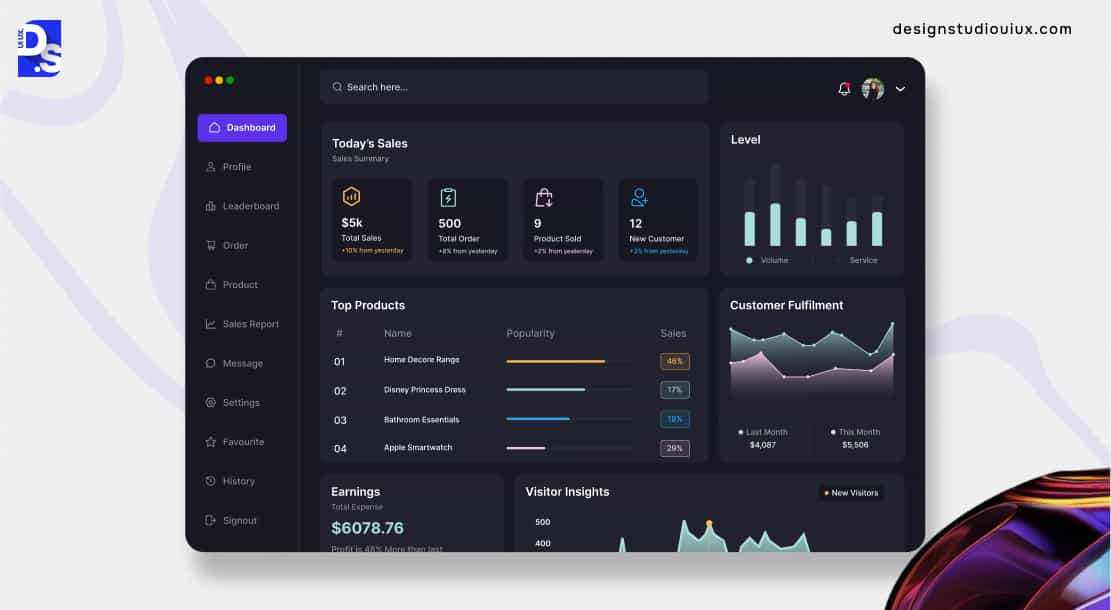
CRM design is the craft of creating user experiences that make managing customer relationships feel intuitive for business admins.
CRM design is about making complex Customer Relationship Management software feel easy to use. Business professionals use these software tools to manage leads, facilitate deals, and store contacts. They use the dashboards in these tools to extract vital business information. Strategic CRM design simplifies all of these tasks.
Why does that matter? It matters because good CRM design optimizes employees’ workflows.
Without it, sales teams would find their CRM software unusable. Thus, they would be significantly less efficient than their competitors. That’s why industry leaders like Salesforce prioritize following essential CRM design best practices. They design their CRM tools with clarity, efficiency, and consistency in mind. That’s what makes their users 100x more efficient at their jobs.
How can smaller businesses replicate this efficiency-boosting CRM design strategy? They can seek out specialized enterprise web design services. Or, partner with a topSaaS website design agency. These pros can help them make their in-house CRM tools more user-centric.
CRM Design Best Practices
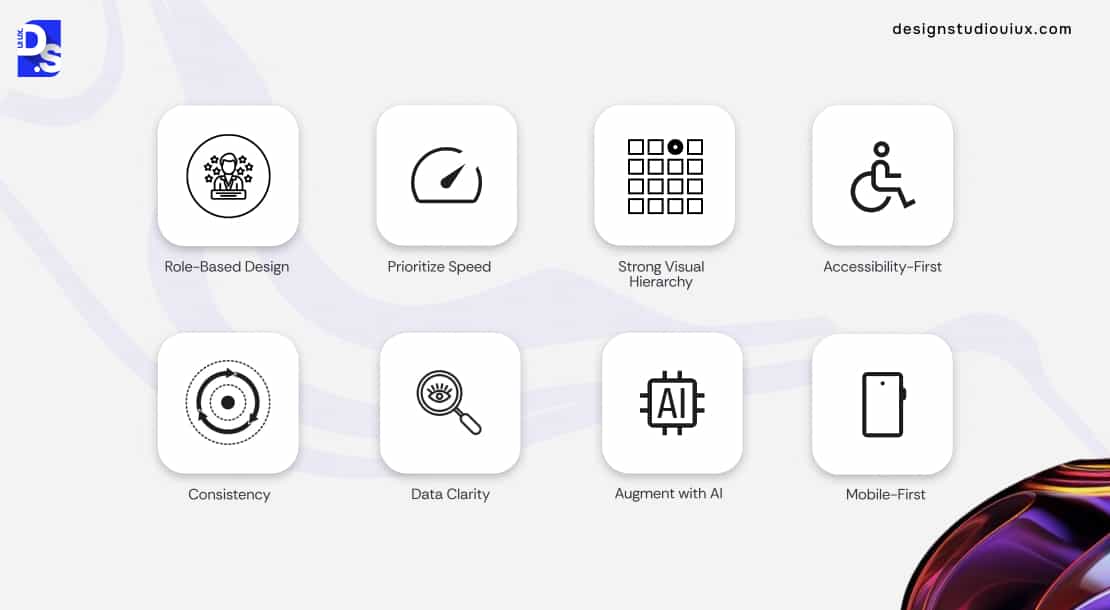
Customize the CRM tool’s design for sales reps, managers, admins, or other specific user groups. This role-based design is the most important CRM design best practice. Other vital practices include: prioritizing speed, mobile-first design, ensuring total accessibility, maintaining a clear visual hierarchy, and maintaining design consistency.
There are certain industry-established best practices that form the foundation of effective CRM design. Following these practices will make any CRM tool’s design highly usable and instantly adoptable for sales teams:
Role-Based Design
Customize all dashboards and workflows to fit the user’s specific role. Hide irrelevant information to reduce noise. This is an essential practice and a key focus for any top B2B website design agency working on these tools.
Prioritize Speed
The UI design must support power users. It must allow them to make bulk actions with custom, time-saving features like keyboard shortcuts and auto-saving. These features make repetitive tasks feel effortless.
Strong Visual Hierarchy
Use color, size, and spacing to draw attention to all critical info. Pipeline stages, task priorities, approaching deadlines – always visually emphasize these elements.
Accessibility-First
Make your CRM’s design usable for everyone. Implement ARIA attributes for tables. Allow full keyboard navigation. Support screen readers.
Consistency
The filters, forms, and modals on the ‘Contacts’ page should work exactly like the ones on the ‘Deals’ page. And every other page. Using consistent design patterns across every module will reduce the user’s learning curve.
Data Clarity
Never overwhelm users with a wall of data. Show only the most relevant columns and fields by default, but always allow for customization. Read this dashboard UI design guide to master this best practice.
Mobile-First
Design compact, touch-friendly views and actions that work flawlessly for teams in the field.
Augment with AI
Does the CRM tool you are designing have AI features? AI can suggest actions. Or, summarize long customer histories. But users should be able to easily override AI suggestions. Learn the latest data visualization UX best practices to ensure user control while designing AI features.
Core UX Principles
Clarity, efficiency, consistency, trust, and transparency – these are the core CRM UX principles.
Every top CRM system is built using four main principles that help users have a smooth experience.
- Clarity: A clean hierarchy, logical grouping, and clear typography – using these design elements is vital for reducing cognitive load on data-heavy pages.
- Efficiency: Quick access to common actions shows that the system values the user’s time.
- Consistency: A Consistent and clear design helps people understand it quickly.
- Trust and Transparency: Design that works well makes it easy to see data origins, logs changes, and finds errors to avoid problems.
CRM’s Core Screens and Patterns
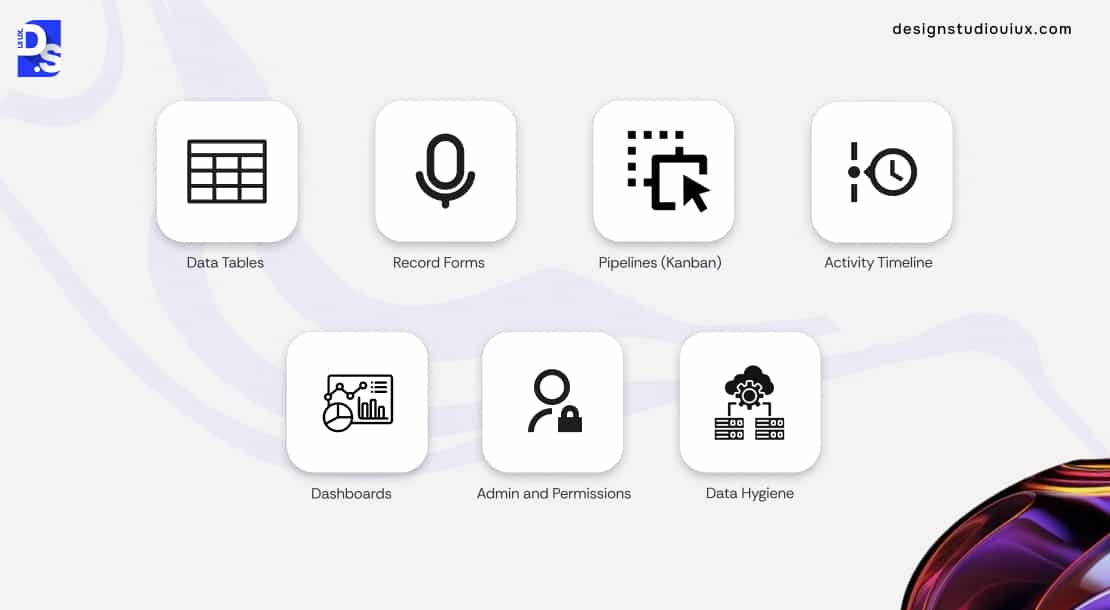
Dashboards, data tables, record forms, data pipelines, activity timelines, admin permissions, and data hygiene features- every CRM tool has these core screens and patterns.
Every industry-standard CRM tool has the following set of core screens and interaction patterns:
- Data Tables: The tool should feature inline editing, saved custom views, and virtualization to handle millions of rows without slowing down.
- Record Forms: Use progressive disclosure to only show relevant fields. Provide real-time validation feedback to prevent errors.
- Pipelines (Kanban): It must have smooth drag-and-drop functionality, clear visual indicators for deal stages, and quick actions on each card.
- Activity Timeline: The tool should intelligently group related emails and calls. A quick-add composer for notes and tasks is a must.
- Dashboards: All dashboards should have clear KPI cards, powerful filters, and let users drill through to the underlying data. Read this HR management dashboard case study to learn more about this design pattern.
- Admin and Permissions: A clear role matrix and field-level security are critical for enterprise user experience use.
- Data Hygiene: What data management features do target users need the most? Intuitive import wizard, smart field mapping, and fail-safe deduplication and merge flows are common requests. Availing UX research services to understand these specific needs is vital.
Great navigation UX design patterns are what tie all these screens together. Getting all of these screens and patterns right is vital for effective CRM design. If you start noticing friction, use UX audit tools to uncover and fix usability gaps early. And if the issues run deeper? Get timely UX audit services to identify and eliminate your mistakes.
Designing for Devices (Desktop → Mobile)
Make all navigation patterns auto-adapt for mobile screens. Optimize each table’s density for smaller screens. Offer easy offline functionality for field teams.
A modern CRM must provide a seamless experience on every device. This requires more than just using a responsive layout. It requires an adaptive approach to CRM design.
To optimize the CRM’s UX for the context of each device:
- Make navigation patterns transform from a full sidebar (desktops) to a compact hamburger menu or bottom tab-bar (mobile).
- Make data tables able to switch to a compact density mode on smaller screens; only show the most essential columns.
- Create an offline-friendly design for field teams using the software without reliable Internet connections (allow them to access/update data).
AI-Assisted CRM UX (2025 Trends)
Make AI features enhance the CRM UX by giving users total control over them. That includes letting them easily override AI suggestions.
Predictive recommendations, auto-summaries, risk alerts – these AI-powered features are now mainstays in the typical CRM UX. Sales reps use them to learn what their ‘next best action’ should be based on historical data. Customer reps use them to generate summaries of long customer conversations, while managers leverage them for generating predictive recommendations.
But poor design can make these features disruptive. A poorly-designed risk alert can flag a faultless deal. Incorrect summaries can cause customer churn. Designers need to learn how to use AI in UX design and avoid such risks. And they need to:
- Make all AI outputs explainable and easily overrideable.
- Let the user understand why the AI is making a suggestion.
- Let them have the final say on accepting/rejecting that suggestion.
Our SaaS UX design ultimate guide offers a good, deep dive into this topic.
CRM Dashboard and Reporting UX
Create role-specific charts and reports. Add instructions on what action to take on every ‘empty state’ screen. Make dashboards detailed and interactive. Simplify report-sharing.
A CRM’s dashboard is its command center. Its design must turn raw data into actionable insights. This requires a thoughtful approach to data visualization and user workflows.
- Use the right chart types for the right data. Sales teams need pipeline funnels. Support teams need ticket volume heatmaps.
- Add instructions to all ‘empty state’ screens; they should prompt the user to take the right ‘next step’ (for example, how to connect data sources or set up reports).
- Allow users to click on all key KPIs and data points on dashboards. They should be empowered to explore each top KPI and check the details behind it.
- The steps for exporting, scheduling, and sharing reports should be simple to follow.
How-To Design (or Redesign) a CRM: 7 Steps
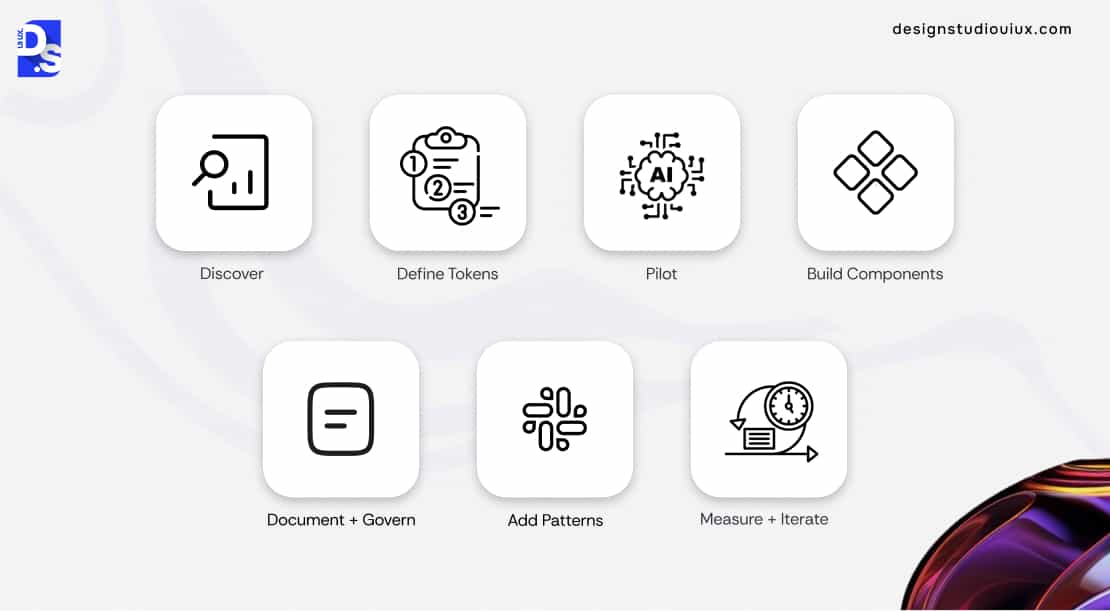
Discover user workflows. Define tokens for colors, spacing, and states. Build components (tables, forms, filters). Add common UX patterns (import, dedupe, bulk edits). Document and govern design system usage. Measure task completion and error rates – then iterate.
Custom-designing or redesigning a CRM is a systematic process. It starts with strategic UX research services. Then comes custom component design. Then, the tokens… Here are all the 7 steps that are performed by professional CRM UI/UX development service providers:
- Discover: Start with deep research into user roles, workflows, and pain points.
- Define Tokens: Establish the design’s DNA – colors, typography, spacing, and states.
- Build Components: Create the reusable building blocks, like tables, forms, and modals.
- Add Patterns: Assemble components into complex workflows for tasks like data import and deduplication.
- Document + Govern: Create a comprehensive design system to ensure consistency.
- Pilot: Roll out the new design on a single module, like ‘Deals,’ to test and gather feedback.
- Measure + Iterate: Track metrics like task completion time and error rate to continuously improve the design.
Continuous iteration will help you rapidly correct all UX design mistakes to avoid.
Learning from Big Ecosystems
Studying the designs of Salesforce SLDS, Microsoft Fluent, HubSpot, and Zendesk can teach us a lot about CRM design.
The world’s biggest enterprise software companies have invested billions in their design systems. Studying them provides a masterclass in effective CRM design.
- Salesforce SLDS: It is the gold standard for clarity and efficiency at an enterprise scale. These two principles are covered extensively in our B2B web app UX design case study.
- Microsoft Fluent: This is a masterclass in creating consistency across a massive app ecosystem.
- HubSpot Canvas and Zendesk Garden: They are excellent examples of using open-source patterns and playbooks to drive user adoption.
Read our SaaS app design case study and our dashboard UI/UX design case study for deep dives into similar enterprise-grade designs.
Common Mistakes in CRM Design
Avoid over-customized forms, slow tables, confusing dedupe flows, inconsistent filters, and ignored empty states.
Many CRMs fail due to a few common, avoidable design mistakes that usually stem from prioritizing features over the UX:
- Over-Customized Forms: These types of forms are a nightmare to scale.
- Slow tables Without Virtualization: A table that loads 1k rows at once will inevitably falter.
- Confusing Dedupes: Poorly-designed dedupes (merge flows) can lead to irreversible data loss.
- Inconsistent Filter Mechanics: Forcing users to re-learn how to filter data in different app sections will make them lose interest.
Ignoring Empty-State Design: Leaving users with blank screens instead of guiding them on what to do next is a common mistake you should avoid.
Conclusion
What happens when you combine proven CRM design principles with a structured implementation? Your team gets a custom-designed CRM that they love to use.
Custom-creating your own CMS software? Or, optimizing an existing CMS tool? Follow the principles outlined in this guide. Your project will be a success.
For more personalized guidance, partner with our enterprise UX design team specializing in CRM design Or Contact Design Studio UI/UX, a leading ,UI/UX design agency for some free, on-the-spot advice!
Summarize this article with AI
FAQ’s
What is CRM design?

CRM design is the process of creating an intuitive UX for CRM software, optimizing user workflows, data interaction, and ensuring alignment with business goals for improved efficiency and user satisfaction.
Which CRM components should come first?
Start designing the components users will interact with daily—data tables, record forms, the main dashboard, navigation, and filters.
Do I need my own DS if I use Salesforce/Dynamics?
Yes. Custom design systems offer more than basic tools—they keep your brand consistent and create a better experience for your users and changing business needs.
How do I design dedupe/merge flows without data loss?
Use clear previews of the final record, design progressive disclosure of options, and create a robust undo function combined with a clear audit trail.
What are CRM dashboard best practices?
Some of the best practices include focusing on role-specific KPIs, enabling drill-through navigation to underlying data, and providing easy, real-time, and scheduled reporting options.



