


12 Signs When It’s Time To Redesign Your Website in 2026



Does your website look like it’s stuck in 2020? Does it load slower than most of its peers? Does it repel mobile-first users? Does it consistently fail to ‘convert’ visitors? Then the time is now.
Ignoring outdated website design along with sales, credibility, and search visibility will cost you all of that and more. The only fix is timely investments in professional website redesign services.
Let’s learn how to make such timely investments.
If you see that your site suffers from most of the issues, we have outlined in the following checklist, you know that the time to redesign your website is NOW.
Signs You Need a Website Redesign: Why You Need to Spot Them
Modern websites have a functional lifespan of 18- 24 months due to rapid changes in technology, evolving user expectations, and search algorithms. What was cutting-edge in 2023 is today’s digital relic. And if your site is such a relic, it is actively sabotaging three critical business assets:
- Trust: 75% of users judge a brand’s credibility purely on visual design – outdated web interfaces signal incompetence.
- Traffic: Google’s “Experience-First” algorithm heavily penalizes sites withCLS scores above 0.1 and FID delays beyond 100ms.
- Revenue: Every0.5-second delay in load time cuts conversions by up to 4%. Also, Deloitte’s “Milliseconds Make Millions” study found that a 0.1-second speed improvement lifted retail conversion rates by up to 8%.
Your website is the digital face of your brand. It is where 94% of visitors form their first impression of your company. They make a judgment about your credibility in less than 50 milliseconds – literally the blink of an eye.
Outdated. Slow. Confusing. If those are the kinds of first impressions your site is making, your online presence is doomed.
Spotting the signs you need a website redesign is the first step. Understanding the reasons to redesign your website is the next step.
Top 12 Signs You Need a Website Redesign
A website needs a redesign when it shows problems such as outdated visual design, a high bounce rate, poor mobile usability, slow load speed, and low conversions. Also, you will have to consider redesigning when there is little or no user feedback, trust signal gaps, an evolved brand identity, a hard-to-update CMS, and weak SEO performance.
Typically, 2–3 of these signs call for targeted fixes; 5 or more call for a full redesign project.
1. Your Website Has an Outdated Visual Design
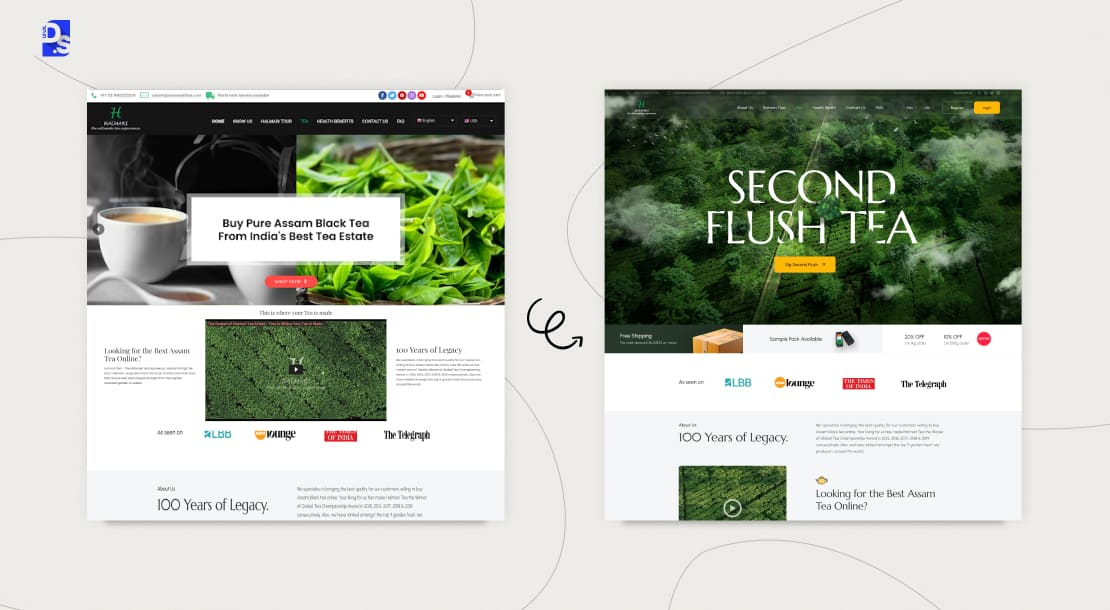
Your site has an outdated design if it features updated skeuomorphic buttons, auto-playing carousels/sliders, or cramped text unchanged for over three years.
Modern web design trends of today prioritize totally different things.
- Minimalism
- Bold typography for small screen readability
- Dynamic micro-interactions (hover animations, scroll-triggered effects)
- Glassy, semi-transparent “glassmorphism ui” effects
- Dark mode defaults
- Accessibility-first palettes (AAA contrast ratios)
Absence of these elements is a clear website redesign indicators for businesses. To understand and act on these signs:
- Audit your site’s design against competitors and industry leaders.
- Create a list of all the outdated design elements you need to remove and all the trending design elements you need to add.
- Conduct UX research to find out which of these elements your website users actually want.
2. Your Bounce Rate is Alarmingly High
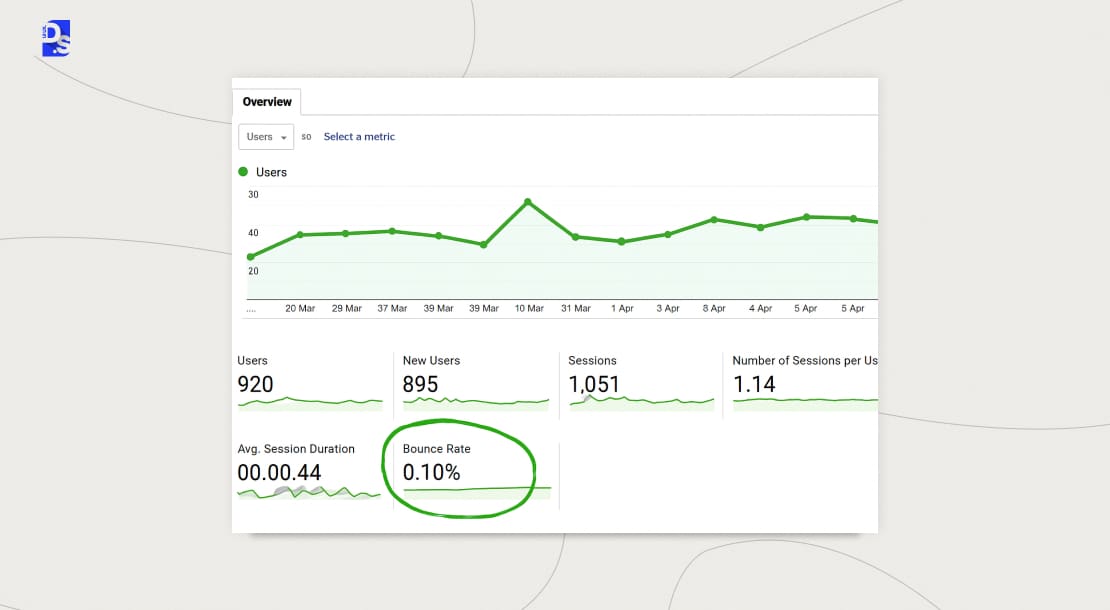
High bounce rates are clear redesign signals for your website. When your overall site crosses around 42 to 46%, or landing pages surpass 50%, Google views the page as unhelpful and reduces your traffic.
These factors call for an urgent business website redesign strategy.
Bounce rate is the percentage of website sessions that end after just one page view
An above-average bounce rate means most of your visitors are landing on your site and leaving immediately without taking any action
If your key landing pages have a bounce rate over 50%, you have a serious problem. It is a direct signal to Google that your key landing pages are not relevant or useful. Ignoring this ruins your search rankings over time.
High bounce rates are caused by deeper lying design flaws like:
- Confusing Information Architecture
- Your content is not scannable
- The promise made in your ad is not instantly fulfilled on the landing pages
- Poor mobile experiences
To understand and act upon these signs, you need a website redesign:
- Use Hotjar session recordings to observe exit paths.
- Analyze scroll depth maps for abandoned sections.
- Cross-reference exit pages with Google Analytics goal flows.
- Simplify menus to 5 core items max.
- Implement sticky CTAs with progressive disclosure on all landing pages.
- Make all landing page designs hyper-focused on the ads they are linked with.
3. Your Site Isn’t Mobile-Friendly
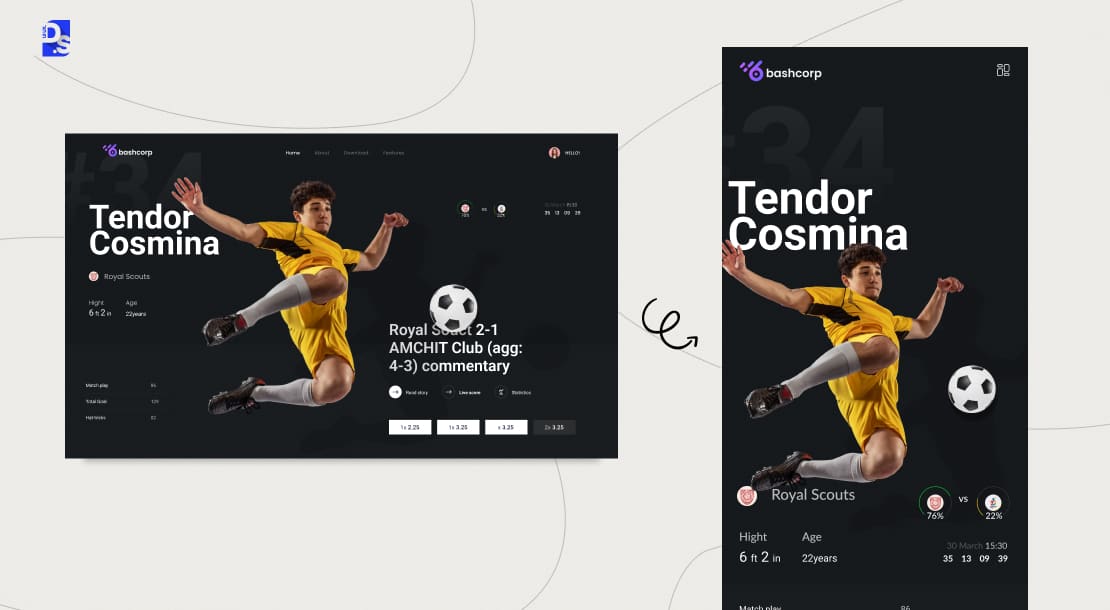
“Should I redesign my website?“. Unless your site is not mobile-first. Then, there’s only one answer. Yes and here’s why:
- 64% of all Internet traffic is mobile.
- Google’s “mobile-first indexing” means the search engine will rank/index your site’s mobile version first.
- Most of your visitors will be accessing your site via their mobiles.
Your site isn’t mobile-friendly if users have to struggle to get all the information or wait for images to load.
Your site is doomed if:
- Users’ fingertips cannot properly click on your site’s CTAs.
- Or, the site asks them to scroll horizontally.
- Or, uncompressed hero images on the site cause 12+ second loads.
- Or, reading content requires pinching and zooming.
To check if non-mobile-friendliness is one of the signs you need a website redesign:
- Conduct mobile usability tests.
- Conduct Google Mobile-Friendly Test.
- Check your site’s LCP (Largest Contentful Paint) on mid-tier Android phones.
If those tests come back negative:
- Invest in responsive web design services ASAP.
- Ask your redesigners to adopt a mobile-first design strategy.
- Implement accelerated mobile pages (AMP) for all content pages.
- Implement touch-optimized navigation grids.
4. Your Loading Speed is Painfully Slow
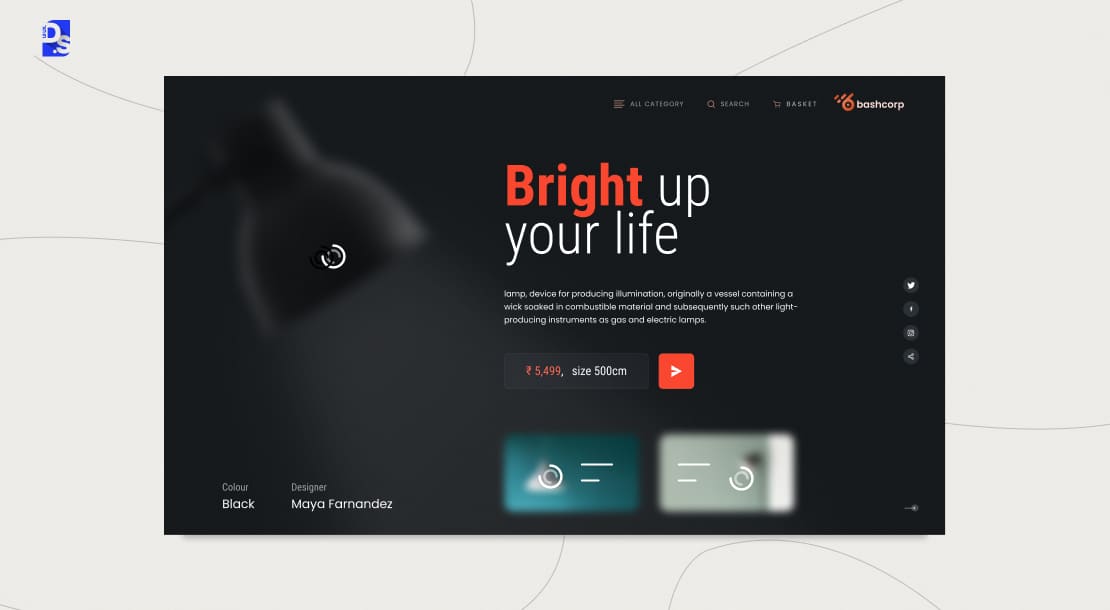
3-seconds. That is how long the average visitor will wait for your site to load before they bounce. The more they bounce, the more Google will penalize the site’s SEO rankings. Check if your site is suffering from this cycle of load-speed-related damage.
- See if your webpages load in less than 3 seconds on mobile and desktop.
- Check your site’s Core Web Vitals score (must be higher than 90).
- Find all unoptimized WebP images on the site (if any).
- Look for render-blocking JavaScript in the site’s code.
- Check for server misconfigurations (like missing Brotli compression).
If your site is failing these metrics, your team will:
- Redesign the site by following the latest UX design tips to load websites faster
- Convert all on-site images to AVIF format (30% smaller than WebP)
- Inject critical CSS above the fold
- Deploy edge caching (via Cloudflare or Fastly)
5. Your Conversion Rate is Low

Despite having good traffic figures, your conversion rate drops because of poor design, not bad marketing. Have you analysed whether you have conversion focused website design? To answer this, look for symptoms like:
- Click Through Rates (CTR) <2% on primary calls-to-action
- Form abandonment rates >60%
- High cart abandonment rates
A website’s design hurts its conversion rate typically when:
- Weak CTAs camouflage into layouts
- Forms demand excessive fields
- Checkout flows contain too many friction points
When is it time to redesign your website? As soon as these issues pop up. Fixing these issues requires a multifaceted approach. Firstly, the redesigners implement CTA button design best practices on all conversion-oriented pages on the site. They also:
- A/B test button hierarchy with tools like Optimizely.
- Analyze form heatmaps for field hesitation and then make data-based form adjustments.
- Track cursor exit vectors during checkout and eliminate all friction points.
- Make all CTAs have contrast ratios higher than 4.5:1 against the background.
- Use action-oriented verbs on all CTAs.
A poor conversion rate equals to leaving money on the table.
6. Your Brand Has Evolved
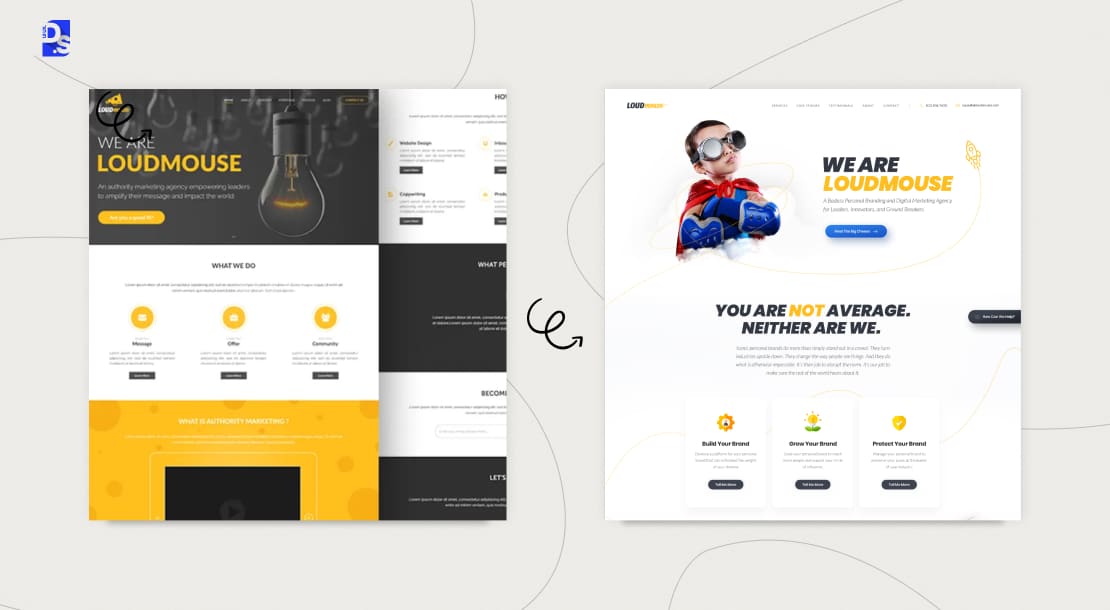
A website redesign is necessary when your live site shows old messaging, logos, product range, and target audience. They can all evolve over time.
To see whether or not your website has evolved with them:
- Screenshot new brand touchpoints into a collage.
- Survey customers: “Describe our brand in 3 adjectives.”
- Run SEMrush Brand Monitoring for inconsistency flags.
- Check if heatmaps expose high exit rates on pages with outdated messaging.
Are these new brand essentials reflected in your current site? If not, take these steps.
- Seek out brand identity design services.
- Create a detailed plan to upgrade your site’s branding with those experts.
- Ask your redesigners to implement a new design token system (centralized CSS variables for colors/fonts) for your site.
7. Your Site is Difficult to Update
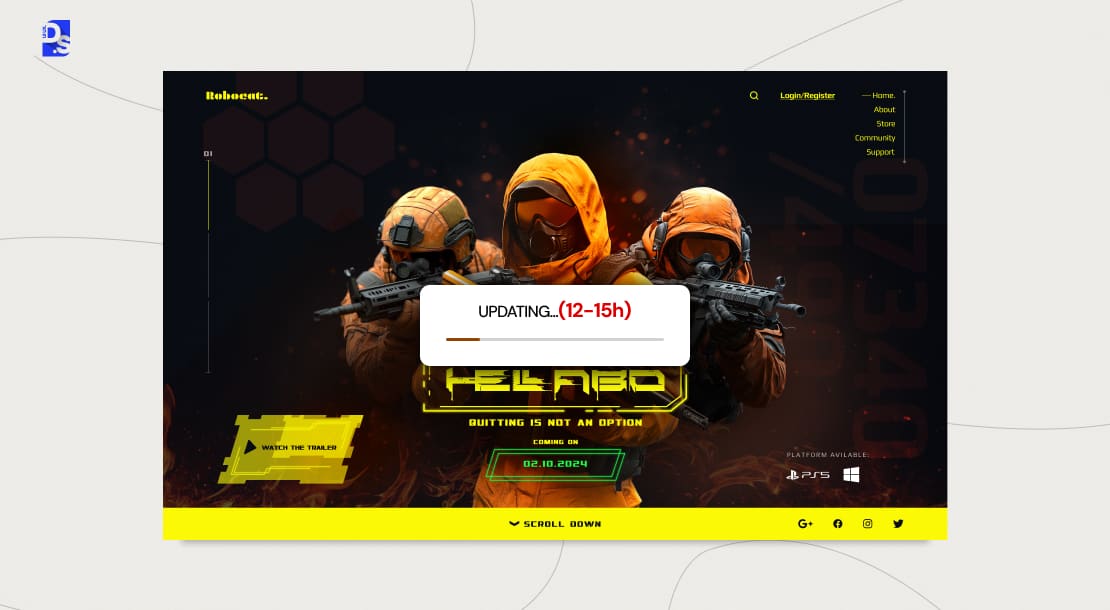
When minor changes depend entirely on a developer, your platform is broken and you need to redesign it.
Marketing teams at mid-sized companies often waste 15-20 hours monthly on making trivial website updates like image swaps or pricing changes. That’s equivalent to tens of thousands of dollars in lost productivity.
- Does your own team struggle with these issues?
- Does updating basic website content require developer intervention?
- Does it require fighting archaic CMS interfaces?
Then, it is time to redesign tor rebuild the site on a friendlier Content Management System (CMS) to manage content independently. To do so, the redesign team
- Migrates the site to a headless CMS platform with modular content blocks.
- Implements git-based content versioning for rollback safety.
- Trains marketing teams in visual editing tools (Webflow, Framer).
Teaming up with a Webflow web design agency can be a good idea. Even getting custom WordPress website design services and building a more easier-to-update WordPress site can help here.
8. Your SEO Performance is Poor
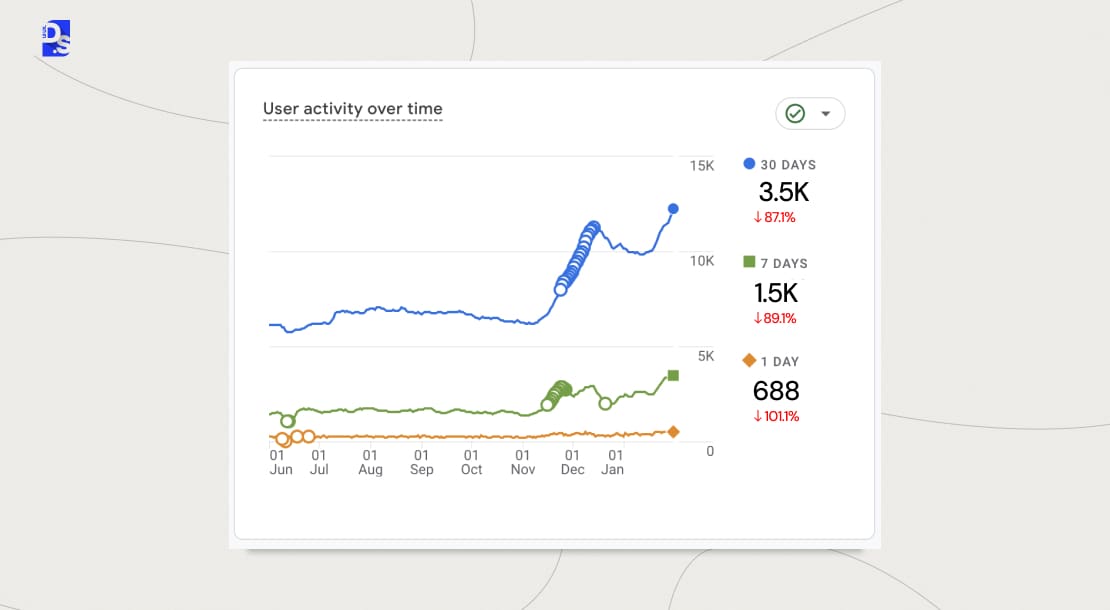
Is your site’s organic traffic flat or declining? Is it buried on page 5 of Google search results? Then, it has probably fallen victim to Google’s 2025 algorithm update, which now penalizes sites with:
- Cumulative Layout Shift (CLS) >0.1
- Thin content (<1000 words per topic cluster)
- Broken schema markup that misguides AI crawlers
In other words, when poor/thin content and high layout shifts (CLS) cause organic traffic to fall, you face a technical SEO problem.
To accurately diagnose these problems:
- Run DeepCrawl to identify orphaned pages and broken redirects.
- Analyze your site’s Google Search Console ‘Coverage’ report for indexing gaps.
- Use SEMrush’s Position Tracking to monitor keyword erosion.
If all signs point to SEO erosion, then yes, an up-to-date SEO-focused redesign is very important. The redesigners take SEO-boosting steps like:
- Expand pillar pages to 2500+ words with expert citations.
- Add structured data layers for FAQs, How-Tos, and Product schemas.
- Fix crawl budget leaks with robots.txt optimization.
- Implement priority-based XML sitemaps.
- Develop skyscraper content targeting competitors’ weak backlink pages.
9. You’re Getting Negative (or No) User Feedback
Having zero user feedback is actually worse than getting bad feedback. When users describe your site’s navigation as “a maze” or forms as “broken,” they’re giving you a clear list of what to fix. But the most dangerous feedback is no feedback at all. No form fills. No phone calls. No reviews.
These ‘non-signs’ indicate that your site’s design is so poor that users are leaving without a word.
10. Your Site Shows Security or Trust-Signal Gaps
Security and trust issues can be a clear reason to review your website.
- Make sure the SSL certificate is valid and every key page uses HTTPS.
- Check for mixed-content /”Not Secure” warnings.
- Update your privacy policy and cookie consent flow for GDPR, CCPA, and other relevant rules.
- Check for outdated plugins or CMS versions with known vulnerabilities.
- Also, check that important pages show clear trust signals.
11. Your Site Is Hard for AI Search to Understand
AI Overviews and other answer engines still depend heavily on content structure that search systems can crawl, understand, and index. Websites without structured data, an llms.txt file, and clear direct-answer text are hidden from AI search engines like ChatGPT and Perplexity.
Start with these basic points-
- Keep important information available as readable text.
- Make sure important pages can be crawled and indexed.
- Add an llms.txt file at your root domain as it tells AI crawlers which pages are safe and useful to reference.
- Maintain heading hierarchy with H1, H2, and H3.
- Give direct answers under headings to make them appear in AI Overviews and chatbot answers.
- Use Article, Organization, FAQPage, or other structured data only when the markup matches the actual page content and the format is supported.
- Connect related pages with clear internal links.
12. Your Website Has Become Hard to Maintain
A website may need a redesign when simple changes take too much time, money, or developer effort.
Look for:
- Updates that need several people.
- Changes that break other features.
- Hard-to-manage plugins and integrations.
- Old custom code and templates.
- Developers spending more time fixing old features than building new ones.
Pages, tracking scripts, tools, integrations, and custom features can build up technical debt. The site may still work, but its foundation may no longer be practical to maintain.
How Often Should You Redesign Your Website?
In the past, the industry benchmark was every 2-3 years. But the digital world moves too fast today. The new benchmark for a business website redesign strategy is every 18-24 months. That’s because:
- Modern frontend frameworks decay very fast, and every 18 months, there are paradigm shifts.
- CSS innovations (like Houdini, container queries) make old code obsolete every 24 months.
- Websites rank higher on Google search engine if they load quickly, share authentic trustworthy details and are regularly updated. Google Search Central confirmation shows that dynamic, high-quality sites consistently beat old or static web pages(in page experiences and E-E-A-T guidelines).
- New device and screen technologies require quarterly adaptations.
Businesses should plan for redesigns as soon as they spot any of the 12 outdated website design signs we have discussed. Typically, the redesign schedules for different types of websites are:
- Ecommerce: 12 months (shopping behavior shifts quarterly)
- B2B SaaS: 18 months (enterprise UX expectations escalate)
- Publishers: 24 months (content decay accelerates)
Red Flag: When your Core Web Vitals percentile drops below competitors’ median, start redesign planning immediately.
What Should a Redesign Include?
Here’s what a comprehensive website redesign checklist should include in 2026.
A Complete Visual Overhaul (UI)
- Dark mode by default
- Variable font systems to reduce page weight
- Haptic UI feedback
- Aligning the site’s aesthetics with industry standards (while reinforcing brand identity)
Improved Navigation and Structure
- Making the site’s information architecture feel intuitive and effortless to users
- Predictive mega-menus
- Eliminating all dead links in all navigation systems
Full Mobile Responsiveness
- Adopting a mobile-first design approach
- Placing all CTAs in the thumb-friendly zones of the screens
- Creating Accelerated Mobile Pages for all key pages (for 0.3s load times)
A Better Content and Conversion Strategy
- Creating more effective microcopy
- Adding long-format content with citations to high-authority sources
- Sharing real-time inventory details with APIs
- Creating more eye-catching and user-centric CTAs
Comprehensive SEO Optimization
- Building a solid technical SEO foundation into the site’s code and structure
- Creating LLM-optimized content clusters with 5-layer topical depth
- Creating structured data sets for AI agents to scrape
Businesses should gradually but surely add these tasks to their website redesign project plan in 2026. Adding some of these features to a website might require the aid of custom website design development experts.
Preserving Your SEO Equity During a Redesign
You must plan SEO during the redesign instead of after launch. Google recommends mapping old URLs, setting up redirects, preserving core content, updating sitemap, and monitoring Google Search Console.
Before launch, check:
- Old and new URLs are mapped.
- Changed URLs have direct 301 redirects.
- Redirects lead to relevant final pages.
- Internal links use the new URLs.
- Important <title> and heading content is still present.
- Canonical URLs point to the new pages.
- Robots.txt and noindex settings are correct.
- The new XML sitemap contains the new URLs.
- Google Search Console is verified and monitored (Resubmit your XML sitemap).
- The Google Business Profile has the correct website URL(reconnect to the new site after launch).
Redesign vs. Optimize: Which Do You Need?
Minor website issues only require small design solutions. Your website needs a complete redesign when major systems like navigation, structure, and responsiveness fail at the same time.
| Signs You See | What to Consider |
| 1 specific issue | Fix and monitor the affected page, flow, or UI element. |
| 2–3 related issues | Use targeted design optimization and test the changes. |
| Several issues across the site | Review the wider UX and define a redesign scope. |
| Problems with core structure, navigation, or IA | A full redesign may be needed if the current structure cannot support the required changes. |
Before You Redesign: Do a Website Audit
Getting professional UX audit services can help answer these questions. Also, it can prevent traffic drops and cut unnecessary costs.
These pre-redesign audits typically investigate the site’s:
- Technical Performance: Site speed, Core Web Vitals, mobile performance
- User Behavior: Dissecting on-site user journeys to find areas for improvement
- Competitor Analysis: Benchmarking the site against top competitors to spot gaps
Conclusion
Waiting is no longer an option. Improved conversion rates, higher user satisfaction and better search engine rankings are just one prompt action away.
Get a free website audit from Design Studio UI UX today! Contact us now to get priority access to our website redesign services.
Summarize this article with AI
FAQ’s
How do I know if my website needs a redesign?

Outdated look. Outdated UX. Slow load times. Poor mobile experience. Low conversion rate. These are the most obvious signs you need a website redesign.
Will redesigning my site improve SEO?
Yes, if it’s done correctly. Redesigners must first preserve the site’s existing SEO status. Then they should improve the status by improving site speed, creating a better IA, optimizing the design for mobile, and refreshing the content.
What's the cost of a website redesign?
The cost of a website redesign typically ranges from $5k to $100k+. It depends on project scope, website size, number of custom features, and business complexity.



