


The Ultimate Guide to AI Web Design (Updated 2026)


AI web design refers to the use of artificial intelligence tools to automate different phases of design process. It generates layouts concepts, imagery, copy, and front end code for faster development.
While many AI models have shown early promise in identifying abstract concepts, they still can’t adopt human perspectives to make human decisions.
Inputs from AI programs always come with the risk of being biased or inaccurate. That’s why it’s hard to say what the implications of AI will be in the website and app design world just yet. However, gaining a baseline understanding of how AI is currently being used in the UI/UX industry is a must for all website designers.
Today, more than 70% of design experts take the help of different AI tools, up from 37% in 2023.
They use free or premium versions of AI tools for tasks, although the job of taking important decisions and implementing creative strategy are assigned to humans.
What Is AI Web Design?
AI web design is the integration process of AI tools to handle routine UI tasks, scale production, and assist creative design decisions. It works across layout creation, color palettes, typography, images, web copy, and front-end code.
- What AI does well: fast layout creation, finding data patterns, and delivering consistent visual output.
- Where AI falls short: completely understanding tone and style of the brand, breakout creative ideas, regional cultural context, and deep user empathy and unstated needs.
How is AI is Being Used in Web Design in 2026
Many web designers are currently using AI tools as personal assistants to handle tedious design tasks. This results in around 40% faster completion times and 3x more design variants per project.
The following tools can help any web designer with their routine operations:
Automated Design
Artificial Design Intelligence (or ADI) utilizes AI to build entire website layouts, color schemes, and font pairings based on a brief. The technology completely eliminates hours of manual design setup.
It uses tools like Adobe’s Project Felix, Gator, Squarespace, and Wix have automated various time-consuming design tasks like:
- Creating colour schemes
- Selecting the right fonts
- Designing basic page layouts.
- Creating 3D composites
These site builders also create sub-templates for commonly used webpages like “About Us,” or “FAQ.” These tools have empowered new-age app and website designers.
These professionals use ADI tools to create and design custom websites for clients at highly affordable rates.
Idea Generation
LLMs like ChatGPT serve as instant brainstorming partners for the design industry. They rapidly answer briefs, generate creative directions, and suggest content strategies in seconds.
This tool can answer basic questions, making chatbot UI UX design an essential skill for web designers building conversational digital experiences.
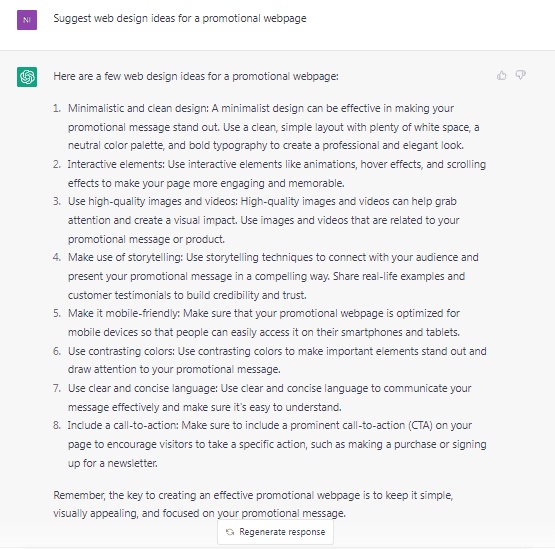
We asked ChatGPT to suggest us a few web design ideas for a promotional webpage.
Here’s what it had to say:
Generative Designs
Generative AI in UI/UX Design evaluates every layout, color, and font choice simultaneously to apply smart design rules at scale.
AI is being used to incorporate gamification in UX design, generating and testing reward systems, progress indicators, and interactive elements that make websites more engaging.
For instance, Autodessys’s “Form•Z Pro” is a powerful 3D-design tool that web designers can use for 3D modelling, creating animations, and architectural drafting.
Data suggest by 2033, the AI design tools market will hit $38.3 billion, and this is all due to the impact of a steady 26.2% annual growth rate.
Generating Copyright-Free Imagery
With tools such as Midjourney, DALL-E 3,, etc., you can generate unique, commercially usable images ( with simple text input). This concept replaces traditional stock photo subscriptions with custom visuals that can match your design requirements.
Generating Real Copy
Tired of using “Lorem Ipsum” placeholder text when creating website templates? Just ask ChatGPT to generate realistic and relevant text. Having non-generic copy allows web designers to adequately align all content blocks on different web pages.
AI writing tools remove placeholder text problems in web design by turning short descriptions into realistic brand copy.
Here are some other AI-powered text-generation tools that web designers use to generate high-quality content within seconds:
- Omneky: AI-powered tool that can generate customised advertising creatives and content.
- DeepL:A Natural Language Processing (NLP) tool that can generate SEO-optimised copies for any type of web project.
- Hypotenuse:AI-powered tool that can create high-quality product descriptions, advertising captions, and other types of content within seconds.
Writing Code
AI code assistants like GitHub Copilot, ChatGPT, and v0 by Vercel can turn plain text into working front-end code (HTML, React, CSS, JavaScript, etc.). This approach allows design professionals to quickly create a real prototype from a simple design concept.
Also, developers who use AI tools like GitHub Copilot get about 46% of their code written by AI. Web front-end workflows shows around 89.3% adoption rate, making AI-assisted coding a major part in frontend development .
Best AI Web Design Tools in 2026
Here is a list of the best AI tools that web designers use today:
- AI Website Builders: Wix AI, Framer AI, Squarespace Blueprint AI
- AI Image Generation: DALL-E 3, Adobe Firefly, Midjourney v6, Ideogram
- AI UI Design: Figma AI, v0 by Vercel, Relume (wireframe generation),
- AI Copy & Content: Claude (Anthropic), ChatGPT, Jasper AI
- AI Code Generation: GitHub Copilot, v0 by Vercel, Cursor IDE
How to Use AI Tools to Design a Website
You can design a professional website by using AI website builders to generate layouts, text, and other visual assets from simple text descriptions.
Here is summary of the web designing process with AI tools:
- Midjourney can create high-definition images and graphics from basic text prompts.
- You can access Midjourney via their official website or their Discord channel.
- Just type in your text prompt and Discord bots will generate four versions of your artwork.
- Keep rendering each image in higher resolution until you’re satisfied with the result.
- Then download the images and use them as design elements.
In this example, we will use Midjourney to generate some design elements for an imaginary shoe company:
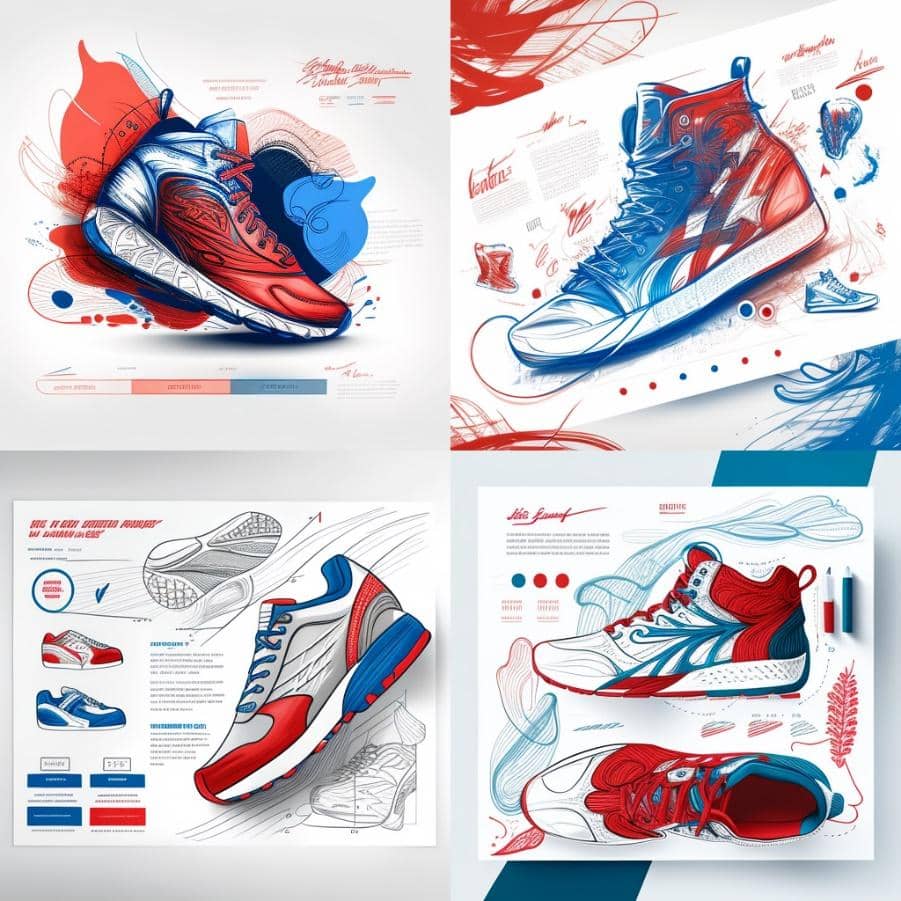
Step 1: Sketch Designs
We used the following prompt on Midjourney to come up with some basic, compositional sketches of the shoes:
“sketch design of a website landing page for a shoe brand, red and blue colours, – stylise 1000”
Here are some of the designs created by Midjourney:
Step 2: Logo Design
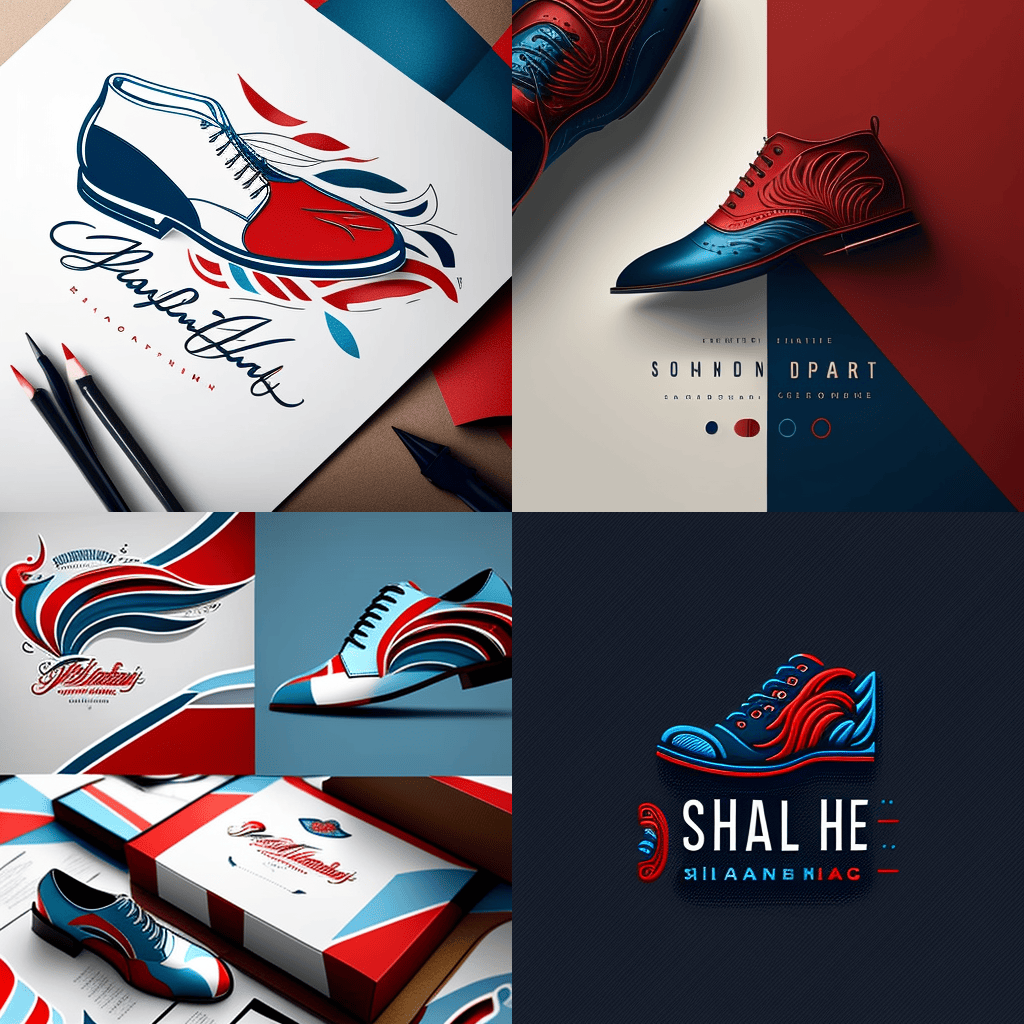
Now, let’s design a logo for the shoe company. We used the following prompt to create some basic logos for the brand
Prompt: “logo design for a shoe company, sophisticated, red and blue colours, modern, – stylise 1000”
Here are the shoe company logos created by Midjourney:
Step 3: Product Designs
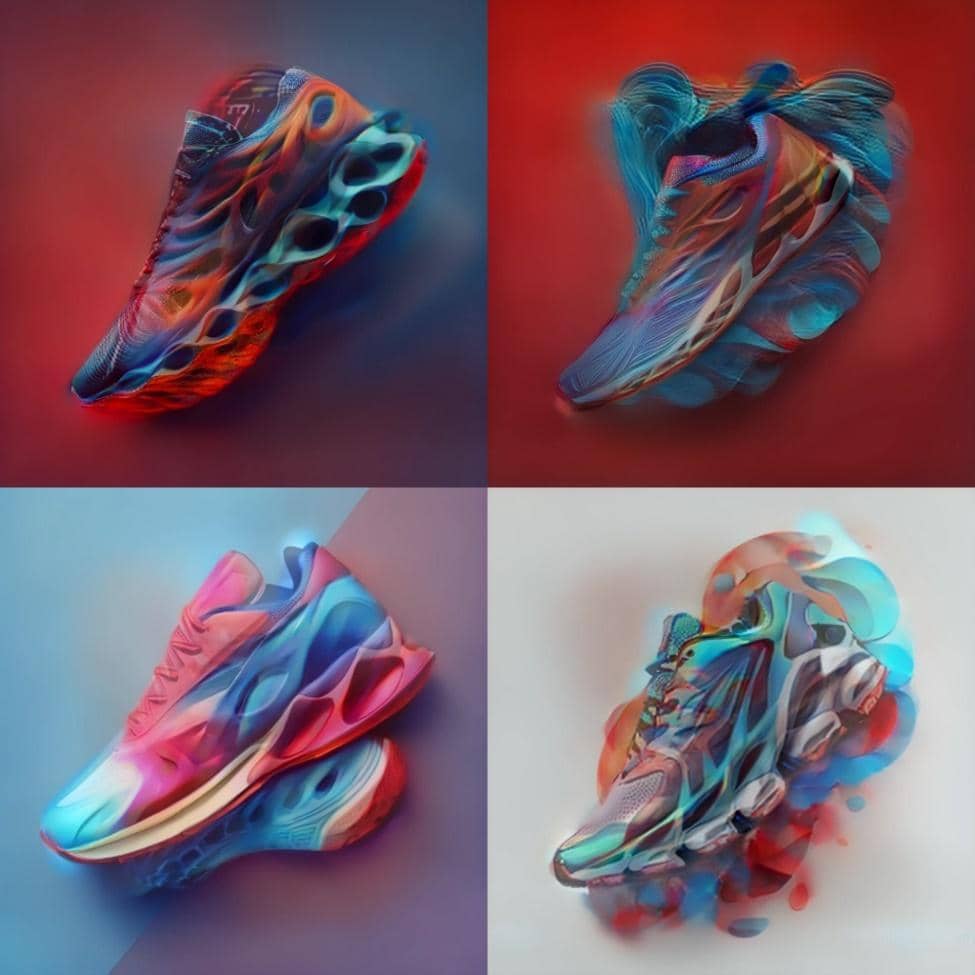
Let’s design some basic images for the product sections of our shoe company’s website. This was the prompt we used:
Prompt: “A beautiful show design, view from bottom, realistic, red and blue colours, spectacular, – stylise 1000”
Here’s what Midjourney generated:
Step 4: Responsive Design Elements
Let’s create some basic design elements for the shoe company’s mobile website. We changed the prompt slightly on Midjourney to create the designs:
Prompt: Mobile Website landing page for a shoe company, realistic, web design, ux/ui, ux, ui, red and blue colours – stylise 1000”
Here are the results:
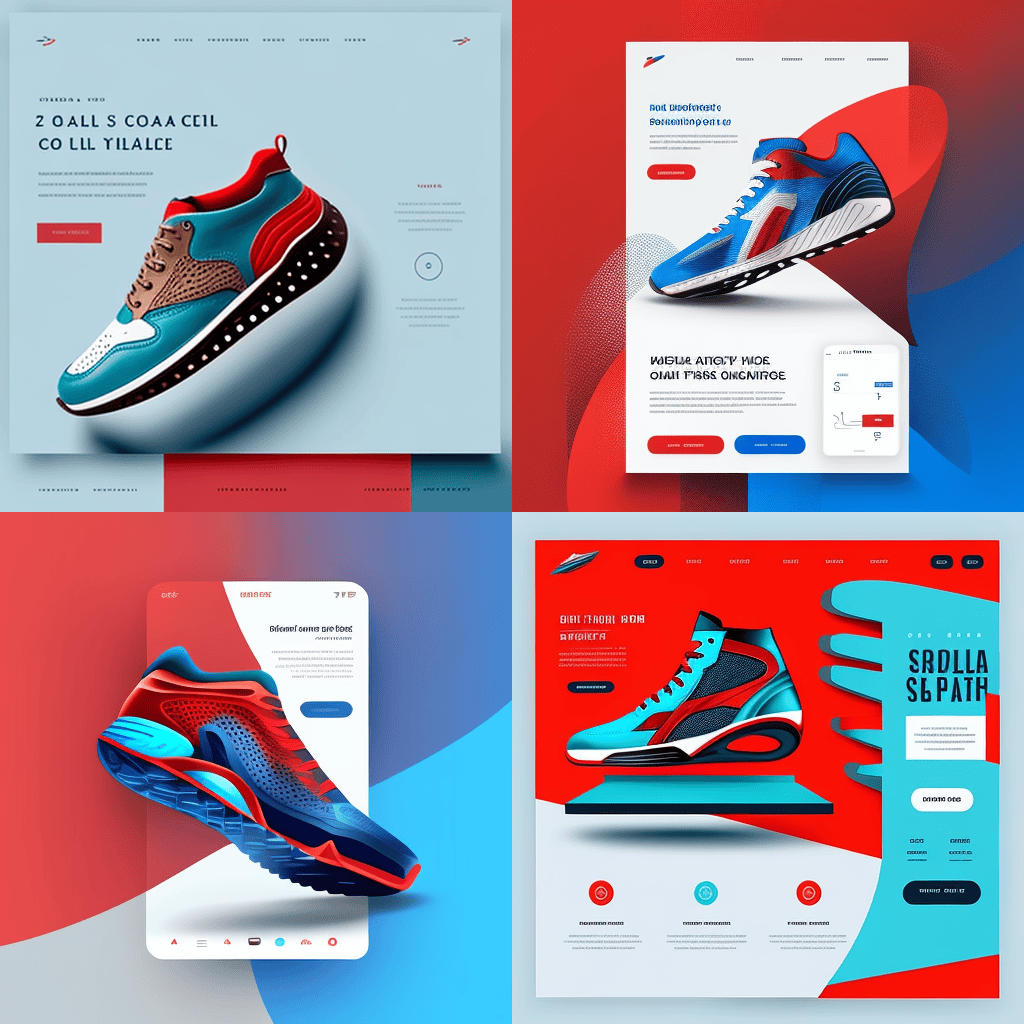
Not bad for less than ten minutes of work, right? The better we articulated our intentions in the prompts, the more detailed were Midjourney’s outputs. We wanted to create a design for the shoe company’s mobile website.
So, we explicitly used keywords like “UX,” “Mobile,” and “UI” in the prompt. As you can see from the image above, the tool understood that we wanted to see a mobile web layout.
Midjourney also allows you to integrate specific visual references into the text prompts. For instance, let’s say you like a web design you randomly found on Pinterest. You can ask Midjourney to create something similar to that image.
Here’s how:
- Let’s say you like the following web design template on Pinterest:
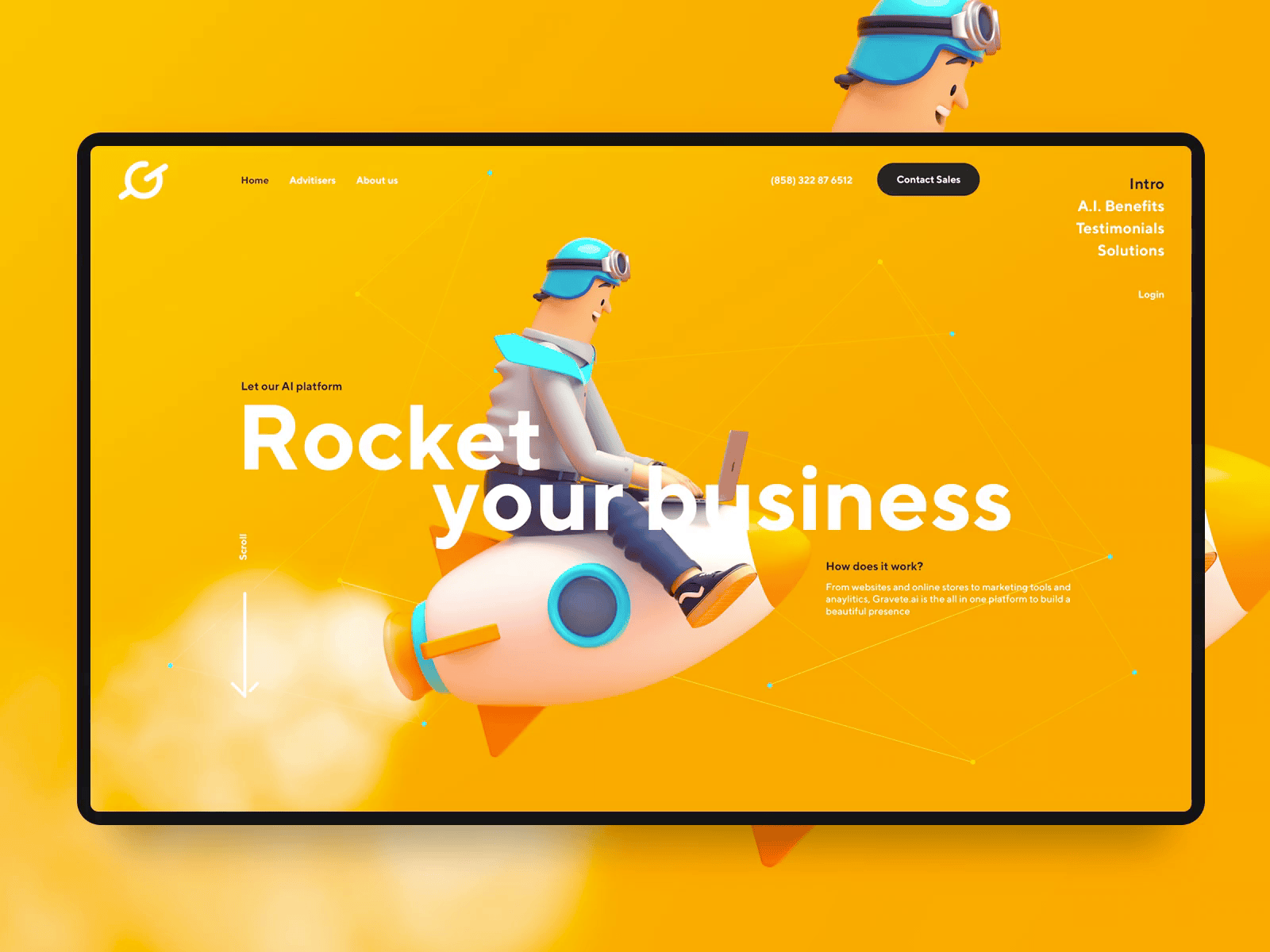
- Open this image in a new tab
- Copy the URL link of this image
- Add the link to the prompt for Midjourney
Here’s how the prompt should look like:
“(URL reference of design), Modern Website landing page for a shoe company, stylish, web design, ux/ui, ux, ui, red and blue colours, — stylise 1000”
In this case, the prompt was:
And the output that was generated looked like this:
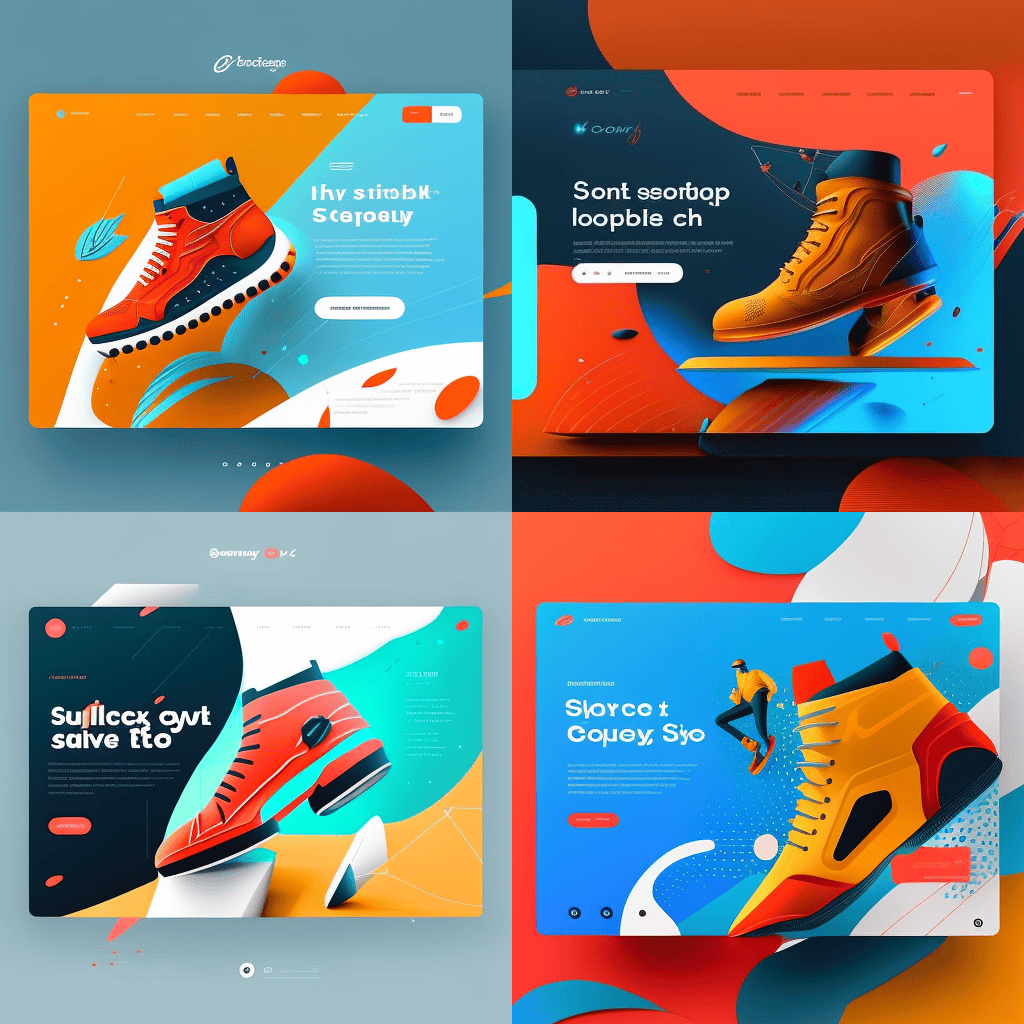
As you can see, these images match the image we added in the prompt. Using keywords like “stylish” or “sophisticated” makes the AI tool generate even higher-quality visual designs.
Web designers cannot directly use the tool to create web designs. They’ll need to manually polish the images they generate on a photo editor first. But, the speed and quality of this tool is undeniable.
The Future of AI in Web Design
AI web design has transformed the landscape of website designing over the last few years, turning once-futuristic concepts into standard features.
In the near future, AI will also power zero UI design experiences, where voice, gesture, and predictive AI eliminate the need for traditional screen-based interfaces entirely.
Will AI Replace Web Designers?
AI is changing web design, but it is not replacing the need for skilled web designers. It is mainly taking over simple and repeatable design tasks. Take a look at tasks that AI tools can automate and AI can’t do-
- Being automated: Simple site builds, image resizing, stock asset selection, boilerplate code, basic copy generation
- Safe from AI: Brand strategy, creative direction, stakeholder communication, accessibility design, and complicated UX design and design strategies.
In short, with the help of AI tools, designers can create 10x more options at the same time and use human judgment to finalize the best option.
As a dedicated UI/UX Design Company, we understand the potential of these AI advancements and are committed to integrating them to enhance our design processes and deliver superior, future-ready solutions for our clients.
FAQs
Can AI build a website for me?

Yes. Different AI tools can build a functional website from a short 2 line prompt. You can create simple websites, but hire a professional to complete a complex project.
Which AI tools are best for web design in 2026?
The best tool depends on your project requirements. Wix AI/ Framer AI can generate websites, while Midjourney v6 and Adobe Firefly create images. For UI component code, you can use v0 by Vercel and for copy, go for ChatGPT or Claude.
How does AI generate website images?
AI generators ( e.g.- Midjourney and DALL-E 3) turn text descriptions into images using diffusion models. These models are mainly trained on billions of image-text pairs and that create visual outputs.
Do I still need a web designer if I use AI tools?
For a simple informational website: possibly not. AI can manage the initial groundwork for a design project, but lacks human design judgment. It cannot replicate strategic branding and emotional UX strategies required to create complicated UX flows.



