Gamification Concept in UX Design with Proven Examples (2026)

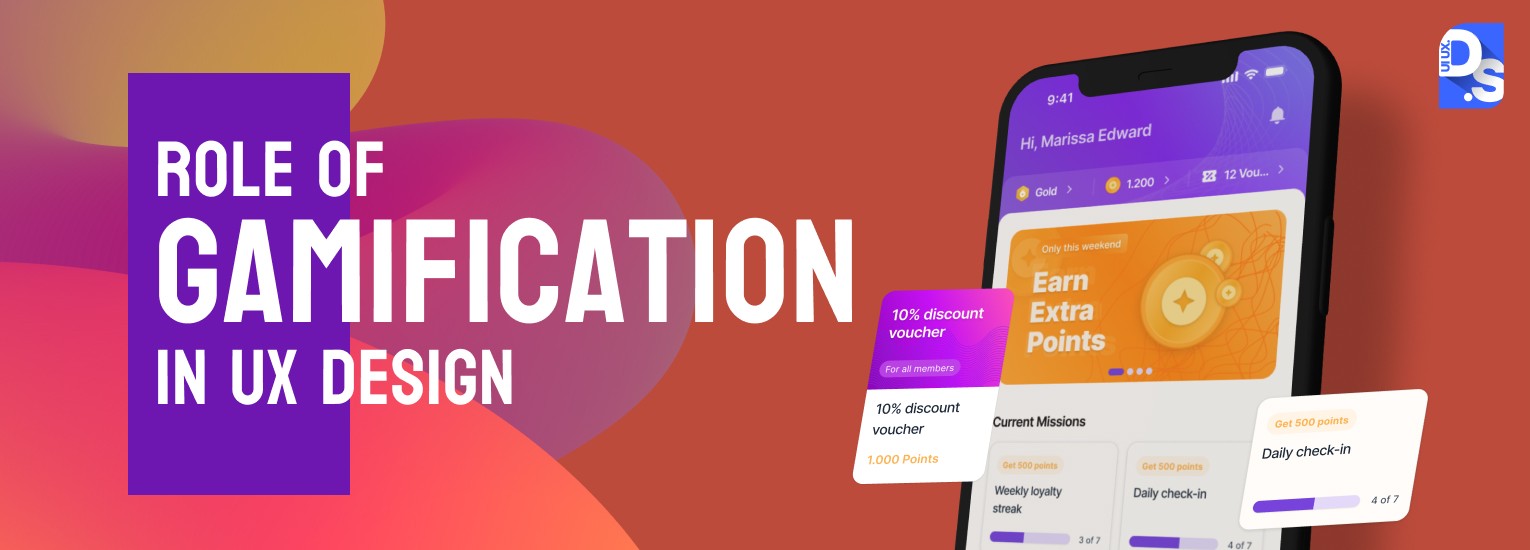
Gamification makes digital products feel like games and keeps users engaged. This concept makes users feel encouraged about using the product which ultimately increases product adoption and repeat visits.
89% of survey responders feel more productive with gamified implemented websites and 88% feel happier when they interact with gamified designs. This core psychology applies perfectly to any digital product.
It is a proven UX design technique to build lasting user interest.
What is Gamification?
- Gamification is the process of adding game-like elements, mechanisms, and psychology to non-game products to increase user engagement, enjoyment, motivation, and fun
- Gamification is not the process of making games
- It is a user experience (UX) design technique where game design elements are used in non-game contexts to make regular, digital activities more game-like
According to Interaction Design Foundation guide, the main goal of design agencies is to not transform user transfaces but to include specific elements that drive user motivation. Their aim is to create a product that users enjoy and engage deeply.

What is Gamification in UX?
Gamification in UX is a design concept that adds fun game features to regular apps and websites. It includes rewards, points or badges to make completing everyday tasks exciting.
Gamification has become a widely recognized and effective approach to engaging and motivating users in a variety of contexts:
- Apps that offer positive feedback for completing goals
- Educational software that makes learning fun and interactive
- Productivity tools that use game mechanics to motivate users to complete tasks
You may be currently using multiple apps or websites that include these elements. Today, many AI web design platforms also use gamification techniques to create more personalized and engaging digital experiences.
Gamification is all around us:
- It can be a distinct design feature added to a product such as point scoring or a progress tracker to motivate engagement with a digital product
For example, the Uber app uses gamification to reward drivers; the Uber rewards program has a tier system that unlocks different rewards for drivers, based on their daily progress
- It can also be the use of subtle psychological cues to help nudge a user down a desired path such as offering free gift cards for creating an account
The Starbucks app’s ‘My Rewards’ program rewards users with points every time they place an order
- It can also be something brasher like making game design the primary focus of the product
Duolingo offers courses in 100+ languages; all of these courses are gamified and based on the Octalysis gamification framework
Gamification is the process of adding strategic obstacles to certain aspects of the product’s UX design to engage, motivate, and excite users
UX design is the process of creating smooth, obstacle-free digital experiences for users
What Are the Main Types of Gamification in UX Design?
Types of gamification in UX design include- progress tracking, challenges, achievements, points, rewards, leaderboards, time constraints and negative scoring.
According to NNG research, most successful gamification implementations start with a user-centered mindset and the team must figure out what your users care about before adding any game features.

Here is a quick comparison of the types:
| Type | Core Mechanism | Primary Motivation It Taps | Best-Known Example |
| Progress Tracking | Visual levels, bars, badges showing advancement | Accomplishment, mastery | Duolingo, Fitbit |
| Challenges and Achievements | Offers tasks with badges or points on completion | Mastery, recognition, competition | Nike Run Club, MyFitnessPal |
| Points and Rewards | Virtual points redeemable for real-world benefits | Reinforcement, loyalty | Starbucks Rewards, Habitica |
| Leaderboards | Public rankings based on performance metrics | Social comparison, competition | Kahoot!, Unacademy |
| Time Constraints | Deadlines and countdown timers on offers or tasks | Urgency, loss aversion | Groupon, Headspace |
| Negative Scoring | Point deductions for undesired behaviors | Loss aversion, behavioral correction | LinkedIn, Todoist, MyFitnessPal |
Progress Tracking (Levels and Journeys)
- In this gamification technique, users get to operate under a structured framework to navigate their experiences, journeys, or progress through different levels of the UX
- These elements allow users to visualize their progress through various stages
- This visual feedback enhances their sense of achievement as they complete tasks or reach milestones
How it Works
- Gamification elements break down larger goals or UX journeys into small, manageable tasks
- They create clear paths for users to follow
- Progress is usually represented visually through bars, badges, or milestones that update as users engage with the platform
- This structured approach helps users understand where they stand and motivates them to keep progressing
- The effectiveness of levels and progress tracking lies in their ability to fulfill psychological needs for accomplishment
- By providing clear goals and visual feedback on progress, users feel a sense of control and motivation
Examples
- Duolingo has levels that users must complete to advance in their language journey
- Fitbit uses levels, charts, badges, and other progress-tracking measures to motivate users toward achieving their personalized fitness goals
- Zombies, Run is an immersive running app that combines storytelling with levels to make users feel like they are on exciting missions during their runs
Challenges and Achievements
- Challenges are typically time-bound tasks that encourage users to compete against themselves or others
- When users complete these challenges, they receive rewards such as badges or points
- This system creates a feedback loop where the accomplishment of challenges motivates further engagement
How it Works
- This approach taps into intrinsic motivations such as the desire for mastery and recognition
- Objectives and subsequent rewards give users a sense of purpose in their interactions
- The competitive aspect further fuels this sense and even encourages social interaction
Examples
- Nike Run Club offers daily running challenges that all users can take part in to receive rewards
- On MyFitnessPal, users can set personal challenges related to calorie tracking or exercise and earn rewards for meeting their targets
Points and Rewards
- This gamification technique incentivizes user behavior by granting them virtual points for completing desired actions
- Users get to earn points for completing tasks, reaching milestones, and participating in activities
- The points can usually be redeemed for rewards (discounts, virtual goods)
How it Works
- The point system leverages the psychological principle of reinforcement
- Rewarding positive behavior encourages users to repeat those actions
- This mechanism creates a compelling reason for continued engagement
Examples
- The productivity app Habitica gamifies task completion by awarding in-game rewards for completing real-life tasks
- Customers earn stars on their Starbucks Rewards profiles for every item they buy at Starbucks; the stars can be redeemed for discounts or freebies
Leaderboards
- Leaderboards are ranking systems that display the top performers within a gamified environment
- The ranks are based on metrics like – daily activity levels, completed tasks, or other relevant performance indicators
- They serve as a competitive tool and give users visual representations of their achievements and performances, relative to peers
How it Works
- This gamification technique leverages the power of social comparison
- When users see their standing in comparison to others, it fosters a sense of competition
- Users also get allotted to different tiers or categories which makes the competitive experience feel more personalized
- The competitive spirit to improve their performance and stack up better against other users keeps fueling engagement
Examples
- Unacademy uses public leaderboards to display student achievements in quizzes and live classes
- Kahoot! – an interactive quiz platform that uses leaderboards to display game scores in real time
Time Constraints
- Time constraints in gamification (implementation of deadlines or time limits) encourage users to complete specific actions within a defined period
- This technique creates a sense of urgency that drives user engagement and participation
- Limited-time offers, timed challenges, daily missions, countdown timers – time constraints can take various forms
How it Works
- By setting a deadline for tasks, users are prompted to act quickly
- When users perceive that an opportunity is fleeting, they’re more likely to engage promptly rather than delay action
- This sense of urgency not only motivates users to complete tasks but also enhances the UX
- Visual indicators, such as countdown clocks or progress bars can further increase completion rates
Examples
- Groupon displays countdown timers for limited-time offers, creating urgency for shoppers to purchase deals before they expire
- Headspace features time-limited challenges that encourage users to meditate for consecutive days
Negative Scoring
- Negative scoring involves deducting points or imposing penalties for undesired actions within the UX
- This gamification technique serves as a deterrent against undesired behaviors
- Users lose points whenever they engage in undesired behaviors
How it Works
- Negative scoring leverages the psychological principle of loss aversion
- Users are generally more motivated by the fear of losing something they already have than by the prospect of gaining something new
- By associating penalties with undesirable actions, users are encouraged to only take the ‘right’ steps in their journeys
Examples
- On LinkedIn, incomplete profiles get limited visibility and engagement
- On Todoist, users lose ‘karma points’ for not completing tasks on time
- OnMyFitnessPal users are negatively scored whenever they fail to log meals consistently
How Is AI Changing Gamification in UX Design in 2026?
Traditional gamification applies the same mechanics to every user- the same leaderboard, the same point thresholds, and the same challenge difficulty. AI changes this by making gamification genuinely personalized to each individual user in real time.
- AI-adjusted difficulty: instead of fixed challenge difficulty, AI continuously calibrates challenge complexity to match each user’s current skill level — keeping them in the ‘flow state’ (not too easy, not too hard)
- Personalized reward timing: AI identifies the exact moment each user is most likely to be motivated by a reward, then delivers that reward at peak psychological impact rather than on a fixed schedule
- Predictive streak intervention: AI identifies users likely to break a streak 48–72 hours before it happens and triggers proactive re-engagement nudges before the habit breaks
- Content-aware challenges: AI generates new challenges specific to each user’s usage patterns — so two users on the same platform might be working toward completely different goals
- Best current example: Duolingo’s AI engine adjusts lesson difficulty, XP rewards, and streak reminders individually for each of its 500+ million users based on behavioral data
How Is Gamification Used Across Different Industries?
Gamification works differently depending on the industry — because users’ primary motivations change depending on context. Here is how the best teams are applying it across four major sectors:
Gamification in Education (EdTech)
- Progress bars that show course completion percentages motivate learners to finish what they start
- Certificates and badges for completing modules provide tangible evidence of achievement — users share these on LinkedIn, driving organic acquisition
- Leaderboards in quiz platforms (Kahoot!, Quizlet) create friendly competition that boosts participation
- Streak mechanics (Duolingo) make learning a daily habit — users protect their streak because of loss aversion, not just excitement
- Best example: If you use streaks, it can make you about 4 times more likely to reach your language goals on the app – Duolingo.
Gamification in Healthcare and Fitness
- Step challenges and movement rings (Apple Watch, Fitbit) turn passive health tracking into an active daily competition against yourself
- Points for healthy behaviors (hydration, sleep, medication adherence) give users a visible score for their wellbeing
- Social sharing of workout achievements creates community accountability that is more effective than individual motivation alone
- Best example: Zombies, Run turns running into a narrative survival game — it is one of the most cited examples of gamification improving exercise adherence
Gamification in Fintech and Banking
- Savings goals with progress bars (Qapital, Digit) make abstract financial targets feel achievable and close
- Spending insights delivered as a ‘score’ reduce the anxiety of financial data by framing it as something users can actively improve
- Reward points for responsible financial behavior (no overspending alerts, hitting savings targets) reinforce good money habits
- Best example: Bank of America’s Keep the Change program rounds up purchases and saves the difference. This gamification concept can drive millions of new accounts
Gamification in E-commerce
- If you progress the user flow through different loyalty tiers (Bronze < Silver < Gold), you can easily secure customer retention better than standard discount codes.
- There are different time-sensitive flash sales with countdown clocks ( like Groupon, Amazon Lightning Deals) which can inject urgency to lift order values.
- Also, there are different on-page gamification features such as spin wheels and digital scratch cards that motivate users and increase engagement rate.
- Best example: Zalando’s loyalty setup where customers can earn points for purchases, reviews, and social shares, redeemable for discounts
What is the Importance of Gamification in UX Design?
Gamification matters in UX design because it can help brands convert casual visitors into active participants. Products with fine gamified features see measurably high user engagement, long session time, stronger retention and more return visits.
According to Grand view research, by 2029, the gamification industry will be worth $48.72 billion as companies increasingly use game features to engage customers.
- User engagement refers to the level of involvement and interaction with a product or service
- It measures how often and how deeply users engage with the product
- It is expressed in metrics like total time spent using the product, frequency of use, number of actions taken, etc.
Gamification can significantly boost user engagement by providing motivational elements that keep users invested in the product. By doing so, it can also:
Improves User Acquisition and Retention Rate
- Highly engaged users are more likely to become brand advocates
- They are more likely to share their positive experiences and drive organic user acquisition
Enhances UX
- Gamification can improve the overall user experience by making interactions more enjoyable, rewarding, and memorable
- Game-like elements (challenges, achievements, progress tracking) add extra layers of purpose to each interaction
Measures Valuable User Data
- Gamification elements often involve tracking user actions and progress
- This tracked data can be a valuable resource for UX and product designers
- By analyzing gamification metrics, they can gain very deep insights into user preferences
- This data analysis can inform product development decisions and help create more targeted features
Creates Community
- Gamification also fosters community and social interaction
- Features like leaderboards and collaborative tasks create a sense of belonging and competition
- They encourage regular engagement and information sharing among users
- This is particularly effective in eLearning environments, where gamification enhances peer connections and motivation
Triggers Behavioral Nudges
Nudge theory posits that subtle stimuli can influence people’s decisions without coercion. UX designers leverage this concept to design nudges that guide users toward desired behaviors.
- Gamification can take your application of the Nudge theory to the next level:
- Feedback nudges (real-time messages and visual cues) can provide immediate reinforcement and increase user engagement
- Progress nudges (progress bars, completion meters) can motivate users to complete specific tasks
- Reward nudges (badges, points, virtual rewards) can trigger positive reinforcement and encourage continued engagement
- Social nudges (leaderboards, social sharing features) can foster a sense of community-based competition around the product
Important Metrics that can measure gamification concept are –
| Metric | What It Measures | Good Signal |
| Daily Active Users (DAU) or Weekly Active Users (WAU) | Whether gamification is driving users back to the product | DAU or MAU ratio above 20% for consumer apps and above 10% for B2B tools |
| Feature Adoption Rate | Whether gamified elements are leading users to try new features | 30%+ monthly feature adoption for core gamification mechanics |
| Streak Length / Average Days Active | The metric measures whether habit mechanics (streaks, daily missions) are working | Increasing average streak length week-over-week |
| Challenge Completion Rate | Whether challenges are calibrated correctly (too easy = ignored; too hard = abandoned) | 50–70% completion rate for initial challenges is healthy |
| Points Redemption Rate | Whether reward mechanics feel valuable enough to act on | Below 20% redemption suggests rewards are not motivating enough |
| Churn Rate (before and after gamification) | The ultimate test — are users staying longer because of gamification? | Meaningful churn reduction within 60 days of gamification launch |
What Are the Key Challenges of Using Gamification in UX Design?
For gamification to be effective, it needs to seamlessly fit inside the overall user experience. Excessive and out-of-balance gamification can lead to issues like:
- Overwhelming users with excessive game mechanics and distracting them from the product’s primary purpose
- Flooding users with numerous badges for minor actions can dilute their significance in the UX and clutter the app’s UI
- Introducing intricate challenges that require task completion or puzzle-solving may alienate users who prefer straightforward features
- Constant alerts related to gamification can disrupt user focus, making it hard for them to engage with core app features
- Offering virtual rewards without real-world value can distract users from their primary goal of the product
UX designers carefully balance gamification elements with the app’s objectives. To successfully incorporate gamification elements while maintaining a seamless UX, follow these strategies:
| User Challenge | Best Practice |
| Users overwhelmed by too many game mechanics | Define clear goals for every gamification feature and remove anything that does not support the core purpose. |
| Badges feel meaningless from overuse | Make rewards specific, valuable, and linked to achievements users care about. |
| Complex tasks push casual users away | Understand user preferences through testing and focus on features that motivate most users, not just advanced users. |
| Notifications become distracting | Integrate game elements smoothly so they improve the experience without breaking user flow. |
| Rewards lack relevance | Personalize rewards and insights to match individual goals and preferences. |
| Users do not know their current status | Show progress clearly using visual indicators, progress bars, and achievement notifications. |
| Gamification loses impact over time | Treat gamification as an evolving product and keep improving it through ongoing testing and updates. |
Let’s discuss the strategies in detail-
Clear Objectives
- Define the goals of gamification elements and align them with the product’s overall purpose
- Ensure that these features enhance core functionality rather than create distractions or unnecessary complexity
User-Centric Design
- Center the design process around user needs
- Conduct research and testing to understand preferences and pain points
- Only incorporate the gamification elements that add true value to the user journey and align with your product’s primary purpose
Simplicity
- Keep gamification elements straightforward and easy to understand
- Avoid overwhelming users with excessive mechanics or complex rules
- Introduce small, meaningful rewards for achieving specific milestones
- Use clear language, intuitive visuals, and logical progression to guide users
Flow
- Integrate gamification elements into the product’s interface smoothly
- Ensure they enhance the overall user flow without disrupting natural interactions
- Offer social features that encourage user connection and support in journeys
Contextual Relevance
- Customize gamification features based on user goals, interests, and preferences to provide motivation and enjoyment
- Share personalized progress insights and recommendations
- All gamification features should feel contextually appropriate and relevant to the user’s position in the journey
Feedback and Progression
- Offer timely, meaningful feedback as users engage with gamified elements
- Use visual indicators, progress bars, and notifications to communicate achievements and rewards
Iterative Testing and Improvement
- Continuously test and refine gamification elements based on user feedback and behavior data
- Continue optimizing all gamification elements to meet evolving user needs
Adhere to these principles to avoid facing the most common challenges of applying gamification in UX design.
What Are the Best Real-World Examples of Creative Gamification in UX?
The best gamification apps turn casual users into daily fans by increasing retention rate and return visits. Some real world examples of gamification in UX include Waze, Yummly, Zalando, and Codewars.
- This navigation app incorporates gamification through its user-generated content model
- Users earn points for reporting traffic incidents, road hazards, and map updates
- As they accumulate points, they can achieve different ranks, unlocking fun avatars and gaining recognition within the community
- This system encourages active participation and enhances the accuracy of the maps
- This popular recipe app gamifies meal planning by allowing users to earn badges for trying new recipes
- Users can set personal cooking goals and track their progress with visual indicators
- The app’s social sharing feature lets users showcase their cooking techniques, culinary achievements, and points with a community of cooking enthusiasts
- The online fashion retailer employs gamification through its loyalty program
- Customers earn points for purchases, reviews, and social media shares
- These points can be redeemed for discounts or exclusive offers
- Codewars is a gamified platform for learning coding through challenges
- It gamifies the learning process by allowing users to solve coding problems and earn ranks based on performance
- Users receive immediate feedback on their solutions
- They can always see how they compare against others in leaderboards
Conclusion
Ready to gamify your product? Start by visually depicting the user’s end-to-end experience with your product. Identify opportunities to delight them with gamified interactions.
Then, let the games begin!
To learn more about this implementation side of the gamification process, reach out to Design Studio UI/UX. Our design team will gladly break down our gamification frameworks, methodologies, and processes in detail.
FAQ’s About Gamification UX Design
What are the Best Examples of Gamification in UX Design?
Examples of gamification include- daily streaks of Duolingo, activity badges of Fitbit, and star based loyalty rewards of Starbucks. Also, apps like Habitica and Kahoot! excel by using game mechanics to boost daily user engagement.
Why is Gamification effective in Digital Products?
Gamification concept triggers desire for mastery, recognition, and social connection. It easily turns boring digital tasks into fun games by using rewards and points.This keeps users excited and makes them want to use your app every day.
How is Gamification Different from Game Design?
Gamification adds playful perks to normal work to encourage people to keep going. On the other hand, game design is creating a custom, playable game with a story and rules designed to be played for fun.
How much Gamification in UX Design Costs to Build?
Gamification in UX design typically costs somewhere between $3,000 to over $100,000. The price range can vary system complexity. Here, the overall expense covers two primary phases: initial UI/UX design and final software development. However, if you add a progress bar or a simple completion tracker, it can cost almost nothing.
How to Choose the Right Gamification Elements?
To choose the right gamification tools for UX design, first align game mechanics with users’ needs and business goals. Keep the elements subtle so that they increase daily engagement of the digital product and not distract the users from core user experience.