


6 Proven Search UX Best Practices: Bar & Results Design



Summary
Search UX best practices include designing clear and effective search results screens, optimizing for mobile search, improving loading speed, and using filters to deliver comprehensive and accurate results.
Most websites have a search bar. Barely any of them have a real search experience. That gap isn’t just a feeling either, it shows up in actual numbers.
Coveo looked at 4,000 users back in 2025, and what they found is kind of telling. 43% of people hit a website and go straight for the search bar. Not the homepage. Not the nav menu. Straight to search. And of those folks, 84% said it took them a fair amount of effort, sometimes a lot, just to track down what they came for. More than half, 53% to be exact, said struggling to find information was their number one complaint.
That’s not a content problem. It’s not really a data problem either, if we’re being honest. It’s a design problem.
Search UX touches basically every part of the journey. What the bar looks like and how it reacts. What shows up on screen the second someone starts typing. How results get sorted and displayed once the query lands.
Even the annoying edge cases, zero results, pages that load too slow, all of it counts. Nail these and people find what they need without much friction at all. There’s a stat worth mentioning here too, sites show that people who use a search box convert at about 5 times the rate of people who skip it entirely.
This guide covers six practices that genuinely move the needle on search bar usability and how results pages perform, with real examples pulled from products that actually put these ideas into practice.
What is Search UX?
Search UX is the holistic design approach that covers the entire search journey. A well‑designed search bar, effective filters, instant feedback, and clear results improve usability and retention.
It’s the entire journey a user takes to find information inside a website, app, or software system. It covers everything from understanding the context of the user query to delivering the desired results in search bar.
It includes search bar design, filter architecture, results layout, fast feedback, empty state messaging, and mobile optimization.
According to a study, around 70% users get frustrated and leave shopping carts when they can’t find what they are looking for.
It plays a crucial role in user satisfaction by ensuring intuitive navigation, which can be achieved by implementing best practices in navigation UX design.
Additionally, it provides relevant results and an overall efficient search experience, which underscores why UX design is important. A well-designed search interface can significantly enhance user engagement and retention, emphasizing the necessity of prioritizing UX design in digital products.
The amount of dedication a product team invests in search UX directly reflects its commitment to customer success:
- Neglecting it guarantees a subpar search experience and diminishes a website’s searchability.
- Conversely, by prioritizing search UX, companies can empower users to find what they need quickly and efficiently, ultimately leading to increased user satisfaction and loyalty.
That is why today, search UX has become an indispensable element of modern app and web design. Boosting your app’s ‘searchability’ is one of the core mobile UX best practices.
What Are the Real Challenges in Optimizing the Search Feature?
While implementing a search bar might seem straightforward, the challenge lies in:
- what to display,
- how to expedite user discovery, and
- how to integrate search UX within the overall user experience.
For better understanding, check out the difference between between Poor Search UX and Optimized Search UX
| Parameters | Poor Search UX | Optimized Search UX |
| Search Bar Design | Hard to find what users need | Prominent placeholder with clear scope signal |
| Results Load Speed and Quality | Slow, and do not follow semantic technology and do not provide auto suggestions | Decent loading speed with intent based search result and suggests ideas as you type. |
| Mobile Experience | Desktop layout often forced onto mobile screens- Not fully optimized | Thumb-friendly, sticky bar, tappable result cards- overall optimized for mobile devices |
| Filter Design | Absent or interface loaded with too many filter options | Matches how users naturally think for specific products |
| User Retention | Can lead to cart abandonment and low return rate | Better digital interaction resulting in higher engagement, repeat visits and improved conversion |
Why Does Search UX Matter for User Experience?
Search is the lifeblood of online discovery. It is a dynamic dialogue between a user and a website, where users seek to fulfill a specific need.
It helps users find what they need quickly and efficiently, increasing satisfaction and loyalty.
Neglecting search UX leads to a poor experience and diminished searchability. This can result in site abandonment, low customer retention, and conversion.
Let us discuss search UX best practices and examine the importance of refining the search experience.
What Are the Different Types of Search UX?
Search isn’t one thing. Depends what your user’s trying to do in the moment, and that changes basically everything about how you’d design it. So before diving into best practices, it’s worth figuring out which kind of search you’re actually building. Get that wrong and no amount of polish fixes it later.
1. Basic Keyword Search
Type a word, hit enter, get a list back, ranked by whatever’s most relevant. Nothing fancy, and honestly most consumer sites, blogs, and product catalogs don’t need anything fancier than this.
Where it actually gets hard is relevance. Someone types “cheap laptop” and if your results show a $2000 gaming rig first, you’ve already lost them. It’s not about matching characters, it’s about matching intent, which is a much harder problem than it looks from the outside.
2. Command Search
You’ve probably used this without naming it. Cmd+P in Figma, that little popup in Linear or Notion where you can search and also just… do stuff. Create a task, jump to a file, whatever. Apple’s Spotlight is where a lot of people first ran into this pattern, so it stuck as the name.
It’s really built for keyboard people, folks who’d rather hit a shortcut than reach for a mouse. Pencil and Paper’s write-up on enterprise UX puts it well, they describe it as blending two things that are usually separate, finding stuff and acting on it, into one box. Feels closer to a command line than a search bar, honestly.
Works best in dense software products, dev tools, anything where people are moving fast and don’t want to click through menus. The tricky part when designing it is that your results can’t just be links, some of them need to actually trigger an action like deleting or exporting something. Miss that and you’ve built half the feature.
3. Advanced Search
This is for when typing one word into a box just isn’t going to cut it. Boolean stuff, AND, OR, NOT, plus filters for dates, categories, file types. Google Drive does this. So does Jira, and LinkedIn too, anywhere someone’s sifting through a genuinely large pile of stuff and needs to narrow it down fast.
The part that trips a lot of designs up is where the filters live. Bury them in a separate panel and people won’t bother. They need to sit right there, visible, easy to toggle, without breaking whatever flow the person was already in. This one’s mostly for researchers, analysts, anyone whose job involves wading through a lot of information on a regular basis.
4. Find Search (In Page)
Cmd+F, or Ctrl+F if you’re on Windows. Lives inside one page or document, not across a whole site. And it’s blunt on purpose, exact string matching only, no fuzzy logic, no “did you mean.” Browsers do it, PDF readers do it, code editors do it.
Nobody’s really building this from scratch these days, it’s more or less a solved pattern at this point. But if you’re working on anything document-heavy, it still matters more than people give it credit for. Really just needs two things done well: clearly highlight what matched, and let people jump between hits without losing their place.
Quick reference for all four types:
| Search Type | Primary Use Case | Key Design Challenge | Real Examples |
| Basic keyword | Consumer sites, blogs, product catalogs | Relevance and result quality | Google, Amazon, Shopify stores |
| Command | Productivity tools, developer software | Merging content and actions in one input | Figma (Cmd+P), Linear, Notion |
| Advanced | Enterprise software, research platforms | Keeping filters usable without overwhelming the interface | Jira, Google Drive, LinkedIn Jobs |
| Find (in-page) | Documents, PDFs, code editors | Match highlighting and hit navigation | Browser Ctrl+F, PDF readers |
What Are the Search UX Best Practices That Improve Results and Retention?
Best search UX practices includes – using smart filters, placeholder texts, fast loading, and clear mobile-friendly search result screens.
Let’s understand these UX practices one by one:-
1. Craft Compelling Hints
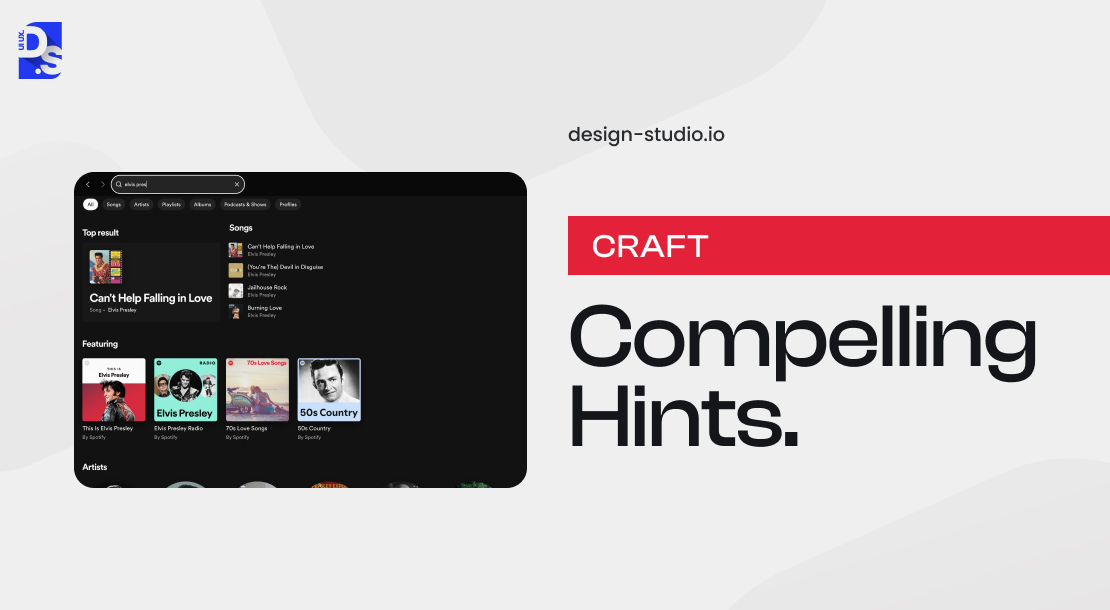
- Use effective placeholder text to guide users.
- Walmart’s approach is a good example: “Search-everything-at-Walmart-online-and-in-store.
The commercial effect of well-designed facets is quantifiable: Fleetpride, a B2B parts supplier with over 1 million product SKUs, saw a 27% increase in search engagement after deploying structured faceted navigation that allowed buyers to filter by fitment, part type, and brand.
This hint clarifies the search function’s scope and informs users that they can search for items available online or in physical stores.
A well-crafted hint text eliminates user confusion and steers them in the right direction from the outset.
2. Use Filters to Refine Results

- Filters help users narrow down results efficiently.
For example, eCommerce giant ASOS uses broad categories like “women’s” and “men’s”, subcategories like “dresses” or “sneakers,” etc.
Our brains naturally categorize information. Search facets and filters capitalize on this by enabling users to refine their search results based on specific criteria.
3. Improve Search Submission and Loading Speed
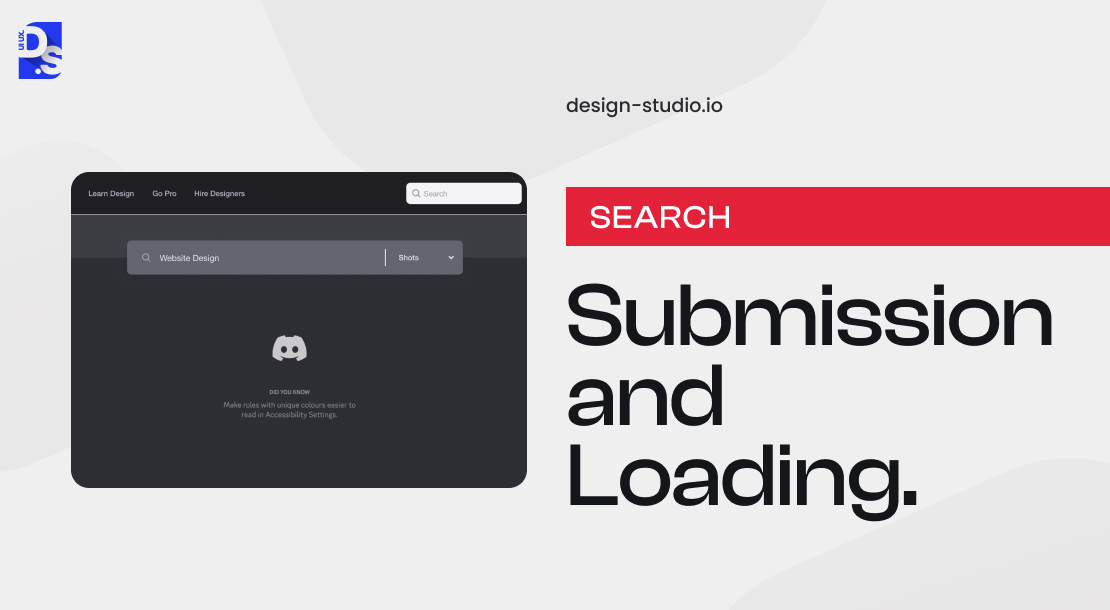
- Fast load times are critical. You can follow these steps for better usability:-
- Use progress bars or animations during wait time.
- Allow users to pre-select categories to improve speed.
While fast load website times are ideal, providing context-specific feedback during the waiting period is essential.
For massive datasets, consider allowing users to pre-select a search category, such as “electronics” or “apparel,” before initiating the search.
This reduces the overall search scope and can potentially improve speed.
4. Craft Effective Search Results Screens
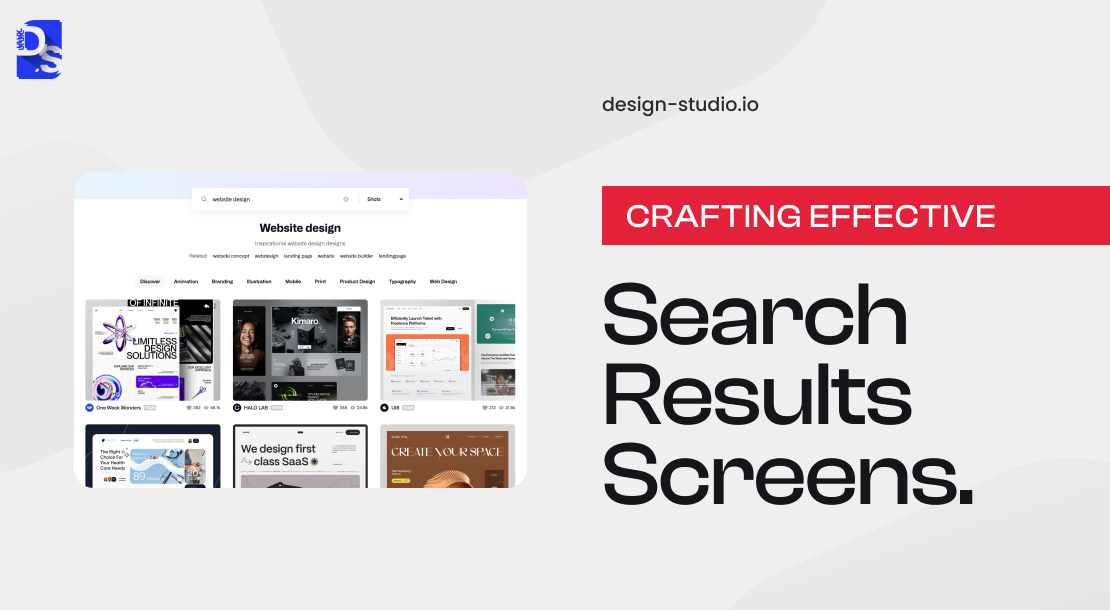
When it comes to search results screens or pages, structure is key. Whether you are dealing with products, articles, or videos, a well-designed results screen can make all the difference.
Here are some best practices to keep in mind:
- Tabs: Use tabs to separate different types of results, like ‘Products’ and ‘News.’ This visual distinction helps users quickly find what they are looking for.
- Match Totals: Show users how many search matches they have got. This sets expectations and helps them understand the scope of their search.
- Highlighting: Emphasize search terms within the results themselves. This makes it easy for users to scan through results and find what they need. Common highlighting techniques include bolding keywords or using different colors.
- Pagination: For extensive result sets, use pagination to make it easy for users to navigate through pages. This prevents overwhelm and keeps users engaged.
- Filtering & Sorting: Give users the power to refine their results with additional filtering and sorting options. For example, an eCommerce site might let users filter by price range, brand, or color, while a live news site might offer sorting by date published or relevance.
- Empty State Feedback: When users get zero results, provide informative messages to guide them. These messages should acknowledge the lack of results and offer suggestions for moving forward. For instance, you could prompt users to try rephrasing their search query or browse popular categories.
5. Provide Instant Feedback
Follow these steps to ensure users find what they need.
- Real-Time Results: Display live suggestions or results as users type to speed up their search process.
- Helpful “No Results” Messages: Instead of a blank page, guide users with alternative suggestions or related searches.
- Spelling Assistance: Automatically correct misspellings or suggest close matches to ensure users find what they need.
6. Optimize for Mobile Search
An optimized mobile UX should follow these guidelines:
- Thumb-Friendly Design: Position search boxes where they’re easy to reach and use with one hand.
- Sticky Search Bars: Keep search bars visible as users scroll, making it effortless to search anytime.
- Mobile-Optimized Results: Use clear, tappable options and scrollable lists to enhance navigation on smaller screens, highlighting the importance of mobile first design.
By following these best practices, you can create search results screens that are both effective and user-friendly.
How Search UX Design Impact on User Behavior and Business Growth?
Search UX is the intersection of expectations: users expect minimal effort and fast results, and businesses expect ROI.
A good search UX design helps users find things fast, building the trust and loyalty that results in direct conversions.
Research indicates companies that invest in search UX optimization see higher customer satisfaction, better retention, and improved usability.
As the primary point of interaction, search UX needs to be frictionless, guiding people from point A to B, and also giving them impetus to convert.
Here are some supporting stats:
- Website speed matters more than ever, as 40% of people leave a website if it takes more than 3 seconds to load.
- The design will lean toward natural-language search interfaces (chatbot-style) with increased attribute mentions by 84% and natural query formulations by139% compared to standard search bars.
- Do you want to know the consequences of poor UX design? Research suggests around 88% of the customers are less likely to visit the website after a poor experience.
- This is true even for apps, as data from Google shows that users form an impression of an app within just 50 milliseconds.
- Designers should create mobile apps with well-designed navigation, search bars, filters, and predictive text for improved retention & conversion ( arXiv).
- When companies prioritize intuitive search in websites and apps, they can experience an increase in engagement, conversion, and ROI.
- Research shows that focusing on proper search UX has shown measurable differences in customer satisfaction (63%), sales/retention (60%), and product/site (50%). UXCam
An intuitive interface will successfully persuade people to stick around, leading to higher engagement. UX is always a game of understanding user behavior and how it shapes user perception.
How Is AI Changing Search UX and Search Functions?

Search evolved from basic keyword matching to AI-driven personalization.
Today’s search UX uses filters, suggestions, and intent understanding to provide faster, relevant results.
Future search UX will be powered by AI and machine learning to predict user intent and deliver hyper-personalized results.
In the beginning, search engines were like simple filing cabinets. You typed in a keyword, and the engine dug up documents containing that word.
However, researchers soon discovered that users did not always interact with search engines in such a straightforward manner.
Instead, users would often refine their searches based on the results they received. For example, if a user searched for “best movies,” on a website, they would receive a list of results that included movies from different genres.
If the user was looking for action movies, they would further refine their search by adding additional keywords, like “best action movies.”
This process of refining searches based on results allows users to get more specific results that match their needs.
Interactive Information Retrieval (IIR)
The concept of Interactive Information Retrieval (IIR) was developed to describe this process of refining searches based on results:
- IIR is a type of info-retrieval that involves a prolonged dialogue between the user and the search engine.
- The user first types in a query, and the search engine instantly responds with a list of results.
- The user then refines their search based on the results received, and the search engine responds with new lists of results.
As technology advanced, search engines began to understand user intent better; they were now going beyond just matching keywords.
Today, a website with good search UX might understand your intent is to find a nearby pizza place for a quick meal. It would then automatically prioritize pizzerias with the best delivery options or pizzerias that are open late.
This evolution in understanding user intent led to a deeper focus on the entire “Information-Seeking” process.
Think of it like planning a trip. You do not just pick a random destination; you consider your interests, budget, and travel style.
Similarly, search UX acknowledges that users have a goal when they search.
Users are never looking for random information; they are always looking for relevant information that helps them complete a specific task or answer a specific question.
This focus on information seeking led to the development of features like search filters, search suggestions, and advanced search options.
How does Search UX work?
Search UX work by:
- Search filters help users narrow down their search results by specific criteria, such as price range or location.
- Search suggestions help users refine their search queries by providing relevant keywords or phrases. As you type “pizza” a search engine might suggest “gluten-free pizza” or “best pizza sauces” based on your previous queries and current search trends.
- Advanced search options help users further refine their search results by specifying additional criteria, such as date range or file type.
The future of search UX lies in Artificial Intelligence (AI) and Machine Learning (ML).
They analyze user behavior and search patterns to personalize results and understand your intent even better.
Today many, AI-powered search engines on websites can anticipate what you are going to search for long before you even type anything.
Zoom added generative answering to their support search, pulling together step-by-step answers from across their entire knowledge base instead of a list of articles. The result? 20% more self-service success and 2.3x better case deflection. Those who found their answer in search didn’t open a support ticket.
What Are the Essential Considerations for Search UX Design?
Before implementing search, answer these questions:
- Who are your users and what do they seek?
- How does search align with your business goals?
- How will search fit into the overall product experience?
- Do you have the right resources and data quality?
Search should never be built as a band-aid for poor navigation. Plan the entire search journey, from typing to completing tasks.
Here’s a breakdown of the essential details you need to consider first:
- Understanding Your Users: Who are they, and what drives their searches? What information do they seek, and how do they find it? How does your search fit into their overall journey?
- Aligning Search with Business Objectives: How do your business goals intersect with this project? How will a robust search experience support long-term efforts? How will you measure improvements and tie them back to business objectives?
- Search Within the Product Ecosystem: How does search integrate with the overall product experience? What’s the current perception of search within your product? Strategic feature choices can significantly impact this perception.
- Resource Reality Check: What resources are on hand? How much time and personnel can be dedicated to this project? What’s a realistic timeline for completion?
- Data Quality: What data can be indexed, and is it in a searchable state? Clean data is crucial for effective search. A data expert overseeing data quality can make or break your experience.
- Search Only When Needed: In some projects, there is a tendency to build search functionality preemptively. Search is not a band-aid solution for poor UX or poor navigation. Before you build, search functionalities, make sure you have a clear plan for how search will be integrated into your overall UX strategy.
- Beyond the Search Bar: Plan the entire user journey. What happens once users find their desired results? Ensure it is not a dead end – provide a clear path to completing their task.
Here’s a user-centric approach to answering all of these questions:
i. Outline the Ideal ‘Search Journey’
Map out the ideal search experience from start to finish. What information do users seek? How do they find it, and what do they do next?
ii. User Research
To understand your target user’s ‘search needs,’ perform interviews, conduct usability testing with prototypes, and gather feedback to understand their search behaviors.
Identify how your target users prefer to interact with search functions on websites/apps.
iii. Address All Types of Search Intent
Assess the different types of searches users make and the results they prefer. There are four different ways users approach search:
- Finding a specific result: Users know exactly what they are looking for, like a sample with a specific ID.
- Comparing multiple results: Users need to explore a range of information, like all clothes related to a particular season.
- Verifying non-existence: Users want to confirm something should not exist (e.g., a duplicate product’s sample ID).
- Navigational search: Users want to find a specific section within the product, like the “samples” page in the product catalog.
By understanding these different types of searches, you can design a search experience that meets the needs of all users and provides the most relevant results for each type of search.
iv. Choose the Right Search Engine Framework
Once you understand and plan to address all types of user intent, choose the right search engine framework. Most search experiences do not need to be built from scratch.
Pre-built search engines handle the core search functionality, allowing your development team to focus on customizing the experience for your unique product and users.
These engines often come with extensive resources to guide effective implementation. If you are unsure which engine your team uses, ask your engineers or consult other development teams for recommendations.
How to create a Search Bar with UX components?
We have explored user intent and the foundations of website search engines. Now, let us dive into the search experience itself.
Search is not just about typing a query and finding results; it is a journey with distinct phases.
A great search bar includes container, placeholder text and action buttons placed where users will naturally look.
Optimizing each step ensures a smooth and efficient experience.
So, let us start from the beginning: the search bar.
The search bar is the first point of contact between the user and the search engine. It sets the tone for the entire search experience.
A well-designed search bar should be intuitive, easy to use, and provide clear guidance on what the user can expect.
Let’s take a look at the components of a search bar UX.
What Are the Key Search Bar UX Components?
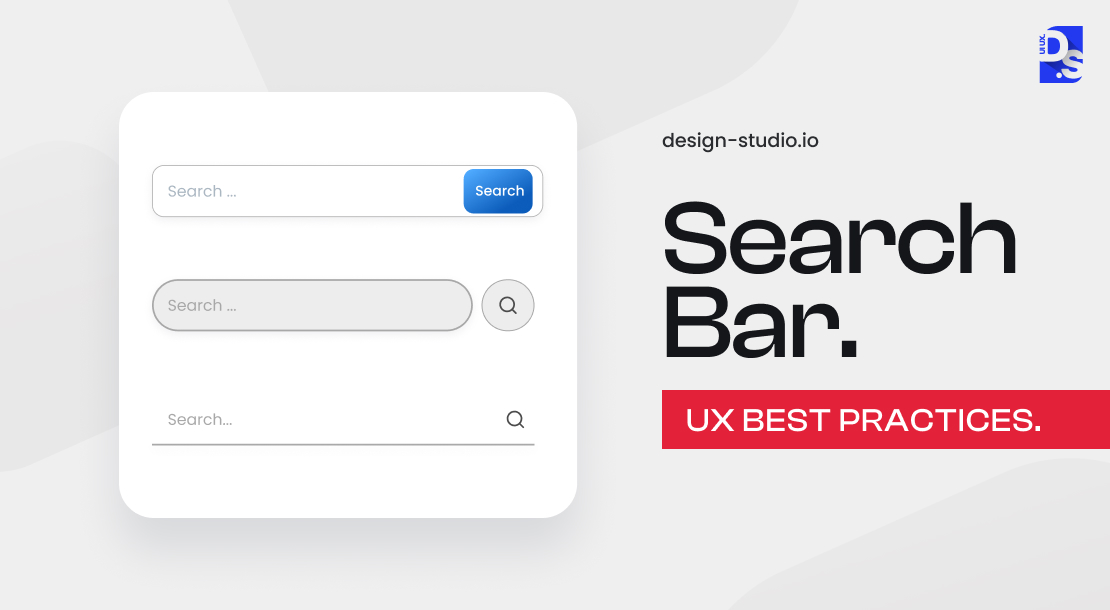
The search bar typically resides at the top of the screen, offering high visibility and easy access. It provides ample space for queries and is ideal for complex or lengthy searches.
Here’s a breakdown of the search bar’s key components:
i. Container
- This is the visual frame that holds the search bar.
- It includes subtle touches like rounded corners or a drop shadow to enhance depth and user recognition.
- For example, Google Maps’ white search bar on a light gray background is a great example of a well-designed container.
For example, Google Maps‘ white search bar on a light gray background is a great example of a well-designed container.
ii. Placeholder Text
- It guides users by hinting at what they can search for.
- Keep it simple and concise, like “Search Now” or “Start Your Search Here.”
- Some apps even showcase trending content within the placeholder text, like WeChat Reads.
- However, avoid overly-long placeholder text that might obscure the search bar itself.
According to a Nielsen study, search usability features are a big deal. It brings around a 40% increase in employee productivity.
iii. Action Buttons
These design elements subtly guide users to take specific search-related actions.
For example, a magnifying glass icon (like the one we see on Google) inside the search bar indicates that users can activate the search function with a simple click.
A microphone icon indicates that users can activate the voice search function with a simple click. The key is to include prominent and relevant search-related design elements within the bar itself.
How to Elevate your Site with a User-friendly Search Design?
There is no generalized approach to designing and placing a search bar on an app or website. If your app has extensive content, a readily accessible search bar at the top is a good idea.
For example, a research database app needs a search bar that’s easy to find, so users can quickly access the information they need.
Some important tips for designing a search bar are:-
If the search is a core function of your app or website, a bottom navigation tab might be preferable.
As highlighted in ecommerce navigation UX best practices, an eCommerce app like Amazon prioritizes search, so a prominent tab keeps the search just a tap away.
This way, users can easily access search functionality without having to navigate through multiple screens.
For smaller screens, a small search icon might be space-efficient.
For example, social media apps like Facebook can use a collapsible search icon to save space without sacrificing searchability.
This way, users can still access search functionality without taking up much screen space.
What Are the Key UX Elements of a High-Performing Search Page?
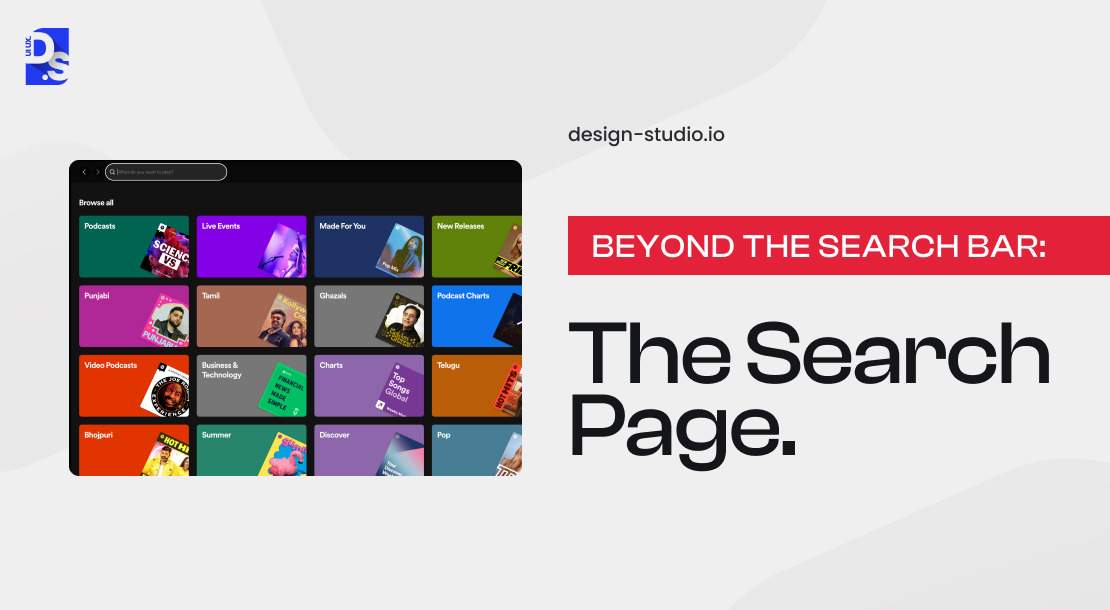
Once users tap the search bar, they might enter a separate page known as the “Search Page.” This page should:
- Provide filters and facets for complex searches.
- Visually confirm readiness for search with subtle indicators.
- Suggest search terms or popular content for inspiration.
- Automatically show the keyboard and use autocorrect or predictive text.
- Display search history and suggestions for faster access.
i. Enhance User Readiness
The design should visually communicate that the app is prepared for their search. This can be achieved through animations or subtle loading indicators.
For example, a loading animation can indicate that the app is processing the search query, giving users a sense of anticipation.
ii. Spark User Inspiration
The page can suggest search terms or showcase popular content to guide users. This can help users refine their searches or discover new content.
For example, Spotify suggests popular playlists or recently played songs on the search page, while X displays trending news categories.
iii. Keyboard Optimization
Ensure the keyboard appears automatically when the search bar is tapped. Additionally, consider features like autocorrect and predictive text to expedite searches.
For example, keyboards with autocorrect help users quickly find the correct search term, reducing the likelihood of errors.
iv. Search History & Suggestions
Implement a system that remembers past searches and suggests relevant terms as users’ types. This personalizes the search experience and saves users time.
For example, a “Search History” feature can help users quickly find previous search results, reducing the need to re-enter search queries.
v. Search Filters & Facets
For complex searches, provide filters or facets to allow users to narrow down results by category, price, or other relevant criteria. This refines the search experience and helps users find exactly what they need.
For example, a filter for price range can help users find & shop for products within a specific budget.
vi. Clear Search Results & Error Handling
Present search results in a clear and organized manner, allowing users to easily scan and identify relevant content. For unsuccessful searches, provide informative error messages and suggestions for reformulating the query.
By following these search bar UX best practices, you can create a search experience that empowers users to find what they need quickly and efficiently.
What Are The Common Search UX Mistakes That Drive Users Away?
Knowing what good search looks like is only half the job. The other half, arguably the harder half, is knowing where it quietly falls apart. And it falls apart in the same handful of ways, over and over, regardless of whether you’re looking at a five-person startup’s product or something enterprise scale.
1. Using Search to Cover Broken Navigation
Here’s a pattern worth watching for. Search gets used as a band-aid for bad information architecture more often than people realize. If your nav is confusing, users don’t complain, they just go straight to the search bar instead.
So when you dig into your analytics and see people typing “contact,” “pricing,” “account settings,” that’s not a search failure. That’s your IA telling on itself. Slapping a better search tool on top without touching navigation? You’re just dressing up the same problem in nicer clothes.
2. Forgetting the Loading State
Someone hits enter on a search. Now what? If there’s no spinner, no progress bar, nothing, they have zero idea whether the system heard them. So they click again. Or they get annoyed. Or worst case, they decide the product’s broken and bail.
Out of every piece of search design I’ve come across, this is the one teams forget most, and it’s also one of the cheapest to fix.
3. Ignoring the Empty State
“No results found.” Full stop. Nothing else. That’s a wall, not a page. There’s genuinely nowhere for someone to go from there except close the tab.
A decent empty state actually does some work, it tells the user why nothing came up, suggests something close, shows what’s popular in that category, maybe offers a way to browse instead of search. The empty state isn’t the end of the interaction. It’s a second chance, if you build it that way.
4. Poor Match Highlighting
Say someone searches “pricing plans.” They get five results back. Now they’re stuck reading each one in full just to figure out why it even showed up, because nothing’s highlighted, nothing points to the match.
Pencil and Paper’s research on this calls it one of the most skipped tools in search UX, and that tracks. Highlighting doesn’t just say “this matched.” It says where, and honestly, it says why, which matters more than people give it credit for.
5. Timing Misfires in the Dropdown
Dropdown starts updating around the third or fourth character typed, which is normal. The problem hits when results shift right as someone’s finger is already moving toward a click, and suddenly they’re clicking on the wrong thing entirely because the list moved underneath them.
Feels like bad UX. Is actually a timing bug wearing a UX costume. Couple ways to handle it: kill hover-based updates while someone’s actively navigating, and lock each result row to a fixed height so nothing jumps mid-interaction.
6. No Discoverability Before the User Types
Blank search bar, blank page, nothing until someone starts typing. That’s wasted space, and not just visually.
The second someone clicks into that field, before a single keystroke, is genuinely one of the highest-attention moments in the whole flow. Trending searches. Their own recent history. Popular categories. A couple of shortcut links. Any of that beats a blank box waiting for input that hasn’t come yet.
What Are the Most Important Search UX Trends to Watch in 2026?
In 2026, search UX will become a primary decision layer, where the goal is not just to deliver results but to guide users towards the right decision by understanding the context.
It uses AI and behavior data to observe user intent and help make decisions.
People want outcomes with minimal effort, and search UX is moving in that direction.
Here are some data that further solidify these predictions:
- Users are abandoning keyword-based results in favor of natural language support.
- The interface should predict the next move through anticipatory design powered by behavioral data.
- Search will be more visual-driven, all thanks to AI.
- Adaptive algorithms are becoming increasingly efficient in adjusting to user behavior in real time.
Anticipatory design elements made waves, but they are expected to improve discovery, as they will involve more behavioral data.
AI played a central role in design, with AI-driven image search becoming the norm.
All these trends signal a shift in design trends and interfaces that anticipate search results.
The Final Word
The ultimate goal of search is to deliver results that are both accurate and comprehensive. But too many sites stop at simply connecting the search bar to their product catalogs.
By creating a unified search UX that spans the entire website, you can offer users a more immersive experience.
This means that, in addition to finding products, users can also uncover relevant support topics or informative content that might be just as valuable as the products themselves.
That is why, at Design Studio UI/UX, we are dedicated to crafting search UX solutions that go beyond the basics.
Our intuitive, user-centered designs always empower users to find what they need, when they need it!
Summarize this article with AI
FAQ’s About Search UX Best Practices
Why is search UX important for business?

Search UX is critical because it provides user a smooth search experience and meets their intent immediately. It can directly influence their purchasing decision and improve product conversions and user retention rates.
What are the search UX best practices?
Best Search UX practices proven to improve user retention rate are:
- Craft Compelling Hints
- Use Filters to Refine Results
- Improve Search Submission and Loading Speed
- Craft Effective Search Results Screens
- Provide Instant Feedback
- Optimize for Mobile Search.
What should a search results page include?
A search results page should include
- tabs to separate result types.
- match totals to set expectations.
- keywords in results for easy scanning.
- filters & sorting options to refine results, and
- empty state feedback with suggestions.
What are the search UX trends for 2026?
Best search UX trends for 2026 includes using natural language interfaces, anticipatory design, visual queries, and personalized real-time results. These UX trends employ AI tools and behavior data to observe user intent and help make decisions.
How does search UX affect conversion rates?
Search UX improves product conversion by helping users find specific information or product details they are looking for. It reduces cognitive load, eliminates friction points and motivate users to stay longer in the site.



