


Infinite Scroll vs Pagination: Which Wins for SEO & UX?



How your users traverse your website impacts its ability to deliver coherent experiences. It also impacts its ability to rank high on search engines, secure conversions, and create a healthy bottom line for your business. And, there are two primary ways you can make your users move through your website: pagination vs infinite scroll.
Choosing pagination means structuring your site to make users navigate as if they are exploring a digital library. Precise, numbered slices like we see in Amazon product grids or Google results, where every piece of content is clean, controlled, and predictable. It is the OG of website structure.
With infinite scroll, users don’t get structure – they get infinite streams of content. Content keeps loading and delivering digital dopamine hits as users glide down the page. Platforms like Instagram and X are its marquee champions.
This blog post dissects the pagination vs infinite scroll debate and helps you pick the ‘right’ side.
Understanding User Behavior: The Psychology of Scroll and Click
The pagination vs infinite scroll debate is deeply rooted in user psychology. How your audience instinctively wants to consume information should be the bedrock of your decision.
Goal-oriented users, those on a mission, often gravitate towards pagination. They want to find specific information, compare items, or retrieve previously seen content with minimal fuss. The structured nature of pagination, with its clear signposting and ability to recall page numbers, suits these users.
Digital products catering to these focused users, like extensive B2B catalogs or technical documentation sites, recognize this. They give their users control and easy info-retrieval capabilities with pagination.
Discovery-minded exploratory users, on the other hand, are looking to stumble upon something new or to simply pass the time. For this user segment, infinite scroll is ideal. Content just keeps coming. Users fall down rabbit holes, session times bloat (in a good way… sometimes). Browsing feels continually smooth, but it can also make the site feel like a trap to less-gullible users.
It is one of the main reasons why most social media platforms implement infinite scroll. The continuous discovery model feeds their users’ exploratory nature. It reduces the cognitive load of deciding to click “next.” The average user spends upwards of 2 hours on these platforms. Infinite scroll plays a part in this.
Want to structure your site in a way that’s aligned with the way your users want to discover content online? Then start dissecting their online browsing patterns.
Infinite Scroll vs Pagination: UX Considerations
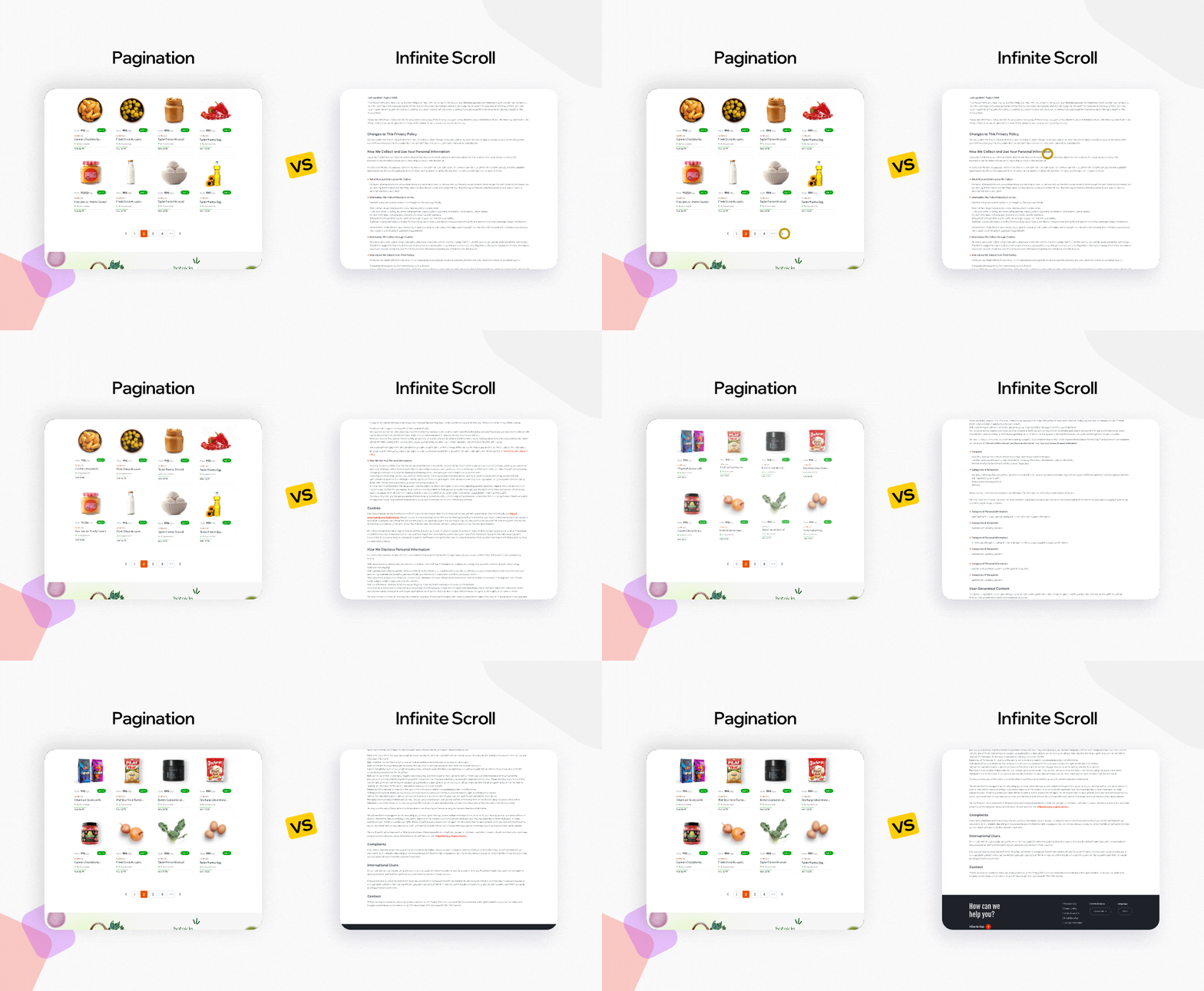
The user experience (UX) on a paginated site is vastly different to that on a platform with infinite scroll.
Infinite scroll vs pagination UX – which one’s better?
Let us explore the UX of pagination first. Its primary strength lies in providing a structured, predictable navigation experience. Other advantages include:
Enhanced Control + Findability
Users know where they are, where they have been, and how much content remains. Locating specific items or returning to a previous point is straightforward. Google Scholar perfectly illustrates this. Researchers often need to cite page numbers or revisit specific sets of results. This task is simplified by pagination.
Clear Scope
Users have a tangible sense of the dataset’s size. Seeing “Page 1 of 50” sets expectations.
Defined Endpoints
For goal-oriented tasks, knowing there is an end to the results can be satisfying. It provides a sense of completion, unlike the potentially overwhelming nature of an endless feed.
Performance Predictability + Core Web Vitals
Each page load is a discrete event. It typically leads to more predictable loading times and resource consumption compared to a continually elongating single page.
It also means that a web page’s Largest Contentful Paint (LCP) can be optimized for specific views. Its First Input Delay (FID), or its successor Interaction to Next Paint (INP), can also benefit as less complex scripts are needed compared to managing an infinite list. The web page’s Cumulative Layout Shift (CLS) is also usually minimal if ads and images are sized correctly, as the page structure is stable upon load.
Keep these terms in mind. You’ll learn more about them and their impacts on pagination vs infinite scroll as you keep reading. Now, here are some UX disadvantages of pagination:
Interaction Cost
Every click to the next page is a potential interruption. Multiply those interruptions and your site can start causing users fatigue, especially if they don’t find the content they desire ASAP.
Content Siloing
Users might miss relevant items lurking on subsequent pages if they do not feel compelled to click through.
Mobile Awkwardness (Mitigatable)
Making interactive design elements too small for mobile users is one of the many common UX design mistakes. Clicking small page numbers on a mobile screen can be fiddly, compared to a simple swipe/scroll.
Using modern mobile design patterns like larger tap targets, “load previous/next” buttons instead of tiny numbers, or even swipe gesture support (less common but feasible) can help mitigate this “awkwardness,” and make pagination more viable on smaller screens.
Now, let us explore the infinite scroll vs pagination UX debate from the infinite scroll perspective. Its allure is in the promise of effortless discovery, and advantages like:
Fluid Browse
The continuous flow can be highly engaging. It can boost session times on platforms where content is designed for non-focused leisurely consumption, like Pinterest’s visual discovery engine.
Mobile-First
Infinite scroll often feels more natural on mobile devices, where scrolling is an intuitive and primary interaction. Social media giants have mastered this to make their mobile feeds incredibly ‘sticky.’
Discovery Engine
It excels at exposing users to a large volume of content quickly. It increases the chances of serendipitous finds. This works wonders for platforms where the goal is breadth of exposure rather than depth of search.
Here are some UX flaws in digital products with infinite scroll:
The Disappearing Footer
Users can feel like they are chasing a footer that constantly runs away as new content loads. Accessing important links often placed there (like contact info or sitemaps) can become a frustrating exercise on these platforms.
Common mitigation strategies for this include using sticky footers that remain visible, or using clearly labeled, easily accessible buttons/links (for instance, in a sticky header or a subtle side button) that take users to a separate page containing footer info.
Lost in Hyperspace
Returning to a previously viewed item can be a nightmare. Without page markers, users can be left scrolling endlessly, trying to relocate that one specific post/product they glimpsed.
Performance Drain
As more and more content loads onto a single page, browser performance can degrade. This degradation = slower, jankier responses.
Scrollbar Uselessness
The scrollbar becomes less meaningful as a navigation tool when the page length is constantly changing and potentially infinite. So, implementing infinite scroll without a proper understanding of UX navigation patterns and your users’ navigation needs is unadvisable.
Accessibility is a non-negotiable aspect of modern UX, and both pagination and infinite scroll present unique challenges in this department. To maximize accessibility with pagination:
- Ensure clear focus indicators for keyboard navigation.
- Use aria-label for “next” and previous”.
- Use page number links to provide context.
- Implement aria-current=”page” on the link corresponding to the currently displayed page to clearly communicate the user’s current location to assistive tools.
Maximizing accessibility with infinite scroll is more complicated. When new content loads, where does the keyboard or screen reader focus go? If it remains on the trigger element (like the bottom of the page), users might not realize new content has appeared. If it jumps, it can be disorienting. Solutions for this involve:
- Use aria-live regions to announce to screen readers that content has been added
- After new content loads, provide programmatic focus control, i.e., programmatically move the user’s focus to the beginning of the new content set
- Consider adding a “Load More” button (a hybrid approach discussed later), as it provides a user-activated control point, which is inherently more accessible than auto-loading scroll triggers.
- Ensure any loading spinner or status message is also accessible.
Designers must have a solid understanding of their user base’s UX needs and about accessible information architecture in UX before they opt for either.
Also, investigate how your target users prefer to have their info arranged. Learn how to perform tree testing in UX research to make that investigation.
SEO Implications: Infinite Scroll vs Pagination
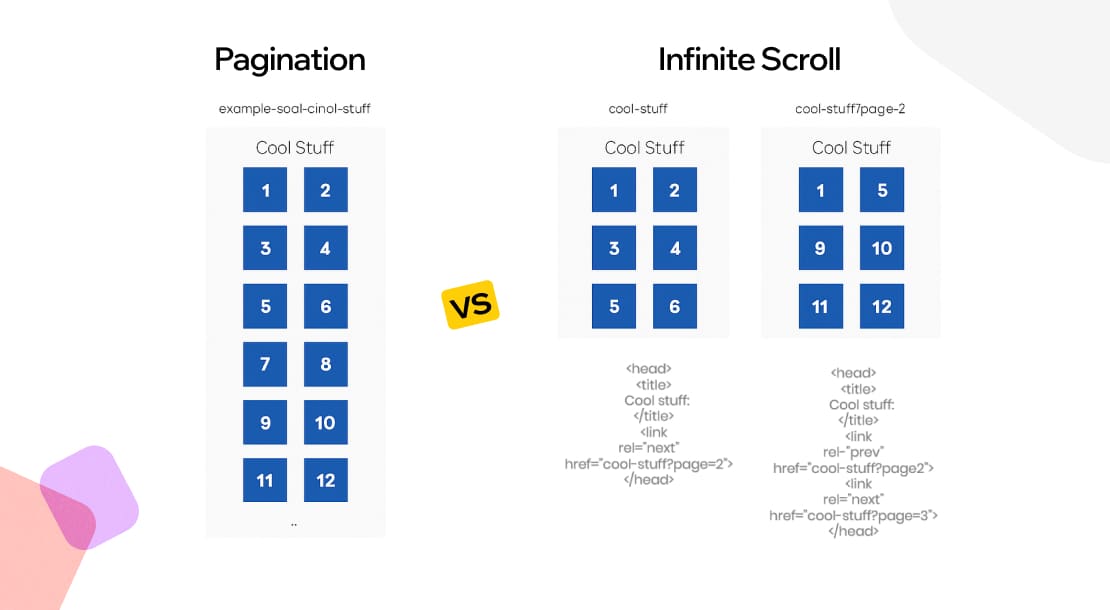
The way your users traverse your site (with either pagination or with infinite scroll) also becomes the way search engines discover, crawl, and index your site’s content.
So, who wins the infinite scroll vs pagination SEO debate? Up until a few years ago, pagination was the clear answer. Its structured form always aligned well with how search engine crawlers navigated the web. Here’s why:
Indexing Prowess + Targeted Optimization
Having unique URLs per page (yourdomain.com/category?page=2) allows for clear indexing and targeted keyword strategies.
Link Equity Distribution
Using URL tags like rel=”next” and rel=”prev” (though Google now infers these relationships well without them, they do not hurt) helps signal content relationships.
Core Web Vitals (CWVs) Impact
Well-optimized paginated pages can perform strongly on CWVs. LCP is limited to the initial view. CLS should be low if elements are sized. INP depends on the complexity of navigation elements.
If you are on the pagination side in the infinite scroll vs pagination SEO debate, learn more about the current state of search experience optimization in 2025 before settling for it. Also, follow these best practices to get its implementation right:
Use rel=”canonical” judiciously
Using this HTML link element in the <head> section of your site tells a lot to search engines. Ideally, each paginated page in your site should self-canonicalize. But, if you have a “view all” page, you might consider canonicalizing paginated pages to it, though this approach needs careful consideration based on content volume and user experience. Google Search Central offers detailed guidance on this practice.
Ensure Crawlable Links
Use standard <a href> tags for page navigation links. Avoid JavaScript-based navigation that crawlers can’t follow.
Manage URL Parameters
Using URL parameters for page numbers (for instance, ?page=2)? Make sure Google Search Console is configured correctly to handle them. Or else, you’ll dilute the site’s ranking signals.
Maintain Unique Content (or Signals)
Ensure that title tags, meta descriptions, and H1 tags are sufficiently unique or clearly signal their position within a series (for example, “Best Pickleball Shoes – Page 2 of 10”).
Infinite scroll is still slightly lacking in the infinite scroll vs pagination SEO debate. Here’s why:
Indexing Challenges (If Implemented Poorly)
Google has gotten better at indexing sites with infinite scroll. But if a site’s infinite scroll relies solely on scroll events without distinct URL changes, or if content isn’t readily available through server-side rendering for those “phantom” states, then content can still be missed or indexed poorly.
Core Web Vitals Challenges
Google judges page quality partly through Core Web Vitals: three speed and stability metrics. Infinite scroll often directly conflicts with these CWV metrics to create hidden SEO risks:
LCP: To ace this, your main content (hero image, headline, key products) must load under 2.5 seconds. The script that powers the infinite scroll (detecting scroll position, fetching new items) competes for resources. If this script is heavy or poorly optimized, it can delay the initial load of the critical content users first see. These slow first impressions can lead to lower LCP scores.
INP: To ace this, your buttons, links, or anything clickable should respond instantly (under 200 milliseconds) when tapped. With infinite scroll, as you scroll, the page constantly loads new content chunks. Each load triggers calculations: Where to insert it? How does it affect the layout? These calculations happen on the browser’s main “work thread.” If this thread is overloaded, your clicks get stuck in a queue. Try opening a product or clicking a menu mid-scroll? Laggy response. Google sees this as a poor UX.
CLS: To ace this, your infinitely long page should feel stable. Elements should not unexpectedly jump around as the page loads. This is the biggest Achilles’ heel of sites/apps with infinite scroll. Yes, new content on these pages always loads below what you are viewing. But if placeholders are not used (invisible “boxes” reserving space), image/video sizes are not pre-defined, or ads/widgets suddenly inject, then existing content gets shoved down the page as new stuff appears. You go to click a “Buy” button, and it literally jumps away. This visual instability infuriates users and Google. It’s measured as bad CLS.
If you are still team infinity in the infinite scroll vs pagination SEO debate, follow these steps to get its implementation right:
Implement a Paginated Fallback
As the user scrolls and new content loads:
- Use JavaScript’s History API to update the URL in the browser’s address bar
- These URL updates reflect a corresponding paginated URL
- Now, give each “section” of your site’s infinite content stream distinct, easily crawlable URLs
Now, the search engine algos can crawl your site effortlessly.
Ensure Server-Side Rendering (SSR)
The content for (yourdomain.com/feed?page=2) should be directly renderable by the server if a crawler accesses that URL directly. Now, whenever Googlebot enters that URL, it gets the correct content. Use Next.js, Prerender.io, or Nuxt.js to facilitate this SSR process.
Use <a> Tags for “Load More” Buttons
Using a “load more” button as part of your pagination-infinite hybrid approach? Make sure it links to the next paginated URL. Or else, content won’t be easily discoverable.
Item-Level URLs
For crucial content pieces within an infinite scroll (like individual articles or products), ensure they also have their own dedicated, indexable URLs.
Clear Link Signals
Even with scrolling, ensure there are crawlable links to key sections or categories if applicable.
Sitemaps
Include all accessible paginated URLs (even those “behind” the infinite scroll illusion) in your sitemap.
News publishers like The New York Times often use pagination for archives (great for SEO and findability of older articles) but might use infinite scroll or a “load more” for their homepage feed to boost engagement.
Social platforms like LinkedIn use infinite scroll for their main feed. But, in areas like job listings or company search results, where content findability and SEO are more critical, they use paginated navigation.
So, who finally wins the infinite scroll vs pagination SEO debate? If your goal is to maximize your content’s visibility, a well-implemented infinite scroll with strategic SEO modifications is the most popular choice in 2025. If it is to index your site’s content in a very specific way to stay in line with your user base’s existing content discovery preferences, then pagination is still the SEO king.
Pagination vs Infinite Scroll: Performance and Technical Aspects
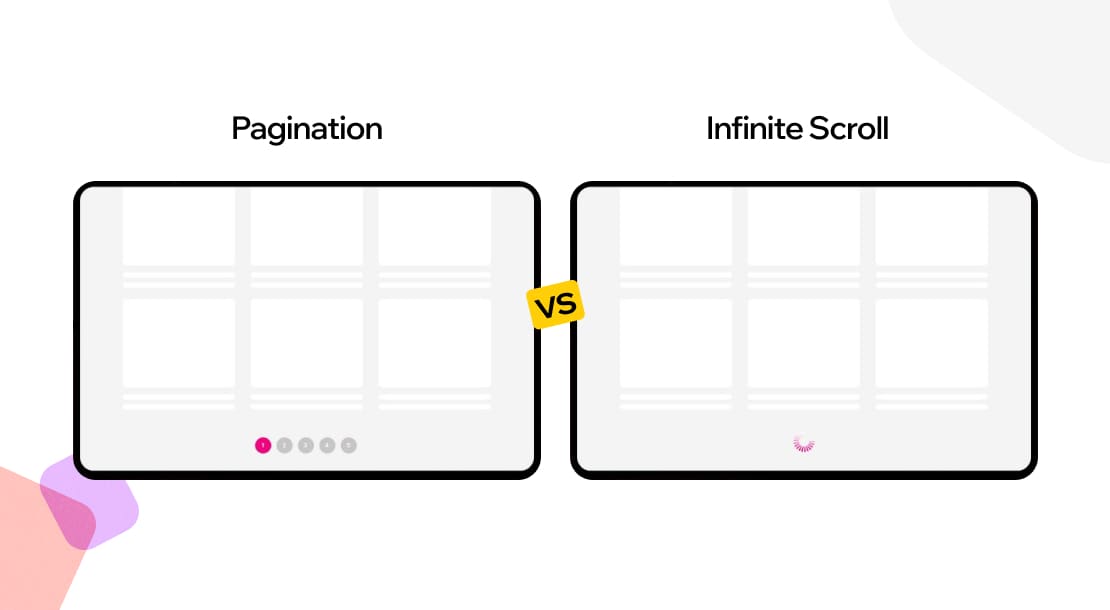
Pagination is more well-established, ergo the more resource-efficient option in terms of technical implementation.
Implementation Simplicity
Implementing basic pagination is relatively straightforward. It involves:
- Using server-side logic to fetch a specific subset of data.
- Using frontend logic to render page links.
Also, most web frameworks, like…
● Ruby on Rails with gems like Kaminari
● Django with its built-in Paginator class
…offer easy-to-follow pagination support out of the box.
Reduced Client-Side Burden
Each page loads a finite, manageable amount of data. This keeps the Document Object Model (DOM) relatively small. It reduces memory consumption and JavaScript processing overhead on the client’s browser. This leads to faster initial page loads and snappier interactions.
Predictable Server Load
Requests for paginated data are typically consistent in size. This predictability can make it easier to scale server infrastructure and optimize database queries.
How UX Teams Implement Pagination
For UX teams at a company like, say, a large online retailer (for instance, Macy’s, known for its extensive product catalogs), implementing pagination means designing clear navigation controls (numbered links, “next/previous” buttons). It means ensuring that these controls are responsive and accessible, and determining an optimal number of items per page by performing all the main usability testing methods. UX designers also have to give users features like ‘filters’ or ‘sort orders’ to maintain context for the user as they load multiple pages.
Infinite scroll definitely offers more modern, dopamine-inducing, and addictive user experiences. But, implementing it is more sophisticated:
Advanced JavaScript + API Design
Infinite scroll heavily relies on JavaScript to detect:
- When the user is nearing the bottom of the page
- Make asynchronous API requests (AJAX) to automatically fetch more content
- Dynamically insert that fresh content into the DOM, consistently
These multiple steps introduce three forms of complexity:
- Complexity in managing website states (loading, error, end-of-content)
- Handling scroll events efficiently (debouncing/throttling is crucial)
- Ensuring smooth rendering of all fresh content
Potential Performance Killers
As more items are auto-loaded in infinite scroll, the DOM keeps growing. This growth can lead to:
- Increased memory usage
- Slower JavaScript execution
- Degraded performance, especially on mobile or older devices
Countering these issues means asking your web designers to implement:
- Virtual scrolling (only rendering items visible in the viewport)
- Content off-boarding (removing items far out of view)
All of this extra work = extra costs.
Complex State Management
Keeping track of what’s loaded, what to load next, and handling potential network errors or duplicate content requires robust client-side state management with complex libraries like Redux or Vuex in larger apps.
Backend Considerations
Think the work is done? Nope. The backend API also needs to be custom-designed to support efficient cursor-based auto-pagination (rather than offset-based) to deliver new batches of content quickly.
How UX Teams Implement Infinite Scroll
Implementing infinite scroll correctly requires a lot of expert web design work. That’s why UX teams at design-centric brands like Behance (a creative portfolio tool) succeed at it. This tool has successfully implemented a UX + SEO-friendly infinite scroll by:
- Designing subtle loading indicators that don’t disrupt the flow
- Ensuring that a “back to top” option is easily accessible
- Custom-designing their filters to behave accordingly in the infinitely scrolling environment
You can learn a lot about implementing infinite scroll by studying their website. Following fundamental SaaS UX best practices can also be helpful for your designers, as many SaaS tools also have infinite scroll.
Ultimately, you have to ask your team a few basic questions before you make the choice between pagination vs infinite scroll:
- Do you have the frontend wizardry (and ongoing maintenance grit) to tame the infinite scroll beast for marginal engagement gains?
- Or does the raw efficiency and control of keyset pagination, or the balanced pragmatism of “Load More,” better serve your users and your system’s health?
The answer lies in your team’s strength and your users’ tolerance for potential friction. Overall, implementing one is slightly tougher than the other. Here are some plugins that make implementing both easier:
For Pagination
● WordPress: WP-PageNavi or built-in theme features
● React: react-paginate
● Vue.js: vuejs-paginate
● Many UI component libraries like Bootstrap and Material-UI also provide pre-styled pagination components
For Infinite Scroll
● JavaScript: Intersection Observer API
● React: react-infinite-scroll-component + React Virtuoso
● Vue.js: vue-infinite-loading
● WordPress: Ajax Load More
Case Studies
Analyzing real-world implementations and their outcomes offers invaluable lessons in the pagination vs infinite scroll debate.
Google Search: The Continuous Scroll Evolution
Contrary to older models, Google Search on desktop transitioned to a continuous scroll experience starting in late 2023 and rolling out more broadly into 2025:
- The search engine now loads the equivalent of 4-6 traditional pages worth of search results before offering a “See more” prompt.
- Google does this to boost user engagement with search results beyond the first page.
- For SEO hunters, it means the fight for visibility on “page 2” has shifted.
- Your site’s content now needs to be compelling enough to be included within this longer initial scroll.
Google likely A/B tested this extensively, balancing user experience with ad visibility and SERP interaction metrics. It is a prime example of a titan evolving its core content delivery based on new data and UX philosophies.
Amazon: Contextual Hybridity
Amazon’s main search result pages and primary category listings still predominantly use robust pagination. This supports users who are comparing items, need to refine searches with filters, and want clear boundaries.
Amazon also extensively uses infinite scroll or “load more” mechanics in its discovery-oriented sections, like:
- Personalized recommendations (“Inspired by your Browse history,” “Customers also viewed”)
- Within certain curated storefronts
- While browsing user-generated content like reviews
- When drilling down into very specific sub-sub-categories
This hybrid approach acknowledges that a user looking for “best high RPM vacuum cleaner under $500” has different needs than one. Amazon optimizes each interaction path for its intended user goal and business objective.
These case studies show that leading platforms rarely make a simple “either/or” choice in the pagination vs infinite scroll debate. They strategically blend the two content loading mechanisms based on specific user contexts, content types, and overarching business goals.
Hybrid Approaches: The Best of Both Worlds?
The pagination vs infinite scroll discussion is not always a binary choice. As you have read already, a growing trend, and often a more practical solution, is the adoption of hybrid models. These approaches aim to meld the engagement benefits of infinite scroll with the control and performance predictability of pagination.
The most common hybrid approach is using infinite scroll + a “Load More” button. So, your site loads new content automatically only up to a certain point. After that, it’s up to the user to manually ‘load more.’ Visit these sites to see this hybrid approach in play:
- Medium‘s article listings or related stories
- Google Images after showing 5-6 sets of images
- YouTube‘s comments sections and related video lists
This hybrid approach improves upon many core infinite scroll vs pagination UX drawbacks. It gives users a clear sense of agency -they choose to load more. The footer remains accessible until the button is clicked. It can reduce the feeling of being “lost” as the content loading is a deliberate user action. Performance is also generally better than pure infinite scroll, as large amounts of data are not loaded automatically.
Conclusion
The pagination vs infinite scroll decision in 2025 is far more nuanced than a simple dichotomy of “task-completion versus discovery.” The most successful digital products employ these navigation patterns (and their hybrids) only after studying:
- What their target users need.
- Specific user goals within different sections of their platform.
- The nature and volume of their content.
- Effects of implementing either on the site/app’s performance and SEO.
Do the same if you want to make the right decision for your app/website. Just keep these key takeaways from this blog in mind while making that decision:
- Infinite scroll is no longer an SEO death sentence if implemented with pushState URLs and robust server-side rendering/prerendering for those states.
- Traditional OFFSET/LIMIT pagination falters with large datasets; keyset/cursor-based pagination is the modern imperative.
- For infinite scroll, implementing virtual scrolling is now essential.
- How each pattern impacts LCP, INP, and CLS must be a critical consideration for both UX and SEO. In fact, evaluating these shared metrics is one of the clearest ways to understand Does UX Affect SEO? in real-world product environments.
- Hybrid “Load More” buttons have emerged as a dominant, effective hybrid, balancing user control, engagement, performance, and SEO-friendliness.
Here’s a simplified decision matrix to guide your thought process:
| Factor | High Pagination Affinity | High Infinite Scroll Affinity | Consider Hybrid |
| Primary User Intent | Goal-oriented (find, compare) | Exploratory (discover, browse) | Mixed, or want controlled discovery |
| Content Type | Discrete items (products, articles) | Continuous feed (social, news) | Long lists, user-generated content |
| SEO Priority | Very High (deep indexing needed) | Lower (brand/direct traffic focus) | Moderate to High (need balance) |
| Findability Needs | Crucial to relocate items | Serendipity valued over relocation | Important but not sole driver |
| Mobile Experience | Can be less fluid | Often more intuitive (scrolling) | Can offer good mobile UX |
| Footer Access | Always accessible | Often problematic | Accessible until “Load More” |
| Development Effort | Generally Lower | Generally Higher | Moderate |
| Performance | Predictable, lighter initial load | Can degrade with long scrolls | Balanced, controlled loading |
At Design Studio UI UX, our approach to the pagination vs infinite scroll question in 2025 is deeply analytical and context-driven.
It involves a rigorous examination of the client’s unique ecosystem. We dive deep into user personas and their primary tasks, analyze the information architecture, and consider the SEO landscape and performance targets.
We prototype, we test with real users. That’s how we choose the ‘right’ content loading strategies, every time. Plus, our flexible designs allow for easy changes in content loading strategies.
That’s why our designs can rapidly respond to the ever-evolving content consumption landscape.
FAQ’s for Pagination Vs Infinite Scroll
What is the difference between pagination and infinite scroll in UX?

The core UX difference is controlled, deliberate navigation (pagination) vs seamless, uninterrupted consumption (infinite scroll).
When should you use infinite scroll in UX design?
When designing content discovery-focused platforms like social feeds, image galleries, or news sites, where users are expected to explore content casually.
What are the UX drawbacks of infinite scrolling?
Hard-to-reach footers (that contain essential business info), difficult-to-find past items, potential browser slowdowns on long pages, and potentially overloading your users with content.
Is pagination better for SEO than infinite scroll?
Generally, yes. Pagination’s unique URLs are easier for search engines to index. Infinite scroll requires special coding to make content visible to crawlers.
Does infinite scroll affect website performance?
Yes. Loading everything onto one page can strain browsers + cause lag/crashes, unless techniques like virtual scrolling manage the load.
Can you combine pagination and infinite scroll in UX?
Absolutely. Hybrids like “Load More” buttons are now very common.
Which is better for ecommerce: pagination or infinite scroll?
Pagination usually wins for core product listings. It aids in finding, comparing, and bookmarking specific items. Infinite scroll suits reviews or inspiration sections.
How does infinite scroll impact accessibility?
It challenges screen readers and keyboard users. New content must be announced clearly, and focus managed carefully to prevent disorientation.
What are the pros and cons of pagination in user experience design?
Pros: User control, easy item location, clear content scope, stable performance
Cons: More clicks, interrupts flow, users might miss later pages, less fluid on mobile
How does user behavior differ between paginated and infinite scroll layouts?
Pagination users are often goal-focused. Infinite scroll users tend to explore passively.



