Enterprise software fails its users in predictable ways — feature overload that makes simple tasks take longer than they should, interfaces designed for administrators that field workers can’t navigate, and legacy systems so frustrating that teams build workarounds instead of using the actual product. At Design Studio UI/UX, we fix these problems through structured research, role-based UX design, and iterative testing with the real employees who use the tool every day. See our enterprise website design guide for examples of how we approach large-scale digital product challenges.
Enterprise Software UX Design That Revolutionizes User Experiences
While developing enterprise apps, many businesses (especially startups) cut costs on UX design. These cost cuts lead to the creation of poorly designed, custom enterprise apps that are nearly impossible for workers to use on a day-to-day basis. Legacy task management systems, old-school CRMs, and HR portals: we all know how frustrating they can be. Nearly half of our clients come to us seeking quick design fixes for such outdated legacy enterprise apps. Instead, we offer them ‘360-degree’ enterprise UX design.
UX design for enterprise applications is all about minimizing the risk of human error and maximizing user efficiency. Your enterprise app needs more than basic aesthetic/functional upgrades to obtain such error-free efficiency. Every aspect of its design needs to be optimized to support users through important on-app interactions. That’s why our ‘360-degree’ enterprise UX design solutions go beyond the basics.
We rebuild user flows, wireframes, and prototypes to address the root causes of poor usability — not just surface-level visual problems. This gives your company a flexible software design system that scales and easily handles new features and roles. Making your software intuitive directly unlocks higher workplace productivity and smoother workflows.
Why Choose Our Enterprise UI/UX Design Services?
Designing for enterprise is a different discipline from consumer product design. The stakes are higher, a poorly designed internal tool affects the daily productivity of hundreds of employees. Here is what makes our approach work for enterprise clients specifically.
User-Centric Designs
We start with your users and how they actually use the digital product. Our experts use proper user research and analysis to understand their needs, preferences, tasks, and pain points. This approach helps us create user-centered UI/UX designs that fit real work and make digital products easier and more useful.
Customized Solutions
No two enterprise products work the same way. At Design Studio UI/UX, we work with enterprise clients to learn about the product vision, brand identity, workflows, and user expectations. This keeps the final design true to the brand while meeting the practical needs of daily users.
Streamlined Workflows
A clean interface looks good and helps the workflow run smoother. Our designers fix broken userflows, remove confusing steps, and simplify menu navigation. When your software is easy to use, your employees can finish tasks faster and overall team productivity goes up across the company.
Enterprise Design Systems
For large-scale enterprise products, a component-based enterprise design system is what keeps the interface consistent across teams, products, and time. We build scalable design systems with documented tokens, component libraries, and governance guidelines so your product stays coherent as it grows — not just at launch.
Multi-Role Interface Design
Enterprise products serve fundamentally different user types simultaneously — field workers, managers, administrators, and executive sponsors each need a different relationship with the same underlying data. We design role-based interfaces where each user type gets a purposeful experience rather than a single compromised interface that serves nobody well.
Legacy Modernization
Many enterprise UX engagements involve existing systems with years of accumulated complexity, established user habits, and deeply embedded workflows. We conduct structured audits of legacy tools before redesigning anything, identifying which complexity is necessary and which is accidental. Our website redesign services methodology applies the same principle to enterprise — preserve what works, remove what doesn’t, and build what’s missing.
Looking for customized website design for your business?
Strategic Enterprise Software UX Design: A Look at Our Process
Enterprise needs are complex, and so are the user journeys on enterprise apps. Companies want their apps to mirror their intricate, real-life work processes and these demands often lead to ‘feature overloads’ in enterprise apps. We specialize in transforming these ‘overloads’ into user-centric design solutions. With our web application design services, we create enterprise-grade applications that are streamlined, functional, and optimized for usability.
By closely aligning with client objectives and user feedback, we craft intuitive experiences that optimize workflow efficiency. You can completely rely on our tried-and-tested process for UX design for enterprise applications. To learn more about creating effective user experiences, explore our guide to enterprise UX design.
Research and Discovery
Let’s start by understanding the ‘must-haves’ through in-depth UX research, stakeholder interviews, tree-testing, etc. We will prioritize the core features first, ensuring they are as intuitive and efficient as possible. We’ll phase in the remaining features later, based on prototype testing and your feedback.
Our UX research services include structured stakeholder workshops to map competing user needs across different organizational roles — a step that most design processes skip but that enterprise UX cannot afford to miss. We also apply information architecture principles early to handle the complexity of large-scale content and feature sets.
Wireframing and Prototyping
We employ digital tools like Figma & Mockplus to break down intricate app functionalities into clear user flows. We integrate these design features into multiple high-fidelity design prototypes and wireframes. We do this to test different design ideas and get your feedback early on.
Enterprise Visual Design
Our team breathes life into the UI. Using tools like Adobe XD and Figma, we will create brand-centric iconography, color sets, illustrations, micro-interactions, and other UI elements. All core visual and functional elements of the app’s UI will be incorporated into prototypes.
Usability Testing
We believe in testing early and frequently. We will create realistic user scenarios that mirror actual workflows. Then, we’ll ask key stakeholders to test the high-fidelity prototypes. We will gain a holistic understanding of the user experience and instantly resolve all major usability issues.
We use structured usability testing methods — including task completion sessions with real employees across all relevant roles, think-aloud protocols, and remote sessions via Maze — to identify failure points before the final design is locked.
Implementation and Support
After design approval, we continue to monitor user feedback and engagement, making ongoing improvements to keep your enterprise ahead. We document design specifications and conduct regular UX audit post-launch to address any issues promptly and ensure optimal performance.
Future-Proof Your Enterprise with Finest Enterprise Software UX Design
Enterprise UX design projects require experience that cannot be simulated. You need designers who have navigated the political complexity of multi-stakeholder sign-off, who have run usability sessions with workers who had no patience for a poorly designed prototype, and who have rebuilt workflows that had 15 years of accumulated workarounds baked into them. At Design Studio, that experience is what we bring to every engagement.
Enterprise products rarely have one type of user or one simple workflow. We have worked on different HR portals, ERP dashboards, and multi-role B2B platforms with that reality in mind. Our designers work with product managers, engineers, and employees to test ideas, resolve competing needs, and shape the final UX.
Look through our UI/UX consulting services and understand how to optimize enterprise app design within a given budget and timeline.
We use a focused set of tools chosen for enterprise-scale design work. FigJam and Miro handle stakeholder workshops and early-stage flow mapping. Figma and Proto.io cover interactive prototyping and component library management. Adobe XD is available for clients with existing XD file structures. Sketch, Adobe Illustrator, and Photoshop handle visual design and UI production. Maze, Hotjar, and UserTesting cover usability research and participant session management.
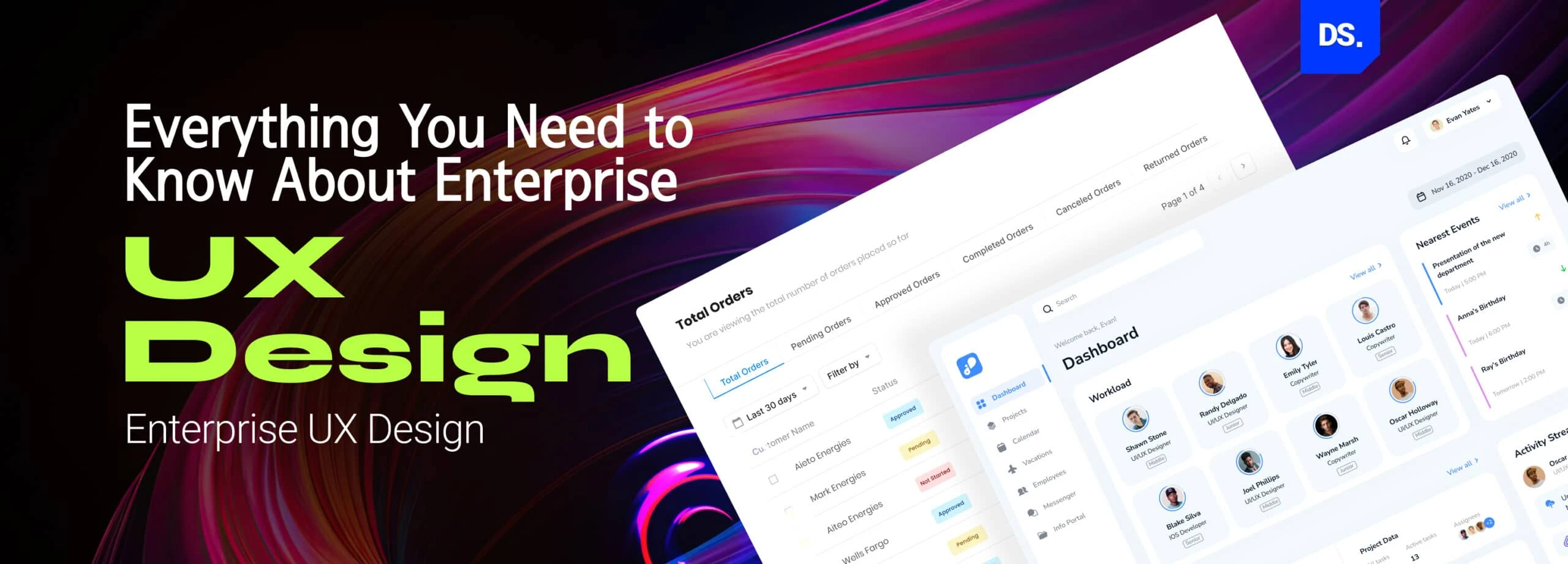
Enterprise UX is the process of designing intuitive digital interfaces for workplace software and corporate applications. It simplifies complex business workflows to help employees complete tasks faster and also improves their overall work satisfaction.
What does an enterprise UX design company do?
An enterprise UX design company plans, designs, and tests the user interfaces for complex internal business tools. The work covers UX research with multiple stakeholder groups, IA for large-scale systems, wireframing and prototyping, usability testing with real employees, visual UI design, and developer handoff with documented design systems.
How much does Enterprise UX Design Cost?
Enterprise UX design costs depend on the number of user roles, screens, the complexity of workflows, research and testing. Small enterprise tools with a defined scope typically start from 20k-50k for design alone whereas full enterprise platform redesigns can run $60k to $150k or more.
Why is enterprise UX research important?
Enterprise UX research is important because it reduces usability gaps, improves user retention, and aids better decision making. This step helps teams fix root causes before design begins.
What are the Challenges of Enterprise UX?
The common challenges in enterprise UX are feature clutter, conflicting stakeholder needs, and legacy technical constraints. Decades of added tools create confusing interfaces, while old system architecture limits new design options.
Ask our team, Feel free to text and get all the answers you need.


















 Figma
Figma Sketch
 Zeplin
 Photoshop




 hello@designstudiouiux.com