



8 Effective UX Writing Best Practices in 2026


User Experience (UX) is a strategic craft that incorporates UX writing best practices, combines user psychology, design thinking, and the art of clear communication to create intuitive and user-friendly interfaces.
By writing high-quality UX copy, UX writers empower users to navigate digital products intuitively and efficiently, helping them achieve their goals with minimal friction or confusion.
Well-written copy in websites, app interfaces, and other digital products fosters user engagement by simplifying product interactions.
When users spend less time deciphering instructions and more time exploring the product’s features, they are likely to have more positive product experiences, thereby increasing the user base.
What Is UX Writing?
It refers to the practice of writing all the words people read when they use an app or a website ( any digital product).
This practice includes writing everything from button text and error prompts to onboarding steps, empty screens, and confirmation popups. UX writing is known as content design, and it manages overall product communication.
It can also be defined as microcopy which focuses specifically on tiny snippets of text.
Here, the main goal is to make every action clear for users. Good UX writing can help users move from one step to the next and poor UX writing can result in more mistakes.
This will require more support tickets, or higher product abandonment in worst cases.
- What areas UX writing covers: tooltips, form placeholders, empty states, button text, error messages, onboarding, confirmation screens, push notifications.
- What UX writing does not cover: Sales copy, blog posts, or advertising content. Those belong to copywriting and content marketing.
UX writing VS Copywriting: Difference between UX Writing and Copywriting
UX writing helps people use a digital app or site smoothly with short text, whereas copywriting tries to sell things and grow the brand using marketing words.
- Copywriting : compel users to take action (buy, subscribe, click), and appears in ads, landing pages, and marketing emails.
- UX writing : help users accomplish a goal inside the product and appears in interfaces, onboarding screens, forms, and error messages.
The simple difference is that copywriting attracts users while UX writing helps users complete their tasks.
UX Writing Best Practices
Good UX writing practices make your apps and websites clear and concise. Major tips include implementing UX writing early, using correct brand voice and clear/concise words with conversational tone, anticipating users’ needs, and progressive disclosure.
Avoids common UX design mistakes that can hinder your digital product’s success.
1. Start UX Writing Early

Implementing UX writing in the starting phase of the design process can prevent unnecessary design reworks. If you fix content issues late, it will add 3 to 5 extra sprints of work, though early UX writer involvement reduces this rework to a great extend.
“Let’s make the navigation, layouts, and information architecture final; after that we will ask the UX writers to write the UI copy.” This is a common misstep in product design processes- treating UI text as an afterthought.
Deferring user experience writing and making it almost the last of the UX design process steps can result in:
- UI elements not accommodating the actual content length.
- Text overlaying design elements,
- crucial error messages going completely undersigned, and
- copy that does not match the brand’s vibe
When UX writers are involved early on, they identify and address potential design flaws proactively, long before significant development resources are wasted on those mistakes.
A robust UX content strategy guarantees that content decisions correspond with design structure from the very beginning.
Embedding UX writers in the design process early on also fosters a culture of user-centricity for the whole team. These professionals tend to be experts in user research and they know all about the laws of UX design.
Their input can be invaluable in early user research and testing sessions.
2. Before Writing: Define Your Brand Voice and Tone
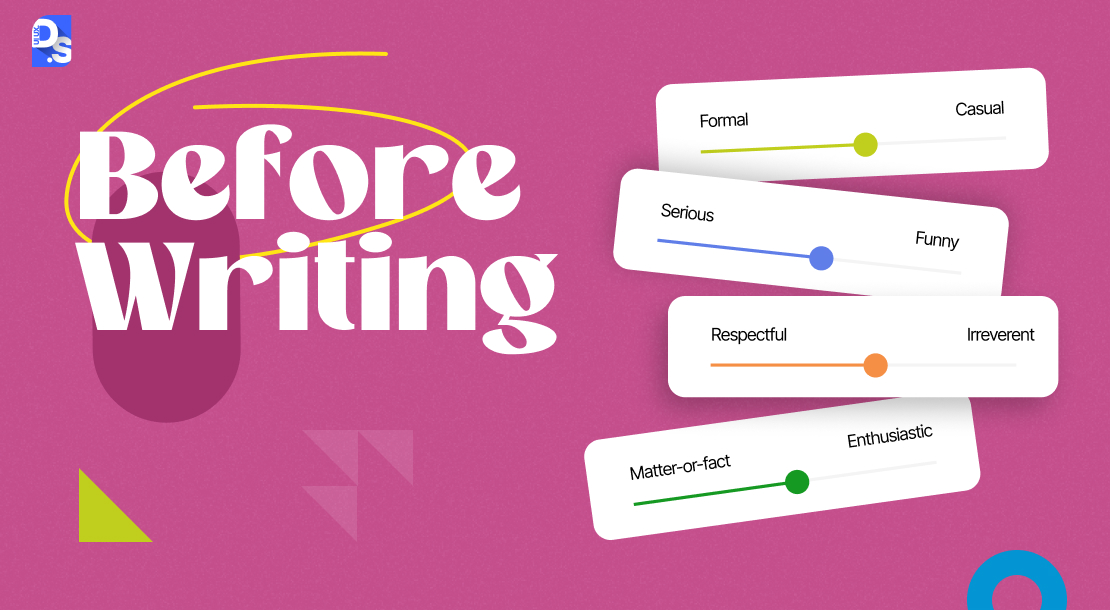
Decide your brand voice and tone before writing any UX copy. Ensure the voice is consistent throughout the product and the tone should change with the user’s situation.
Example., a success message can sound cheerful, while the error message should sound calm and helpful.
Build a simple brand guide by defining:
- Your brand personality
- The style of language you use
- How you want users to feel
You can picture your brand as a real person. It may sound like an expert, a helpful teacher, or a friendly shop owner. Save these rules in one document so all UX writing follows the same style.
Make sure the language and tone you use resonate with your target audience’s expectations. Strong brand communication commonly relies on subtle storytelling that helps users mentally connect with the product and grasp its value.
A well-defined brand voice ensures consistency and quality across all user touchpoints.
When users encounter your brand voice in different digital settings – from website copy to in-app error messages, the consistent tone reinforces your brand identity and builds trust.
Data shows brands with a clear and steady voice across all places make 33% higher revenue than others.
Typically, UX writing professionals have to adhere to pre-established content style guides within their clients’ organizations.
They have to team up with UX research design experts and other stakeholders in the project to construct an authentic brand voice/tone style guide.
3. Be Clear and Concise
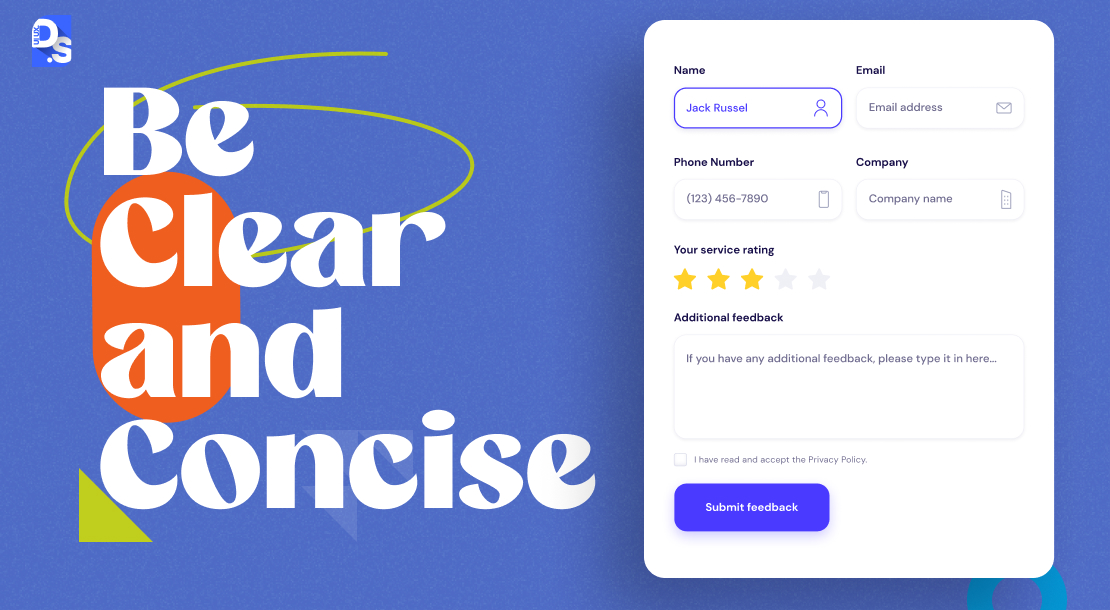
Every word in a product interface must prove its worth. If users struggle to understand the intended message, then the UX writers have failed their purpose.
- To ensure that doesn’t happen, be clear and concise.
- Every word on the screen should contribute to conveying the intended message.
- Avoid using technical jargon or overly-sophisticated language.
- Aim for clear, plain language that your target audience can easily understand.
- Prioritize user needs over inane brand messaging.
- Craft copy that aligns with the user’s information requirements, and avoid stuffing the interface with redundant, promotional content.
To further enhance the writing’s readability, use active voice constructions and short, grammatically correct sentences.
For example, if you are writing UX copy for an app that allows users to create photo galleries:
- Instead of writing “The gallery creation functionality can be accessed by navigating to the ‘Create Now’ tab,”
- Write “Create beautiful galleries – click on the ‘Create’ tab to get started now!”
According to a N/G report, eye-tracking tests show that people read only about 28% of words on a web page and scan the rest in F/Z patterns. Hence the UX copy must be created in a clear and structured way for quick reading.
- Break down text into concise, digestible chunks
- Use short sentences/paragraphs and prioritize the most critical info upfront
- Ruthlessly edit out extra details that don’t contribute to user understanding
While clarity and conciseness are core principles, there might be rare exceptions. For products targeting a niche audience with a specific technical background, some level of jargon-heavy, domain-specific, and technical language might be acceptable.
However, even in these scenarios, UX writers must do their best to clarify things as much as possible for the lay user.
4. Anticipate Users’ Needs and Concerns

The best UX writers anticipate users’ needs/concerns and their overall journey so that users can avoid problems from the start.
Note that reactive copy responds after an error happens while proactive UX writing reduces the chance of that error in the first place.
The main goal of UX writing is to optimize user experience, and the most effective way to do that is to be helpful, long before users need help. To adopt this “one-step-ahead” approach, UX writers follow these steps:
- They anticipate user questions that may arise during the different stages of the user flow.
- They meticulously examine all points of interaction within the user journey.
- Then, they identify potential pain points and areas of confusion.
With a clear understanding of potential user roadblocks, writers can pack the user flow with clear and helpful explanations/instructions.
Here are some common areas where UX writers can use proactive copywriting:
- When requesting user information, explain the purpose behind the request and assure users of data privacy.
- For multi-step onboarding processes, clarify the total number of steps that users need to take.
- Share actionable error messages. Instead of simply stating, “An error has occurred,” provide users with clear instructions on how to rectify the issue as well.
- Replace generic CTAs like “Next” or “Enter” with more specific and thoughtful labels that clarify the action/s users are about to take (e.g., “Proceed to Checkout”). Check CTA button best practices in details for more effective CTA’s
Addressing user concerns through proactive UX writing might require collaboration with other members of the team, especially the developers. That is because taking steps such as including more detailed error messages, may require the development team’s expertise.
5. Be Actively Specific

Specific action-oriented clear words stop confusion. When users know what a button does, they navigate through the digital product with ease and trust.
Use specific action verbs like “connect” or “save” instead of generic, passive like “configure” or “manage”. Action verbs are easier to comprehend. They provide users with a concrete understanding of what will happen if they complete an action.
Also, when a sentence describes an outcome and the action needed to achieve it, prioritize mentioning the objective.
- Don’t Say: “Tap on the Item’s Icon to See Its Properties”
- Say: “See Item’s Properties”
Here’s another example:
- Don’t Say: The Search Button Should be Clicked When You are Ready to Search for a Product (Passive voice)
- Say: Use the Search Button to Find Products (Active voice)
Beyond using active voice and specific verbs, UX writers should also avoid using double negatives. Double negatives can obfuscate meaning and cause mental overload in users’ minds.
For example, let’s say you are writing UX copy for a fitness app’s onboarding screen, your goal is to make sure users keep their notifications active.
- Don’t Say: “Don’t disable notifications” because the double negative (“don’t disable”) can be interpreted in the wrong way.
- Say: “Enable Notifications to stay on top of your fitness goals!”
For specificity’s sake, avoid using the future tense to describe ongoing actions. For example, instead of saying “Video will Download” or “Video is Being Downloaded,” simply say “Downloading.”
6. Progressive Disclosure: Reveal Information Only When Needed
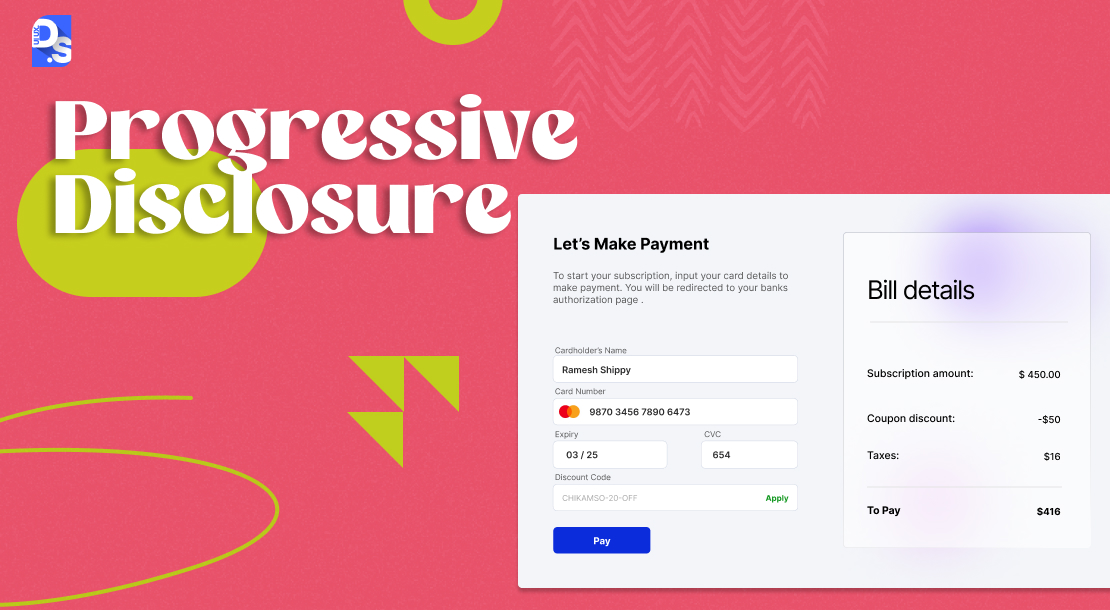
Information overload is a major user experience (UX) hurdle. Giving too much information upfront can lead to confusion, and frustration, and hinder task completion.
Progressive disclosure can solve this by presenting users with detail step-by-step as needed.
It is a user-centric approach to information presentation where writers strategically reveal additional details about the product only when users explicitly need or request them.
This approach reduces cognitive overload and makes the onboarding process more fun and manageable.
Research data shows revealing information gradually can help reduce cognitive load by around 40%. Also, this concept improves onboarding completion rates by up to 22% points compared to full upfront disclosures.
Most major apps/websites already employ this UX writing approach. That’s why they always give their users the option to skip non-essential information during the initial onboarding process.
7. Be Conversational
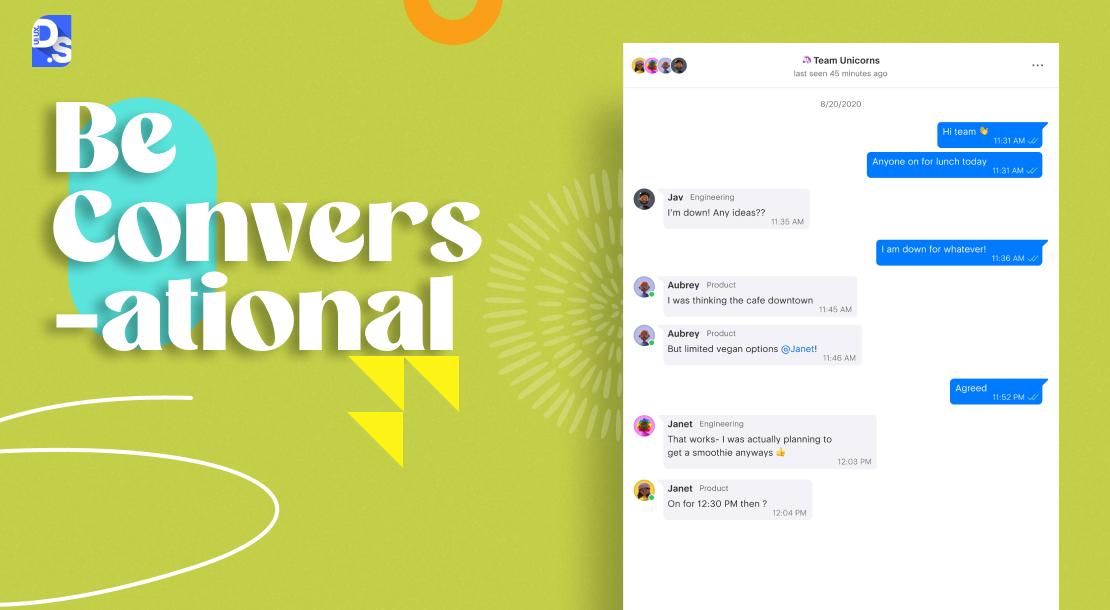
Conversational UX writing infuses a touch of warmth and personality into the user experience. By using natural and engaging language, UX writers can foster a sense of connection between users and the interface.
However, moderation is key. Overdoing informality can backfire in situations like:
- Moments of user frustration, like encountering an error. For such situations, write clear and actionable instructions, not conversational language.
- When dealing with financial transactions, prioritize accuracy, clarity, and transparency over warmth and humor.
Effective UX writing is all about walking a tightrope between personality and clarity. UX writers discover this only when they attempt to add a touch of warmth and personality to their UX copy, which can be refined through top UI/UX strategies.
8. Consistency: The UX Writing Practice That Ties Everything Together
Lastly, and most importantly, make sure to maintain a sense of consistency throughout your product’s UX copy. It holds all the other practices as one and without it, even a fine copy creates a broken experience.
Inconsistency creates confusion. One typical example of inconsistency is synonym swapping. If an action is called “Scheduling” in one section of your product, maintain that term consistently throughout the UI. Don’t use “Timetabling” in other parts of your UI.
For inspiration on how to achieve this, you can explore some great UX writing examples that demonstrate consistency and clarity.
Consistent writing ought to be applied throughout your organization and be reflected not just in the product’s microcopy but also in social media posts, website copy, app instructions, newsletters, etc.
Understanding microcopy is crucial to avoid confusion and ensure clarity in your UX writing.
What are the Common Tools UX Writers Use?
These tools make UX writing faster, more consistent, and more testable-
- Figma (with plugins): The main place for design and writing. Content Reel and Able help add copy and review accessibility.
- Hemingway Editor: Shows hard-to-read sentences, passive voice, and extra adverbs and quantifiers so the copy stays simple. The premium version shows grammar and spelling issues.
- ClickUp / Notion: Keeps brand voice, writing rules, and UX copy in one shared location.
- Maze / UsabilityHub: Checks if real users understand the copy before release.
- Grammarly( Business): Reviews grammar and keeps the writing style the same across the product.
Conclusion
The UX writing tips work best when used together instead of considering them as separate practices. Start early, keep words short and clear, and guess what users need next. Small changes help people finish tasks instead of leaving.
Always test the copy often and keep making it better as your product grows.
For expert UX writing insights, reach out to Design Studio UI UX, a trusted UI & UX Design Company dedicated to enhancing digital experiences.
Summarize this article with AI
FAQs
What skills does a UX writer need?

A UX writer must have strong writing skills, knowledge about UI and UX concepts, and people skills to lead users in apps. Main tasks of a UX writer involve writing clear/concise words, understanding user actions, and collaborating with design teams.
How does UX writing improve conversion rates?
Simple and clear copy helps users move through different product pages faster and that too with fewer mistakes. According to a Nielsen Norman Group research, reducing cognitive load with better microcopy can improve task completion by around 15-20%.
What is microcopy in UX writing?
Microcopy is basically the short text on a user interface, such as different button labels, form placeholders, error messages, confirmation prompts, and tooltips. It helps users step by step through an app or website and avoid mistakes.
When should UX writers be involved in a project?
UX writers should join a project right at the start of the design process before information architecture and wireframes are finalized. This ensures product words match user needs from day one.



