


10 Types of UX Research Methods & When to Use Each


User Experience (UX) research, or simply ‘user research’, is the bedrock of digital products that ‘make it.’
It is the art and science of stepping into your users’ shoes, listening intently to their unspoken needs, hidden frustrations, and whispered desires – all to inject a much-needed dose of reality into your product’s design.
If you skip this, your product, born from assumption, not insight, will likely fail. If you ace this, your product will intuitively address your users’ needs.
You can learn more about the importance of UX research in our other posts. That’s not what this blog is about. This blog is about how not all UX research methods are created the same.
There are many types of user research and UX research – some are uniquely effective in today’s tech landscape, others are tethering on the edge of obsolescence. In this blog, you’ll learn:
- The most effective UX research methods in 2025
- When to employ different types of user research
- How to uncover game-changing insights and derive true value from your research efforts
Let’s put our lab coats on and start learning!
Types of UX Research Methods
Gone are the days of a handful of standard UX research methods. The research has exploded in the past few years. Why? Because the stakes are higher than ever. User patience is thin. Competition is ever-intensifying. And, not validating even the minutest aspects of their products’ design is a luxury no successful team can afford.
So, leading product creators are trying to outcompete each other by devising new types of user research and weaving together multiple UX research methods in new combos, using the latest technologies.
We can map this vibrant research landscape along two key axes:
- The nature of the data they generate – either narrative-rich, deep qualitative insights, or broad, measurable quantitative metrics.
- Their purpose- Is it generative (exploring uncharted territory, uncovering needs and opportunities) or evaluative (testing, refining, and validating existing ideas or solutions)?
The following types of user research that are all super-prevalent today fall under these two categories.
1. User Interviews

User interviews are the classic one-on-one talks that generate qualitative insights. These direct dialogues with current or potential users can be both generative and evaluative. These qualitative sessions are all about open-ended questions that encourage participants to share their perspectives on using the product. They unearth their motivations, needs, frustrations, and the context behind their behaviors. They typically last around 30-60 minutes.
When to Use
- Early-stage ideation to understand unmet user needs
- Post-launch for exploring new features or design improvements demands
Tips to Derive True Value
- Ask open-ended questions
- After each answer, ask nuanced follow-ups
2. Surveys

Surveys are your wide net. These structured questionnaires efficiently gather targeted information from large volumes of users. They can feature closed-ended questions (multiple-choice, Likert scales) for collecting quantitative data. Surveys can also feature open-ended questions for gathering qualitative snippets. They can be distributed via email, embedded in-app, or through social channels.
Analyzing survey data helps paint a broader picture of user sentiment.
When to Use
- To quantify opinions, attitudes, or across a specific user segment
- To gauge satisfaction with a specific design feature
- To collect demographic data to segment your audience
- To validate qualitative findings from interviews on a larger scale
Tools for Deriving Maximum Value
- Google Forms (free and widely accessible) SurveyMonkey
- Typeform
- Maze (lets you embed surveys directly into prototype tests)
Tips
- Brevity is your best friend – aim for surveys that take 5-10 minutes to complete.
- Pilot test your survey with a small group internally to iron out confusing questions or technical glitches before a full send-off.
3. Usability Testing
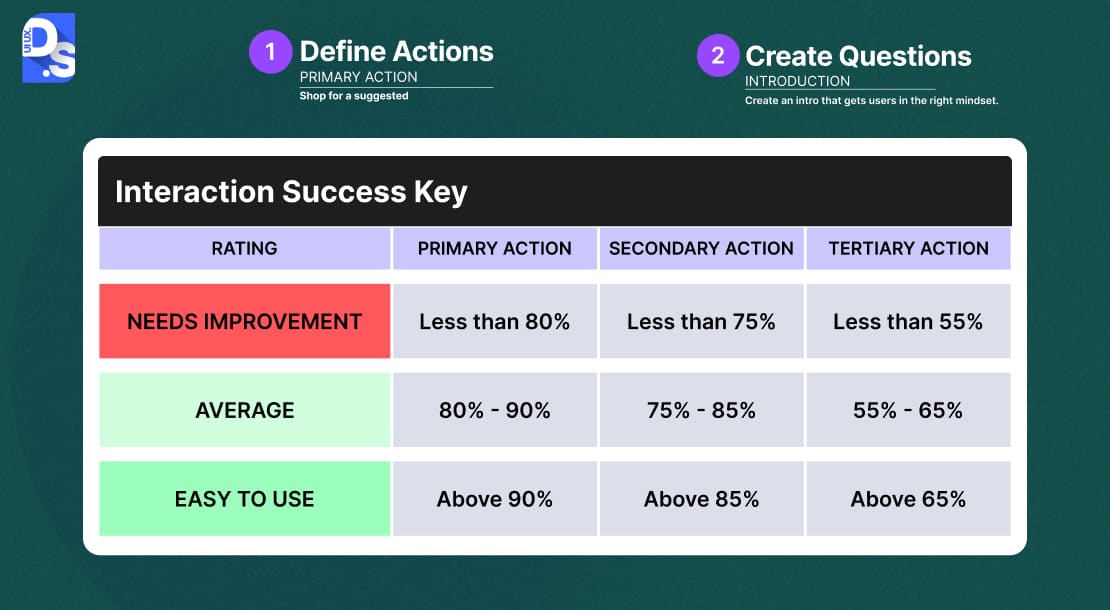
Usability testing involves observing real users as they attempt to complete tasks within a product or its design prototype. There are many specialized usability testing methods. All of them help designers identify pain points, areas of confusion (caused by design), and mismatches between your design and user mental models.
For expert-based evaluations that don’t require recruiting users, heuristic evaluation in UX design is a complementary method worth exploring alongside usability testing.
When to Use
- Start usability testing with low-fidelity wireframes.
- Keep performing it all the way to the final design.
- Use test results to iteratively refine your design ideas across the design process.
- Use it post-launch to identify areas for improvement in an existing design.
Tips
- Always craft realistic task scenarios
- Never lead the user – see if they can complete the task without your help
- Embrace and record the awkward silences during the tests
- Perform a mix of moderated + unmoderated + remote tests to get a rich variety of results
4. A/B Testing
A/B testing, or split testing, is a quantitative UX research method. Here you pit one version of a design element (Version A) against another (Version B) to see which performs demonstrably better.
Users are randomly assigned to experience one version. Then, their interactions (clicks, conversions, engagement) are tracked. The version that leads to statistical improvements in your key metric wins.
When to Use
- For both evaluative and quantitative optimization, when you want to improve specific design element/s to drive measurable outcomes.
- For optimizing different call-to-action buttons, headlines, landing page layouts, or checkout flows.
Tips
- You need a large enough audience and a long enough test duration to trust your A/B test results.
- Use Optimizely or VWO to extensively test one design element at a time.
5. Card Sorting

Card sorting is a method used to understand how users perceive and organize information. Participants are given a set of topics (on digital or physical “cards”). Then, they are asked to group them in a way that makes sense to them. They might also be asked to label these groups. Their arrangements give direct windows into their mental models for structuring content.
When to Use
- When refining a website’s navigation.
- When defining an app’s information architecture (IA).
- When organizing any complex set of content.
Tips
- Recruit participants representative of your target audience.
- Use clear, concise labels on your cards.
- Analyze results for common groupings and emerging themes using tools like Optimal Workshop’s OptimalSort.
6. Tree Testing
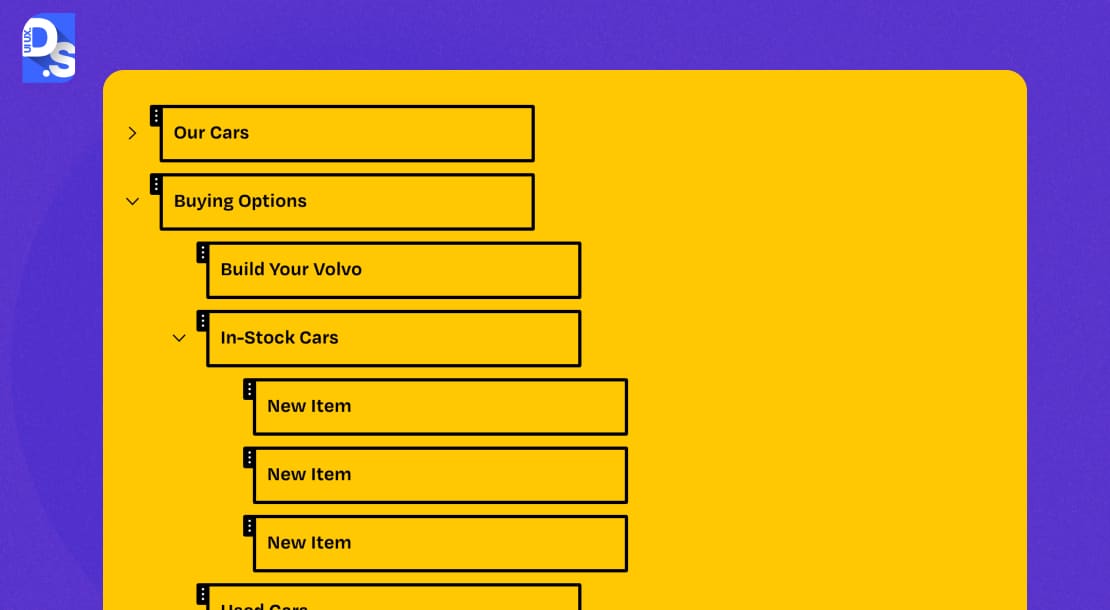
If card sorting helps you build the structure, tree testing (also known as reverse card sorting) helps you validate it. We can and have written full-length blogs on the importance of tree testing in UX research + design. Here, users are presented with a text-based version of your site map (the “tree”) and asked to find specific pieces of information.
The key is that they navigate using only the labels, without any visual design cues. It tells you if people can find what they need easily and directly. Without performing this research, you can never tell if your design’s information architecture (IA) is intuitive or not.
When to Use
Card sorting vs tree testing – which is more effective at validating a design’s IA? Both are equally effective:
- Use tree testing after card sorting has helped you define a potential information architecture, but before you commit to visual design and development.
- It is excellent for validating that your proposed navigation paths are intuitive and that your labels are clear.
Tips
- Focus on giving users task-based scenarios.
- Instead of asking “Where would you find X?”, ask “You’re looking for X to achieve Y. Where would you click first?”
- Analyze success rates, directness (did they go straight there or wander?), and the paths taken.
- Optimal Workshop’s Treejack is a popular tool for facilitating all of this.
7. Contextual Inquiry
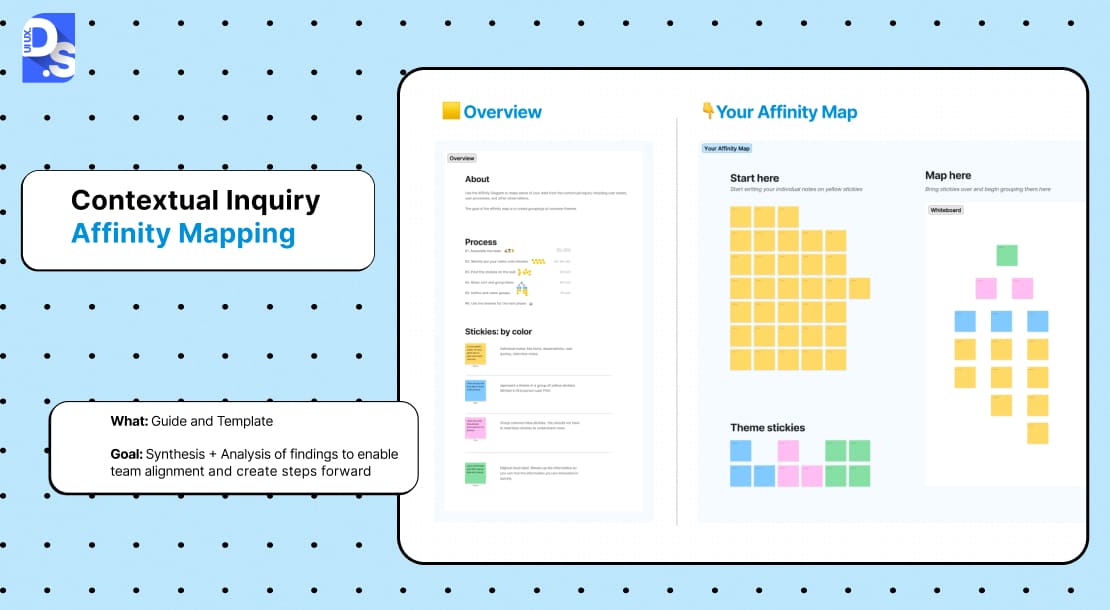
In contextual inquiry, UX researchers observe and interview users in their natural environment as they go about their actual tasks. It is a qualitative, ethnography-inspired method. With it, the researcher learns the user’s unspoken needs, workarounds, and environmental factors.
When to Use
- When designing intricate interfaces/workflows
- When the user’s environment severely impacts their in-product interactions, like when designing complex B2B or enterprise SaaS tools
Tips
- Pay close attention to interruptions, collaborations, and physical artifacts users rely on.
- Build rapport quickly and make it clear you’re there to learn, not to judge or test.
- Use Dovetail to synthesize the rich notes from these sessions.
8. Diary Studies
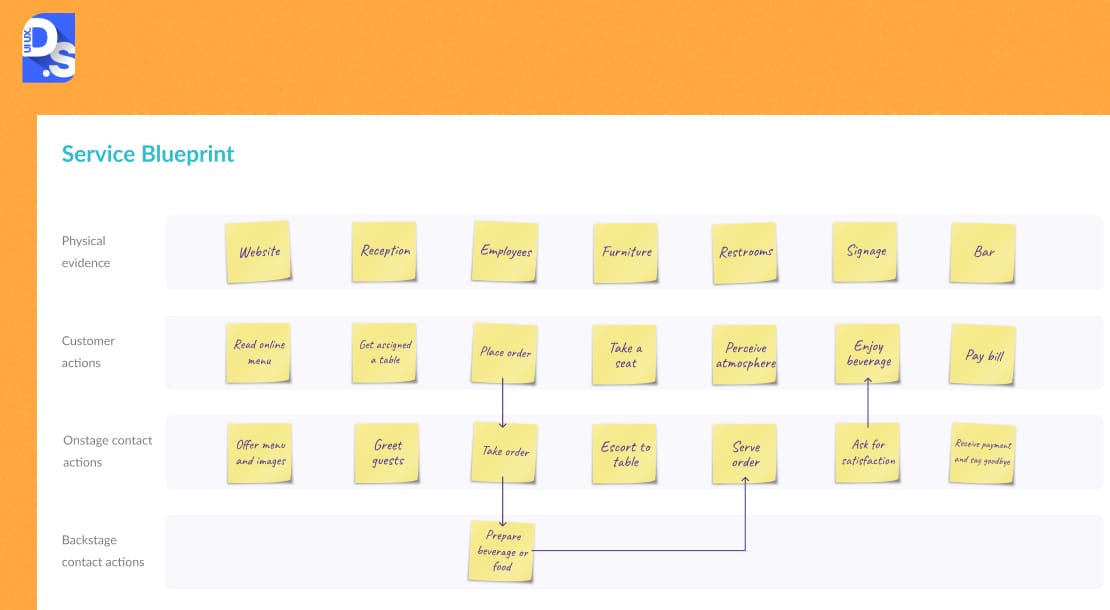
In diary studies, users self-report their experiences, thoughts, and feelings on a product/prototype. This individual-centric qualitative research can go on for days, weeks, or months
When to Use
- To understand an individual user’s cumulative experience of using a product.
Tips
- Provide clear prompts for diary entries to participants
- Share clear instructions like, “Complete this workflow every day and report…”.
- Give test participants tools like dscout to submit their entries.
9. Focus Groups
Focus groups bring together small, target user representative groups of people (6-10) for moderated design discussions. The moderator guides the conversation. Participants share their opinions on a product idea, design idea, existing product, or its UX in detail
When to Use
- For exploring new design ideas
- For understanding shared UX frustrations about an existing product
Tips
- Do not rely on focus group data alone.
- Triangulate these findings with individual interviews and usability testing data.
10. Eye Tracking

Eye tracking tools measure precisely where users gaze at a screen, the length/sequence of their gaze, and how intensely they fixate on certain design elements.
With this data, UX researchers can generate heatmaps, gaze plots, and other visualizations that provide objective data on the users’ visual attention patterns. This data gives insights into what design elements attract users, what gets ignored, and how they visually process information.
When to Use
- To optimize the visual hierarchy and layouts of interfaces where clear visual guidance is essential for engagement/conversion
Tips
- Eye tracking data only shows what they saw, not what they understood.
- Combine eye-tracking data with data from UX audit services.
- Use post-session interviews to understand why users looked where they did.
How to Pick the Most Appropriate Types of User Research To Suit Your Project
Which of these UX research methods will suit your project best?
Trying these steps will help you figure it out.:
Step 1: Define Research Goals
If you are trying to answer certain questions, what are these questions? What decisions will this research help you make? Your goals will typically fall along two key dimensions:
Discover vs. Validate
Are you in exploration mode? Are you looking for hidden problems, new possibilities, or coming up with new ideas?
This is generative research.
Or are you in validation mode, aiming to test an existing hypothesis? Are you trying to evaluate a specific design solution? Or, measure the effectiveness of specific design features?
This is evaluative research.
Behavioral vs. Attitudinal
Do you need to understand what your users do (behavioral) while using your design? Or, what they say, think, and feel (attitudinal) about the design?
Select the specific types of research you need to perform based on your project goals.
Step 2: Match the Method to the Goal
Next, connect your goals to appropriate UX research methods. Think of it like a diagnostic process: certain symptoms point to certain tests. Here’s a diagnostic chart to help you out:
| Goal | Recommended Methods |
| Understand user needs, pain points, and context | User Interviews, Contextual Inquiry, Diary Studies |
| Test UI effectiveness, identify usability issues | Usability Testing, A/B Testing, Eye Tracking |
| Improve navigation & information architecture | Card Sorting, Tree Testing |
| Gauge user satisfaction, opinions, and preferences | Surveys, Focus Groups |
| Optimize conversion rates, engagement | A/B Testing, Analytics Review, Heatmap Analysis |
| Understand behavior patterns over time | Diary Studies, Longitudinal Surveys |
| Explore initial concepts, generate ideas | Focus Groups, Brainstorming sessions with users |
| Validate problem/solution fit early | User Interviews combined with prototype walkthroughs |
Once your research is complete, tracking the right UX performance metrics will help you measure whether your design improvements are actually moving the needle.
Step 3: Consider Practical Factors
Check if the UX research methods you’ve picked out align with your:
- Budget
- Timeline
- Team Skills & Resources
- Sample Size
- Ability to access users- remote vs. in-person
Real-World Scenarios for Selecting Specific Types of User Research
Let us see how different organizational contexts might apply these principles for selecting UX research methods:
Startup UX Research
Startups live and die by speed and capital efficiency, which is why most lean toward a lean UX approach over heavier research frameworks. Their user research needs to be:
- Fast
- Cost-effective
- Validate their core value proposition
- Help find their product-market fit
Appropriate UX Research Methods
- User Interviews: Find new problems and try out solution ideas by talking with potential early users.
- Surveys: Gauge public interest and gather demographic/psychographic data from a wide audience base.
- Usability Testing: Perform quick, informal tests of core flows with simple prototypes.
Research Strategy
- Use free or low-cost tools.
- Use Google Forms, Calendly for scheduling.
- Use Zoom’s free tier for remote interviews.
- Recruit participants for free via personal networks, relevant online communities.
Enterprise UX Research
Enterprise UX teams operate within larger, more complex organizations:
- They are usually dealing with intricate internal tools.
- These teams have diverse user bases (employees, enterprise clients).
- They do not mind having longer development cycles.
- They need to demonstrate ROI and integrate research data into existing workflows.
Appropriate UX Research Methods
- Contextual Inquiry + User Interviews: For understanding complex workflows and the specialized needs of enterprise users within their actual work environments.
- Usability Testing: Test key tasks in work environments with detailed reporting.
- Stakeholder Focus Groups: To align everyone on research goals.
Research Strategy
- Develop a mixed-methods approach.
- Build a research repository (Dovetail, Notion) to centralize all research insights.
Ecommerce UX Research
For eCommerce firms, UX research is laser-focused on optimizing user paths to purchase by:
- Optimizing conversion funnels
- Mitigating any friction in the shopping experience
- Boosting customer lifetime value
Appropriate UX Research Methods
- A/B Testing: For testing variations of product pages, CTAs, checkout flows, and promotional messaging.
- Eye Tracking + Heatmaps + Scrollmaps + Session Recordings: To understand where users click, how far they scroll, + where they drop off and identify all problem areas for targeted design optimization.
- Card Sorting + Tree Testing: To optimize product categorization and site navigation.
Research Strategy
- Keep the research efforts fast and continuous.
- Keep repeating research-based design improvements as shopper sentiments quickly evolve.
These scenarios illustrate that there’s no single “ideal” set of UX research methods. The ‘ideal’ approach must always be:
- Context-dependent
- Shaped by your goals, users, and product
- Adjusted as per your organizational realities
Common UX Research Mistakes to Avoid
Just like there are many common UX design mistakes product teams fall prey to, there are many common research blunders they also make (that you must avoid):
Relying on Assumptions
Designing research procedures based on internal opinions or what worked on a previous project, without understanding your current user base. Always shape research activities based on the users you are engaging. If it is an older group, opt for 1-on-1 interviews. If it is a group of zoomers, prioritize remote usability testing.
Asking Leading Questions
Never phrase questions in ways that invite specific answers. Neutral, criticism-inviting phrasing of all UX research questions is vital.
Ignoring Post-Research Synthesis
Drowning in raw notes/videos without finding patterns or actionable insights is useless. “We did UX research!” ≠ actual design improvements. Always thoroughly analyze, find patterns, and synthesize the raw data into actionable insights after every major research effort.
Recruiting the Wrong Participants or Sample Sizes
Do your research participants accurately represent your target user base? If not, your findings, data will be misleading.
Not Defining Clear Research Objectives Upfront
Going into research without a clear question or goal leads = unfocused efforts and data that does not inform specific design decisions.
Over-Reliance on a Single Method
Trying out different research methods, keeping up with the latest UX research trends, and triangulating findings from different types of research efforts are all essential.
Tools You Can Use for UX Research Methods
The modern UX research toolkit is big and ever-expanding/evolving as new tools (especially AI tools) are being launched every day. Here are some of the tools top UX research agencies use in 2025:
- UserTesting for remote usability testing, user interviews, and accessing a large panel of participants.
- Maze for rapid, unmoderated testing of prototypes (integrates with Figma, Adobe XD, Sketch), live websites, as well as for surveys and tree testing.
- Lookback for remote user research, conversational interviews, and usability tests.
- Dovetail, a cloud-based research repository + analysis tool for transforming raw data (transcripts, notes, videos) into tagged, searchable insights.
- Optimal Workshop tools for card sorting, tree testing, first-click testing, and qualitative surveys.
- Otter.ai, Descript, and Grain to automate the transcription of audio and video from interviews and usability tests.
- Typeform, SurveyMonkey, and Google Forms to create/distribute online surveys.
- Miro, FigJam as collaborative digital whiteboards for brainstorming, affinity mapping, research data sharing, and creating user journey maps.
Final Thoughts
UX research isn’t a diploma, it’s a muscle. Strengthen it rep by rep. Start small with foundational methods like user interviews or simple usability tests. Derive value from them, build your UX research skills, and then gradually expand your toolkit.
If you need expert assistance, reach out to Design Studio. Our UX research services agency combine years of on-field experience with cutting-edge AI tools. We’ll make every aspect of your design project research and evidence-based.
Then, we’ll train your team to replicate the process!
FAQ’s
What are the primary categories of UX research?

The primary categories of UX research are qualitative (for instance, user interviews, contextual inquiry) and quantitative (for example, surveys, A/B testing). The methodologies can also be classified as generative (to explore needs) or evaluative (to test solutions).
How to pick the right UX research method?
To pick the right UX method, define your goals (discover vs. validate, behavioral vs. attitudinal), then match methods accordingly and consider time, budget, and team resources.
A/B testing - qualitative or quantitative?
A/B testing is quantitative. This is because, in A/B testing, measurable outcomes (like clicks or conversions) between design variations are compared. Statistical analysis is used for the same.
How does usability testing differ from user testing?
While both involve observing users as they attempt to complete predefined tasks in a digital product, user testing’s scope is much wider. In fact, usability testing falls under the umbrella of user testing, which also involves methods like user interviews, card sorting, diary studies, contextual inquiries, etc.



