12 Inspiring Mobile App UI/UX Design Examples in 2026



Quick Summary
The best mobile app design examples include Gucci with its AR try-on feature, Sephora with seamless loyalty integration, Messenger with accessible navigation, Todoist for its color coded priority system, and Pinterest for its strong visual hierarchy among several others featured in this list.
What is Mobile App UI/UX Design?
Mobile app UI/UX design combines two approaches UI (User Interface) and UX (User Experience) to create intuitive, usable, accessible, and goal-driven digital experiences.
- Mobile app UI (User Interface) design is the creation of the visual components, layouts, color schemes, typography, icons, spacing, and interactive elements.
- Mobile app UX (User Experience) design encompasses the structural and behavioral components, including user research, Information Architecture, user flows, wireframing, prototyping and usability testing.
Both contribute to a high-performing app. Aesthetic UI without UX creates non-functional design, UX without UI creates visually untrustworthy products. Forrester corroborates that a well-planned UX strategy increases app conversion rates by 400%.
Introduction
Discover how market-leading apps like Sephora, Robinhood, Headspace, Airbnb, and others deliver intuitive, user-friendly experiences in this definitive list of the best mobile app design examples.
A Statista report mentions that the Google Play Store listed 2.26 millions apps in the second quarter of 2024, and the Apple App Store lists over 1.8 million apps, indicative of Google’s open submission and Apple’s restrictive submission policy.
Obviously, not every app will make the cut. The apps that do match customer expectations, by serving exceptionally eye-catching designs, easy workflow, and fast loading times.
In this article, we will cover the best mobile app design practices followed by market-leading apps across these niches:
- eCommerce Apps
- Social Media Apps
- Productivity Apps
- Finance Apps
- Health and Fitness Apps
- Travel Apps
Before we dive into these mobile app design examples, let us outline the most important mobile app design principles that you will always have to follow, regardless of what type of app you are designing.
Mobile App UX Statistics 2026
Here are some insights on how design decisions impact real user behavior:
- The retention rate of mobile apps varies from day to day. It can retain 25% of users after day 1, 19% after a month, and 6% after 3 months.
- The install-to-purchase conversion rate is typically around 1-2%. Travel apps have a slightly higher number (2.41%) than retail apps (1.38%).
- Design Rush states that the strategic UI design can improve conversion rate by 200%, and a comprehensive UX strategy can uplift the results by 400%.
- A survey revealed that 83% of visitors will choose visually appealing websites that are regularly updated, 94% of people will never consider a website due to design issues.
- If the mobile app retention rate stays below 10% even after 30 days, it is known as poor performance. Average app retention rate is 20%, and the above-average category is higher than 40%.
A well-designed mobile app will offer better usability, clarity, and functionality than the poorly-structured, feature-heavy websites.
Which are the Best Mobile App Design Examples by Industry in 2026
The 12 best mobile app UI/UX design examples from ecommerce, social media, productivity, finance, health, and travel include: Gucci (AR virtual try-on), Sephora (minimalistic UI and loyalty integration), Pinterest (for its visual grid hierarchy), Messenger (accessible bottom navigation), Todoist (color-coded priority system), Toggl Track (microinteractions and feedback), Mint (data visualization), Robinhood (radical minimalism), Strava (gamification), Headspace (calm color visualization), Airbnb (immersive storytelling), and Skyscanner (functional and simplistic design).
| App Name | Category | Design Focus | UX Feature | Primary User Benefit |
| 1. Gucci | eCommerce | User-centric AR | Virtual AR try-on | Visualize before buying |
| 2. Sephora | eCommerce | Loyalty integration, clean UI | In-store barcode scan and AR makeup | Seamless online-offline experience |
| 3. Pinterest | Social Media | Visual hierarchy, simplicity | Masonry grid, image-first feed | Fast visual discovery |
| 4. Messenger | Social Media | Accessible navigation | Bottom nav with clear icon labels | Frictionless communication |
| 5. Todoist | Productivity | Visual clarity, color-coded priority system | Red priority flagging + themes | Clear task urgency at a glance |
| 6. Toggl Track | Productivity | Microinteractions, motion feedback | One-tap start/ stop timer | Zero-friction time logging |
| 7. Mint | Finance | Visualized data, clarity | Auto-categorized spending charts | Financial clarity without expertise |
| 8. Robinhood | Finance | Minimalism, intuitive navigation | Swipe-based trade navigation | Investing without intimidation |
| 9. Strava | Health & Fitness | Gamification, progress visuals | Leaderboards, kudos, challenges | Social motivation to stay active |
| 10.Headspace | Health & Fitness | Calm color psychology | Soft pastels, ambient sound UI | Distraction-free mindfulness |
| 11.Airbnb | Travel | Storytelling through visuals | HD immersive listing photos | Trust-building before booking |
| 12.Skyscanner | Travel | Functional simplicity | Everywhere search + multi-filter | Fastest path to best flight deal |
12 Mobile App UI Examples With Real Apps in 2026
You can see all of these principles play out in the following examples:
E-Commerce App UI/UX Design Examples
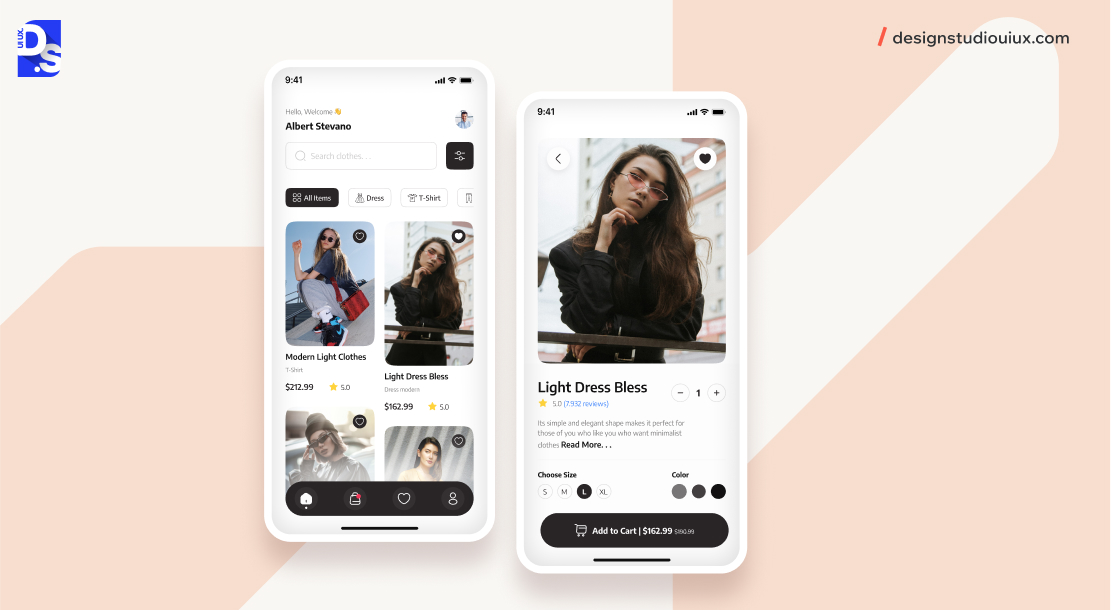
The best eCommerce app design persuades users using a structured sales approach across funnel stages: education (enriched product content), comparison (side-by-side evaluation features), engagement (personalised promotions and high-performing CTAs), and pre-filled checkouts with minimal steps.
Sephora offers this by integrating in-store barcode scanning, loyalty programs, and single-tap online personalization, removing anxiety and friction from every touch point.
Unlike most apps, eCommerce apps have one goal: to sell something in order to be successful.
So, eCommerce apps must have an intuitive shopping experience to drive sales.
A well-structured sales funnel that helps users from product introduction to the final phase, purchase plays a vital role in that.
Creating a well-structured sales funnel that guides users from product introduction to purchase is vital in e-commerce app design best practices.
Designers should focus on 4 key stages within this funnel:
- Education: Provide informative content about products, including descriptions and benefits, to help users make informed decisions.
- Comparison: Using comparison charts for side-by-side product evaluation and comparison.
- Engagement: Call-to-action buttons should be visually appealing and promotional to guide users toward purchase.
- Checkout: As modern users are expecting quick transactions, pre-filled fields and steps can help, significantly reducing abandonment rates.donment rates.
Here are two eCommerce app designs that embody all these principles:
1. Gucci Mobile App
Gucci mobile app has three distinct features: AR virtual try-on, AI-based product recommendation and a luxurious UI design that offers a premium experience replicating an in-store visit.
How these features contribute to UX design:
- AR try-on: Enables users to see how the accessories and products are looking, before purchasing, driving purchase decisions and minimising returns.
- HD imagery: These images are the best devices to communicate the brand’s luxury positioning over text.
- Minimal Checkout: The drop-out rates can be minimized by streamlining the steps. Data from Shopify shows that products with AR visualization will see more conversion, around 94%, and fashion and beauty categories will see a 40% reduction in return rates due to higher purchase confidence.
Sephora’s AR try-on is supported by Modiface (acquired by L’Oreal in 2018) is a primary example where AR delivers measurable outcomes in eCommerce UX.
User-Centered Design (UCD) is present in the Gucci app, especially in its personalization and interactive features. The app tailors the product recommendations based on user preferences and search history.
The app’s sales funnel is tied to primary design decisions:
- Users are introduced to new products through visually striking banners and notifications.
- Detailed descriptions and high-resolution images educate users about items, highlighting features and benefits.
- Virtual try-ons and personalized recommendations are applied to boost engagement
- A streamlined checkout process will require minimal user input, thus improving efficiency
2. Sephora Mobile App
Sephora app offers a centralized online-offline eCommerce experience through three primary sections:
- Beauty Insider Loyalty Program On Home Screen: Consumers don’t have to switch between rewards and shopping
- AR virtual makeup try-on, powered by Modiface: Allows consumers to try different physical products without physical testing.
- In-store barcode scanner: Connects online data and reviews with real-time shelf items.
Sephora offers a minimalistic interface that includes a bottom navigation with 5 clearly-labeled sections, even after following the latest app design trends.
Users are introduced to new products through engaging visuals and notifications. The app provides extensive product information, reviews, and virtual try-on features to help users evaluate options.
Customers stay engaged through personalized recommendations and integrated loyalty programs. The checkout process is streamlined to ensure fast and efficient purchases.
Social Media App UI/UX Design Examples
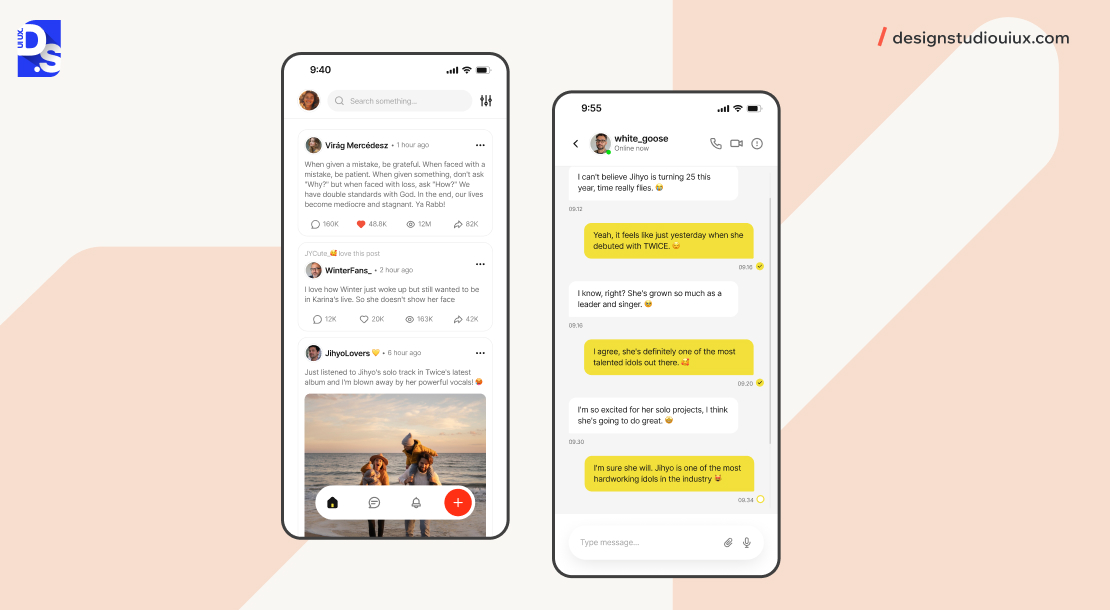
The best social media app designs serve two different UX purposes: content discovery and frictionless communication.
Pinterest is primarily a content discovery engine by combining visual aesthetics and browsable content. Messenger prioritizes communication with minimum taps and friction.
These are two UX patterns with distinct strategies:
- Discovery-led apps: Consists of visual grid density, prominent search, and infinite scrolling
- Communication-led apps: Supports conversational lists, notification badging, and quick replies.
Here are two social media app designs that meet these objectives:
1. Pinterest
Pinterest showcases images as products through its masonry grid layout, stacking columns of different image heights and adjusting visual density without removing content.
Design characteristics to boost performance:
- Users could scroll through more pins compared to an even-grid layout
- Large images are added to high-engagement pins to maintain a visual hierarchy without explicit instructions.
- The fixed search bar on the top strengthens its position as a discovery engine
- Design relies on images to communicate the core message, without any text overlays
People can add or pin their favorite images to personal boards, a feature that ensures that people return to revisit their customized collections.
2. Messenger
Messenger’s UX boasts ruthlessly simple communication workflows. A bottom navigation bar contains clearly labeled destinations (Chats, People, Discover, Settings) with relevant icons.
Primary design considerations:
- The design should be compliant with WCAG 2.1 AA for size and clarity in touch devices
- Unread messages are bold and highlighted with color-coded systems
- A two-channel notification system to indicate context of urgency
- The signature blue color (indicates trust and calm in color psychology), repositioning Messenger as a trustworthy platform.
According to primary research, 75% of all smartphone interactions employ the thumb as the primary tool, meaning the footer is a fundamental requirement for accessibility, instead of just being a design preference.
Both Apple’s Human Interface Guidelines (HIG) and Google’s Material Design 3 specification recommend bottom navigation as the primary pattern for mobile-first apps.
Productivity App UI/UX Design Examples
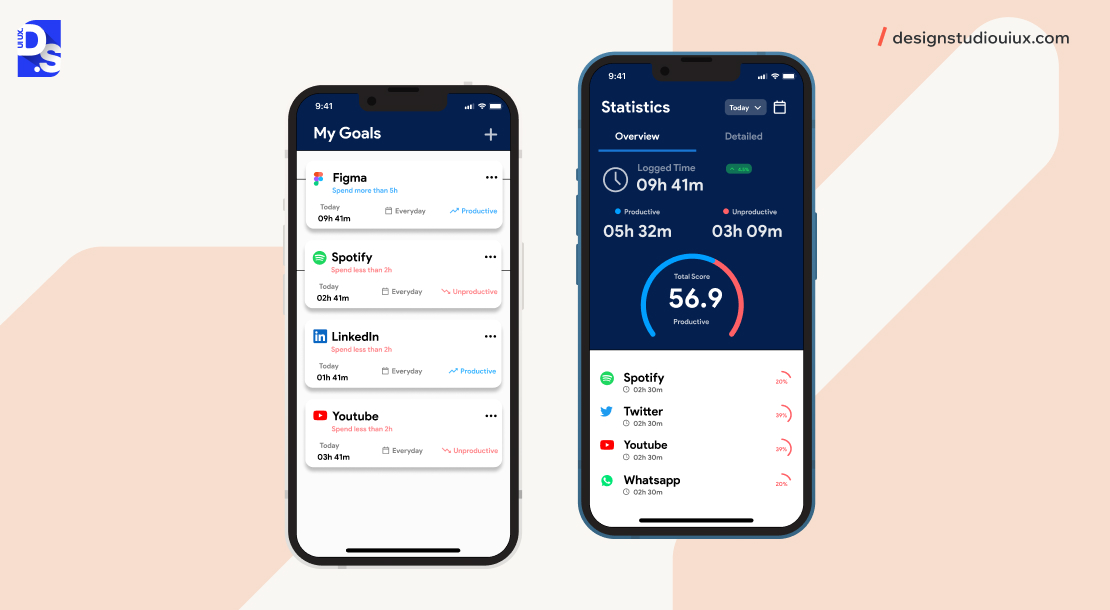
Productivity app design helps users bridge the gap between intention and action.
The best productivity apps share these four design characteristics:
- Clutter-free interfaces, only showing the necessary content on the surface
- Minimizing steps to ensure task completion
- Gamification, progress indicators, and intuitive navigation patterns to build and sustain momentum
- The visual hierarchy should be clear, it should depict urgency without forcing users to scroll through long text blocks or walls
Todoist and Toggl Track represent two ends of the productivity spectrum, task management and time tracking, and both achieve these traits through deliberately different design approaches.
Productivity app design begins with a deep understanding of the target audience through surveys and interviews.
Once designers know specific user goals, they can empathise with users to create solutions that enable quick, efficient task completion.
In these two examples, we see these principles come into play:
1. Todoist
Todoist‘s UX enables users to perform consecutive tasks without giving any cognitive effort. It runs on a colour-coded priority system (red for urgent, low-intensity colour for low-priority tasks) to communicate task hierarchy and urgency.
The primary design decisions:
- A sidebar menu on the left for navigating to projects, the main area displays current tasks, just like a physical desk
- Personalization in themes and backgrounds are used to minimize visual fatigue for power users/ regular visitors
- Tasks are sub-divided into projects and sub-projects, Todoist enables team collaboration through shared projects and assigned tasks.
- A white background provides a calm environment that minimizes distractions, and drives attention and creates a sense of urgency.
The app has a simple navigation, users can master the feature navigation without extensive training. The branding strengthens this simplicity, using slogans such as “Capture everything” and “Achieve More”.
2. Toggl Track
Toggl Track allows zero-friction time logging through a single large start/ stop button to reduce cognitive effort of starting a tracking session to near zero.
The microinteractions used in the app:
- Subtle animations indicating the timer has begun is the prime example of effective use of microinteractions
- Discreet notifications to denote idle-time
- Progress bars showcasing daily goals
These microinteractions are used to build a feedback loop that establishes accuracy of data capture.
These animations display a state, a UX microinteraction design at its most intentional usage. The clean layout ensures that the timer remains in the focus across all screen sizes.
Finance App UI/UX Design Examples
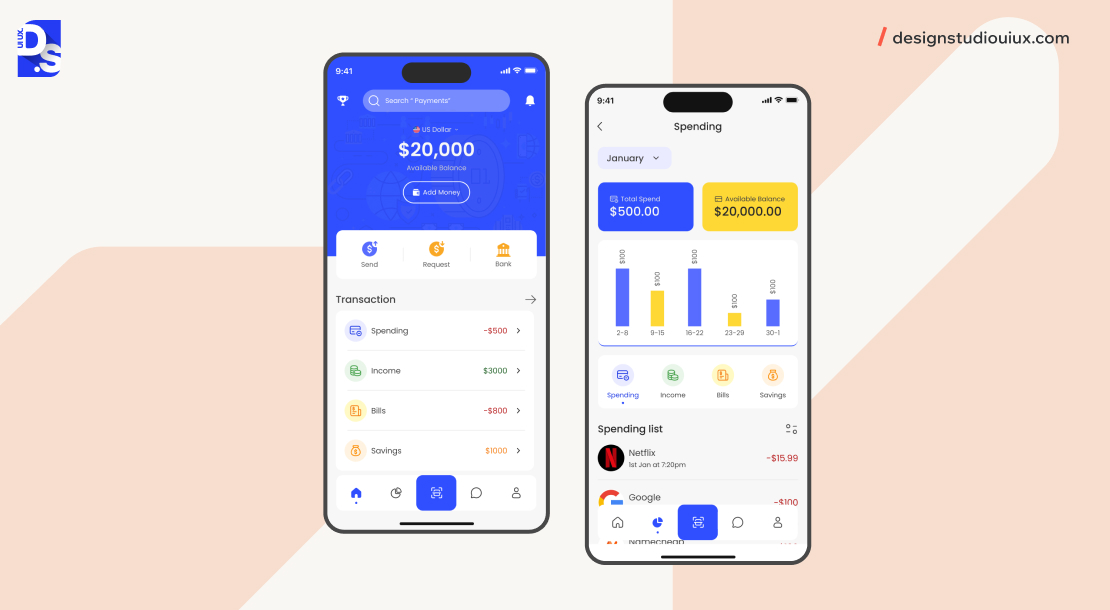
Finance app design deals with a unique UX challenge: users are more anxious than they are curious. So they need clarity about the app to trust it and engage with it.
This is addressed through two approaches:
- Data visualization: Raw data is converted into legible charts to convey financial information (Mint).
- Radical minimalism: All the distracting elements are removed to minimize barrier-to-action (Robinhood).
Both strategies are needed to minimise cognitive effort and friction.
Here are two apps that excel in finance app UX:
1. Mint
Mint’s core UX contribution is converging complex financial data across 17,000+ connected financial institutions into an immediately scannable visual dashboard.
Important UX decisions:
- Automatic transaction categorisation (groceries, utilities, dining) makes budget tracking effortless.
- Color-coded bar and pie charts give users a gestalt understanding of their financial position without requiring spreadsheet literacy.
- Users can access all primary functions from a single straightforward menu.
- Instant animation feedback on user actions (syncing accounts, categorizing transactions) confirms the system is working, critical for user trust in financial applications.
2. Robinhood
Robinhood democratised retail investing by removing the visual complexity of intimidating traditional brokerage interfaces.
Key decisions in design:
- A clean single-column layout shows portfolio value and daily change on the home screen.
- Swiping navigation between sections (portfolios, market data, account settings) mirrors mobile-first interaction patterns.
- Colour-coded charts and bold buy/sell buttons make primary actions unmissable.
The app is fundamentally minimalistic, it eliminates every element that can be perceived as complex by investors, thereby minimizing psychological barriers toward trading.
Whenever users place a trade, they receive instant feedback through color-coded data, animations, and easy-to-read fonts.
These finance apps champion how UX design for SaaS products can be used to simplify complicated financial data, thus making financial decision-making convenient for a broader user base.
Health and Fitness App UI/UX Design Examples
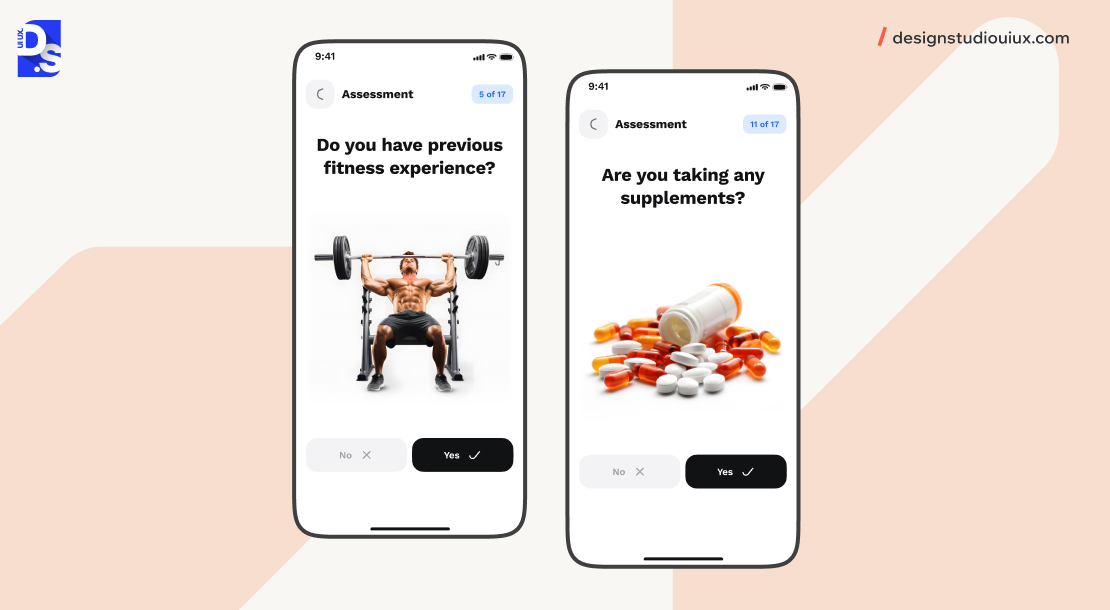
Health and fitness apps struggle to retain users because they ask users to change behaviour, not just use a product.
The design strategies applied to drive long-term retention are:
- Gamification (Strava): Leaderboards, challenges, and social kudos enable social comparison, and through variable reward psychology to provide motivation beyond initial enthusiasm.
- Environmental Design (Headspace): The app creates a calm, meditative environment through soft color palettes, gentle animations, and audio-visual session designs, something the app itself promises.
Here are two health apps that get these details right:
1. Strava
Strava‘s UX is a masterclass in applying behavioural psychology to fitness motivation.
Its system of gamification comprises:
- Leaderboards for segment performance
- Monthly challenges with progress bars
- Kudos (peer recognition) for completed workouts
- Celebratory milestone animations
This system relies on variable reward scheduling and social comparison to improve the engagement wall beyond initial motivation.
The app highlights key data (pace, distance, and elevation) is highlighted during and after workouts, meeting user requirements for progress.
Social club and team features transform a solo fitness activity into a community behaviour, encouraging people to follow through their 90-days plans, significantly increasing retention compared to non-social fitness apps.
2. Headspace
Headspace starts delivering the serene experience even before the first session starts playing.
Key decisions in design:
- Soft blues, greens, and pastel backgrounds colours are associated with calm, safety, and reduced cortisol response.
- Gentle entrance animations (no hard cuts or jarring transitions) and ambient sound effects on session start and end create an audio-visual ritual that primes users for mindfulness.
- The interface minimizes decision fatigue by only keeping the session category and start button, and removing all distractions.
Travel App UI Examples
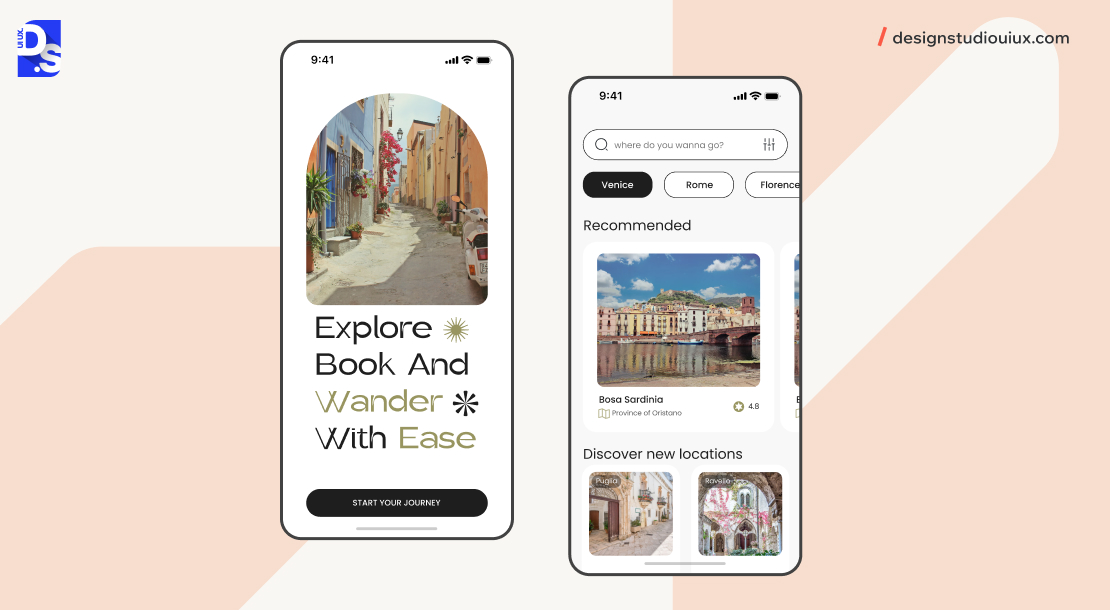
Travel app design must tackle the anxiety associated with high-stakes, high-cost decisions.
Airbnb addresses this through trust-building design: immersive HD visuals, prominent social proof (reviews and ratings on every listing), and warm color psychology (coral and soft beige) to create emotional confidence before a booking decision.
Skyscanner applies multi-provider simultaneous search, powerful filters, and the ‘Everywhere’ search feature to minimize information overload, and assisting users with app navigation (faster navigation to the best option).
These are the two travel apps that deliver those characteristics:
1. Airbnb
Airbnb‘s app design is built on helping users book a stranger’s home through two-way trust building.
Important design decisions:
- HD photo and video galleries are shown first even before price or availability, establishing emotional connection.
- Verified reviews and star rating are displayed against every listing
- A ‘local experiences’ section positions hosts as cultural guides rather than landlords.
- Warm coral and soft beige colour choices evoke comfort and hospitality.
Airbnb was among the first travel apps to treat photography as a primary UX element, a decision that has since become industry standard.
2. Skyscanner
Skyscanner‘s UX aggregates flights, hotels, and car rental services from hundreds of providers into a single clean interface.
Major design decisions:
- ‘Everywhere’ search destination removes decision fatigue (‘where to go’) into a browsable discovery experience.
- Robust filtering (ability to sort price, duration, stops, and departure time) respect people’s priorities without forcing irrelevant scrolling
- A clutter-free layout with a streamlined booking flow will eliminate all friction from the journey, from search to purchase.
What are the Key Principles of Mobile App Design in 2026?
The four key principles of the best mobile app designs in 2026 are: (1) User-Centered Design (UCD) that comprises real users throughout the design process, (2) Minimalist design removes everything that’s not serving the core user activity, (3) Visual hierarchy that structures content to drive user attention and (4) Color psychology, using specific colors to trigger emotional and behavioral responses that aligns with the app’s purpose.
User-Centered Design
User-Centred Design (UCD) works with the user’s needs, contexts, and feedback at the centre of every design decision, from initial research through post-launch iteration.
Waterfall design processes collection information at the beginning or end, UCD on the other hand, incorporates user testing at every stage:
- Validation of conceptions
- Wireframes evaluation
- Prototype usability evaluation
- Analysis of post-launch behavior
According to the Nielsen Norman Group, UCD optimises for learnability, efficiency, memorability, error prevention, and satisfaction.
Apps that rely on continuous UCD iteration are likely to outperform assumption-based designs.
Minimalist Design
Minimalist design approach in mobile apps works on one principle: unnecessary elements actively reduce the usefulness of necessary ones.
In practice, minimalism refers to:
- Limited color palette to 2-3 functional colors
- Showing only the relevant actions according to user’s current task
- White space is used methodically to minimize visual noise
- Every element is tested for usability and usefulness
Apps like Robinhood, Headspace, and Todoist treat minimalism as a decision-making framework, rather than an aesthetic part.
Visual Hierarchy
Visual hierarchy is about how the mobile app communicates the core message through visual properties alone, without labels or instructions.
The main visual hierarchy tools include:
- Size: Larger elements will draw more attention
- Color contrast: Elements with high contrast will receive more attention
- Spatial positioning: Elements on the upper-left and center receive more attention before those placed in the lower-right
- Whitespace: Whitespace isolates elements from each other
A well-executed visual hierarchy means users can complete their primary task on any screen without reading a single word of instructional text, the design communicates the path forward.
Color Psychology
Colour psychology in mobile app design uses associations between colours and psychological or behavioural responses to influence user behaviour and action.
Common color associations used in mobile apps:
- Blue, used by Messenger, Robinhood, and health apps invoke trust and calm
- Red is used in priority flags in Todoist and error states to create urgency and drive attention
- Green represents positive indicators and success states or safety and progress.
- Soft pastels lead to physiological arousal, primarily used by Headspace.
Color associations are not necessarily universal, the same color can mean different things across cultures and locations. The color choices should be validated through user research in the target market.
Mobile App Design Tools and Resources
These tools can help you create inspirational designs:
- Figma: Can be used to create unique designs, prototypes, and components with its extensive library, templates, plugins, built-in vector editing capabilities and prototyping tools.
- Adobe XD: Is used to create artboards for different screen sizes and design interfaces with animations and transitions
- Sketch: Can be used to experiment with design ideas for dedicated Mac-native design environment
Once you have created your own designs, consider sharing them on:
- Dribbble: Where app designers from across the world share their work.
- Behance: Where creatives showcase app design portfolios and case studies.
- Pinterest: Where you can search for mobile app UI design inspirations by entering relevant keywords.
Conclusion
This is a curated list of the best mobile app design examples, their edgy design is something to copy for your app. It’s essential to understand the cost to design an app and plan the budget before proceeding any further.
Make sure to follow the key mobile app design principles outlined throughout this article, minimalism, visual hierarchy, user-centred design, and colour psychology, while creating your app’s design.
Our mobile app design guide covers the complete process to ensure a seamless user experience.
If you need cost-related instructions on designing your app, contact Design Studio UI/UX! Our mobile app design services is open to customer queries and requests 24/7.
We will give you a detailed cost estimate for free and guide you on our mobile app design process.
Contact us now!
FAQs
What is the best mobile app UI design example in 2026?

The best mobile app UI design examples in 2026 are Gucci, Sephora, Headspace, Robinhood, and Airbnb.
What is the difference between UI and UX design in mobile apps?
UI (User Interface) design focuses on the visual layer like layouts, colour schemes, typography, icons, and interactive elements.
UX (User Experience) design focuses on the structural and behavioural layer like user research, information architecture, user flows, wireframing, and usability testing.
UI is what users see; UX is how they feel and behave.
What makes a mobile app design successful?
A successful mobile app design consistently enables users to complete their core task with minimal friction, loads fast and performs reliably across devices, and builds trust through visual consistency and clear feedback.
Apps with strong UX retain 25% of users after day one and up to 40%+ after 30 days (industry benchmark). Design decisions like contrast, navigation patterns, onboarding clarity, and error handling, directly impact these retention metrics.
What design principles does Airbnb's app follow?
Airbnb’s app relies on immersive visual storytelling (HD photos and video to build trust before booking), social proof integration (prominent user reviews and ratings at every decision point), and warm colour psychology (coral and soft beige to evoke comfort and hospitality).
Why does Headspace use soft colors and animations?
Headspace uses soft blues, greens, and pastel backgrounds because these colours are associated with calm and reduced physiological arousal, a response supported by colour psychology research.
The design is engineered to match the product’s purpose: if the app itself feels stressful, users won’t meditate.
What is the best navigation pattern for mobile apps?
For most mobile apps, bottom navigation is the recommended primary navigation pattern as of 2026, per both Apple’s Human Interface Guidelines and Google’s Material Design 3 specification. It places 3–5 core destinations within natural thumb reach, reducing the effort required to switch between sections. Apps like Sephora, Messenger, and Robinhood all use bottom navigation. Tab bars exceeding 5 items should introduce a ‘More’ overflow menu rather than crowding the navigation bar.
How does gamification improve health and fitness app UX?
Gamification in fitness apps, leaderboards, achievement badges, challenges, progress bars, and social kudos, leverages behavioural psychology principles (variable reward schedules, social comparison, loss aversion) to sustain engagement beyond initial motivation.